

Reseller hosting lets you buy hosting resources from an established provider and sell them to your own customers under your brand. Instead of running physical servers, you use an existing platform to create separate accounts, set your own packages, and manage client relationships. Web designers, developers, and agencies often use this model to add hosting to their existing services.
This guide explains how reseller hosting works, the roles of WHM and cPanel, white-label branding, pricing, and what to check before choosing a provider. You will also see example packages, a WHM and cPanel comparison, and a simple and clear way to compare it with shared hosting and VPS hosting options.
Table of Contents
- What Is Reseller Hosting and Why Is It Important?
- How Does Reseller Hosting Work?
- What Are WHM and cPanel in Reseller Hosting?
- What Is White-Label Reseller Hosting?
- Who Should Use Reseller Hosting and What Can You Sell?
- Benefits and Limitations of Reseller Hosting
- What to Look for in a Reseller Hosting Provider
- Frequently Asked Questions
- Summary:
What Is Reseller Hosting and Why Is It Important?
Reseller hosting is an arrangement where you buy a larger hosting allocation from a provider and divide it into smaller accounts for your own customers. You act as the seller of the hosting service, while the upstream provider supplies and maintains the underlying infrastructure.
For example, a web development agency might buy a reseller hosting plan and create a separate account for every website it builds. Each customer gets an individual account with its own control panel, storage allocation, email services, and other features the package allows. You decide how to present and price your packages, within the provider’s terms and resource limits.
Why is reseller hosting important?
Reseller hosting lets you offer web hosting without buying physical servers or running a data centre. It can also create a recurring service relationship. A designer who used to hand clients over to an unrelated host can now offer hosting alongside development, maintenance, and support.
The key distinction is that reseller hosting gives you a way to manage and sell hosting accounts. It does not make you the owner or operator of the underlying server.
How Does Reseller Hosting Work?
Reseller hosting works through a relationship between three parties: the primary hosting provider, the reseller, and the end customer. The provider allocates resources and gives the reseller account-management tools. The reseller divides those resources into packages and sells them to customers.
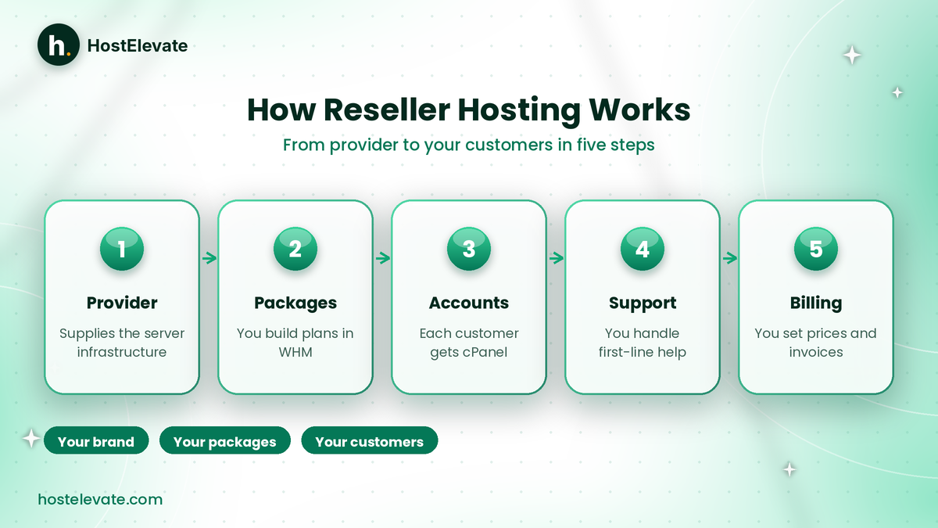
How reseller hosting works from provider to customer.
The provider supplies the infrastructure
The primary provider operates or manages the server environment that hosts customer websites. Depending on the agreement, it may handle:
- Physical or virtual server infrastructure.
- Network connectivity and server availability.
- Operating system and server-level maintenance.
- Hosting platform configuration.
- Infrastructure-level security and monitoring.
- Technical support for the reseller.
The exact responsibilities depend on the provider and the plan.
The reseller creates hosting packages
On cPanel-based hosting, the reseller usually gets WebHost Manager (WHM). Through it, you can create packages and customer accounts using the permissions your host provides. A reseller might offer three packages, for example:
| Package | Storage allocation | Intended use |
| Starter | 10 GB | One basic website |
| Professional | 25 GB | A growing website |
| Advanced | 50 GB | Multiple website requirements |
These sizes are illustrative, not recommended allocations or guaranteed performance. Actual limits depend on the resources the upstream provider assigns.
Customers receive individual hosting accounts
After a customer buys a package, you create or automatically provision an individual account. With cPanel-based reseller hosting, each customer can have their own cPanel login to manage files, email accounts, databases, domain and subdomain settings, SSL certificates, and application installations. Each account stays within the limits and permissions you configured.
The reseller manages the customer relationship
You handle the customer-facing side: pricing, invoices, account provisioning, first-line support, renewals, and communication. The provider generally looks after the infrastructure under the service agreement.
Here is a simple example. A web designer buys a reseller hosting plan, creates cPanel accounts for ten customers, and charges each a recurring hosting fee. The designer manages the accounts and billing, while the provider operates the servers. That is the basic reseller hosting business model.
What Are WHM and cPanel in Reseller Hosting?
WHM and cPanel are two important tools in most cPanel-based reseller hosting environments. They do different jobs and work together to manage hosting accounts.
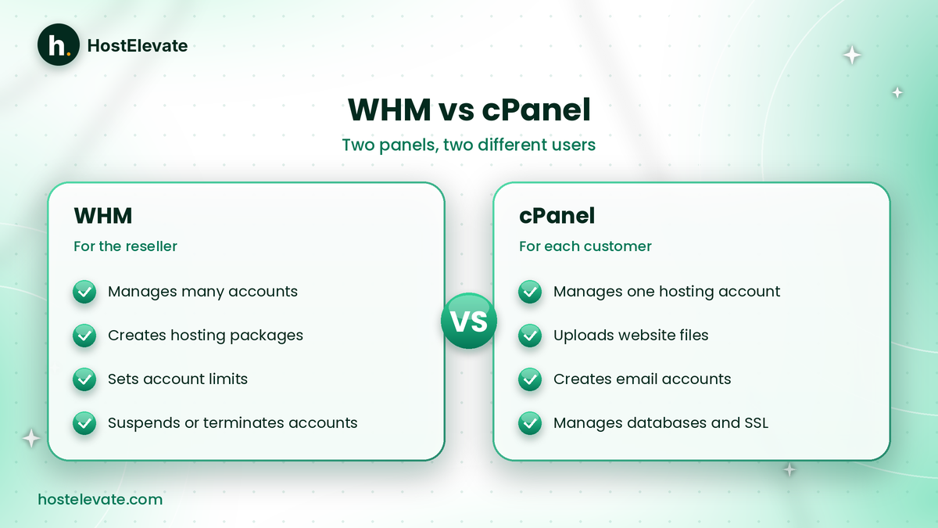
WHM is for the reseller, and cPanel is for each customer.
What is WHM?
WHM stands for WebHost Manager. It is the administrative interface for managing many cPanel accounts. Depending on the permissions your host grants, you can use it to:
- Create and manage customer accounts.
- Assign hosting packages.
- Set account resource limits.
- Modify supported account settings.
- Suspend or terminate accounts.
- Manage certain reseller-level functions.
A reseller does not automatically get unrestricted server administration. Hosts decide which WHM features are available, and cPanel’s own documentation notes that reseller accounts use a restricted version of WHM. You can browse the WHM documentation to see what the interface offers.
What is cPanel?
cPanel is the control panel an individual customer uses to manage their own account. It gives a graphical interface for everyday tasks such as uploading files, creating email accounts, managing databases, installing WordPress, configuring domains, managing SSL settings, and reviewing website statistics, depending on the provider’s configuration.
WHM vs cPanel: what is the difference?
| Feature | WHM | cPanel |
| Main purpose | Manage multiple hosting accounts | Manage one hosting account |
| Primary user | Reseller or server administrator | Website owner or customer |
| Account creation | Yes, where permitted | No |
| Package management | Yes, where permitted | No |
| Website file management | Not its main purpose | Yes |
| Email management | Account-level administration may be available | Yes, for the individual account |
In simple terms, WHM manages the customer accounts, while cPanel lets each customer manage their own hosting.
What Is White-Label Reseller Hosting?
White-label reseller hosting lets you sell hosting under your own business identity without showing the upstream provider’s branding in the customer experience. Agencies and hosting businesses like it because it keeps one consistent brand across their website, client area, control panel, and support channels.
How does white-label branding work?
- Custom nameservers using your own domain.
- Branded cPanel interfaces.
- Your own hosting packages and prices.
- Your own customer-facing support email.
- Your own invoices and billing system.
- Branding on relevant customer-facing pages.
The level of white-label control varies between providers, so check what is included instead of assuming every reseller hosting plan is fully rebrandable.
What are private nameservers?
Private nameservers let you use DNS names that belong to your own domain, such as ns1.yourbrand.com and ns2.yourbrand.com. They are set up through your domain registrar and your provider’s infrastructure, and customers can point their domains to them instead of the upstream provider’s nameservers. If you still need a domain for your brand, you can register one with HostElevate.
Private nameservers are an important part of a professional white-label setup, but they do not mean you own the physical servers.
Who Should Use Reseller Hosting and What Can You Sell?
Reseller hosting suits people and organisations that already work with websites or have a clear way to reach hosting customers.
Who should use reseller hosting?
- Web design and development agencies: offer hosting as an additional service instead of sending clients elsewhere.
- Freelance developers: host the sites they build, with separate accounts per customer.
- Digital service agencies: include hosting in maintenance, WordPress management, or technical service packages.
- Entrepreneurs entering the hosting market: launch a hosting brand without operating server hardware, while still planning support, billing, pricing, and policies.
What can you sell with reseller hosting?
What you can offer depends on the features and permissions in your plan. Common options include:
- Shared web hosting packages with separate storage, bandwidth, email, and other account limits.
- WordPress hosting with clear notes on whether caching, backups, staging, or maintenance are included.
- Business email hosting on customer domains, after checking sending limits, deliverability policies, and anti-spam rules.
- Website maintenance and support such as updates, backups, and security checks, which may need separate tools or licences.
Be clear with customers about what each package includes, because features like caching or staging are not automatically part of every reseller hosting plan.
Benefits and Limitations of Reseller Hosting
Reseller hosting lowers the need for server administration, but it does not remove the responsibilities of running a customer-facing service.
Benefits of reseller hosting
- Start without physical servers: the provider supplies the environment, so you can focus on accounts and service.
- Build your own hosting brand: with suitable white-label features, you sell under your business name.
- Set your own retail prices: account for the plan cost, licences, payment fees, support time, and taxes.
- Create recurring revenue: monthly or annual subscriptions build ongoing relationships beyond one-time projects.
- Manage many customers in one place: WHM is more convenient than treating every customer as a separate hosting purchase.
Limitations of reseller hosting
- You depend on the upstream provider: a significant outage on their side can affect your customers too.
- Your resources are limited: a plan has defined account, storage, and bandwidth allowances, so you cannot promise unlimited performance.
- Customer support is your job: you are usually the first contact for access, email setup, migrations, billing, and common issues.
- No automatic root access: a reseller account generally gets restricted WHM privileges, not full server control.
If you need to install system packages, change server-wide configuration, or control operating system services, a VPS may suit you better, such as HostElevate’s cPanel VPS option.
What to Look for in a Reseller Hosting Provider
Your provider affects the reliability of the service you sell. Compare real plan specifications and responsibilities instead of relying only on advertised account counts.
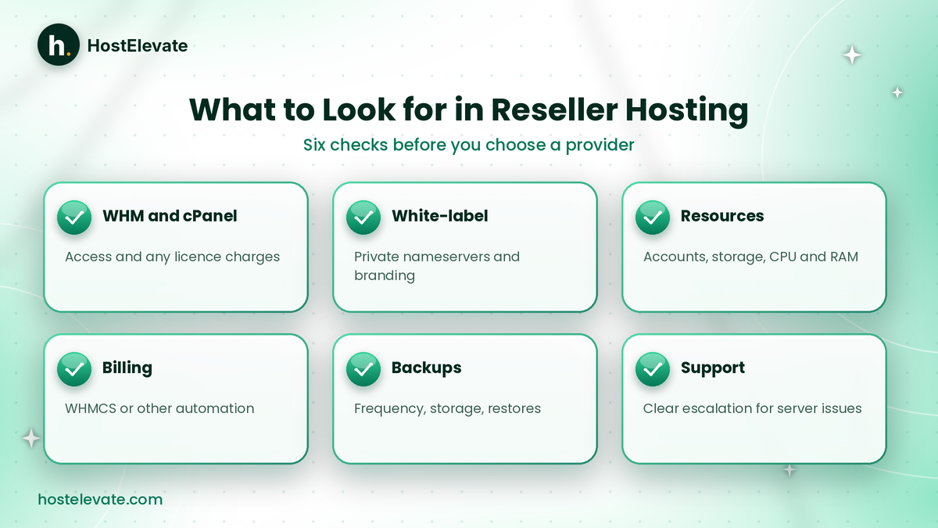
Six checks to make before you choose a reseller hosting provider.
WHM and cPanel availability
Confirm the provider includes WHM for account management and individual cPanel accounts for your customers, and ask which WHM features you can use and whether extra licence charges apply.
White-label branding and private nameservers
If you want to sell under your own brand, check that custom nameservers and white-label cPanel branding are included, and whether branding extends to the control panel, support details, and billing experience.
Resource allocation and account limits
Review the permitted number of cPanel accounts, storage, bandwidth, and any CPU, memory, or other restrictions. A high account limit does not mean every account can use its maximum allocation at the same time.
Billing and automation integration
If you plan to run recurring subscriptions, check whether the provider supports WHMCS or another billing platform. Automation can connect orders and payments with provisioning and suspension. You can begin with manual account creation, but billing automation gets more useful as your customer base grows.
Backup and migration arrangements
Ask how often backups run, how long they are kept, where they are stored, and whether restoration is included. If customers already sit on another platform, confirm that account migration covers email, databases, files, and DNS settings. HostElevate’s free website migration moves those items together.
Technical support and escalation
Understand which issues your provider handles and which stay with you. A reliable escalation path matters when a problem needs server-level access that a reseller does not have.
Reseller hosting vs shared hosting vs VPS hosting
| Feature | Shared Hosting | Reseller Hosting | VPS Hosting |
| Main purpose | Host your own sites | Sell hosting to customers | Run applications on a virtual server |
| Customer accounts | Usually one account per plan | Multiple customer accounts | Depends on your setup |
| WHM access | Not normally included | Commonly included on cPanel plans | Available when configured with cPanel/WHM |
| Root access | No | No, on a standard plan | Usually available |
| White-label | Not the usual purpose | Available on supported plans | Can be configured |
| Server administration | Provider-managed | Provider-managed infrastructure | Your responsibility unless managed |
| Suitable for | Individual websites | Agencies and resellers | Advanced server needs |
Choose shared hosting if you only host your own site. Choose reseller hosting if you want to offer hosting under your own brand and manage several customers from one place. Choose a VPS if you need root access or a customised environment. To compare plans, review HostElevate’s reseller hosting page for account allowances, WHM features, white-label options, and migration arrangements, or see web hosting for individual sites. You can start at HostElevate.
Frequently Asked Questions
What is reseller hosting in simple terms?
It lets you buy hosting resources from a provider and sell them to your own customers under your brand.
Do I need a server to start reseller hosting?
No, the provider supplies the server infrastructure and the account-management tools in your plan.
What is the difference between WHM and cPanel?
WHM manages multiple hosting accounts, while cPanel lets each customer manage their own account.
Can I sell hosting under my own company name?
Yes, if your provider supports white-label branding, private nameservers, and the other customer-facing features you need.
Is reseller hosting suitable for web design agencies?
Yes, it lets agencies offer hosting alongside development and maintenance without running their own servers.
Summary: Is Reseller Hosting Right for You?
Reseller hosting lets you buy resources from an established provider, divide them into customer accounts, and sell those accounts under your own brand. WHM provides the account-management interface, while cPanel gives each customer access to their hosting features.
The model suits web designers, developers, agencies, and entrepreneurs who want to offer hosting without managing physical servers. Before choosing a plan, evaluate resource limits, white-label options, billing integration, backups, migration support, and technical escalation. The right reseller hosting provider gives you the tools to manage customers professionally while keeping a reliable infrastructure behind your brand.