
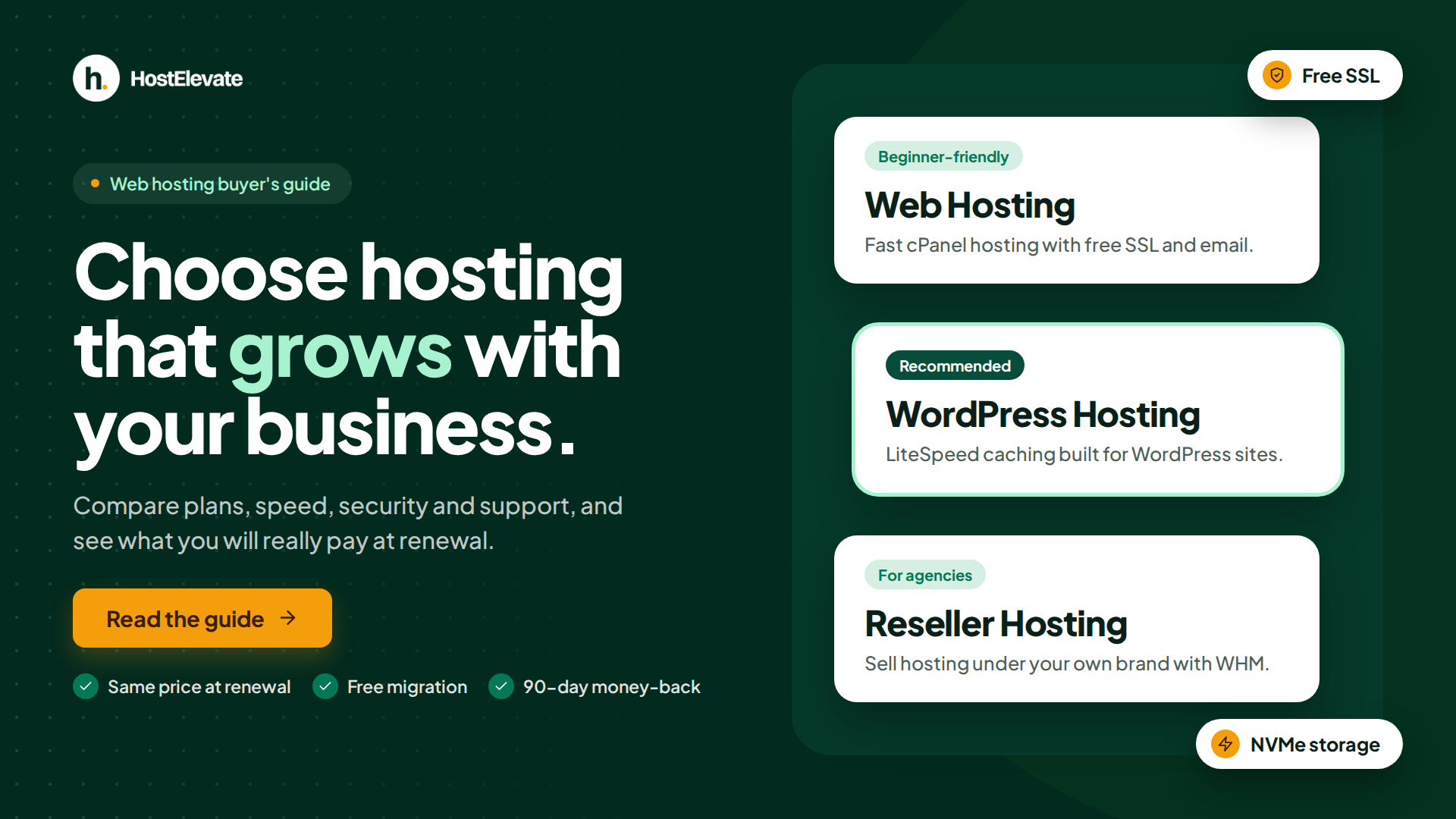
Choosing web hosting for your business becomes easier when you compare performance, security, customer support, pricing, and the resources included in each plan. The right choice should meet your current needs while allowing your website to grow.
The best approach is to evaluate your business website’s requirements before purchasing a hosting plan. You should consider the type of website you operate, the resources it needs, the level of technical support you expect, and the costs involved over time. This guide explains the essential factors to compare, helping you choose a web hosting solution that supports your business today and provides room for future growth.

Table of Contents
- What Is Web Hosting and Why Is It Important for Your Business?
- Identify Your Business Website’s Hosting Requirements
- Choose the Right Type of Web Hosting
- Compare Website Speed and Performance
- Evaluate Security and Data Protection
- Check Reliability and Uptime
- Review Customer Support and Website Migration
- Compare Hosting Prices and Renewal Costs
- Check Essential Features and Technical Resources
- Plan for Business Growth and Scalability
- Why Choose HostElevate?
- Frequently Asked Questions
- Summary
What Is Web Hosting and Why Is It Important for Your Business?
Web hosting is a service that stores your website’s files, databases, and other resources on an internet-connected server. When customers visit your domain, the hosting server delivers the information needed to display your website.
For a business, a website can serve as a digital storefront, a source of product information, a lead-generation channel, or a platform for online transactions. Reliable hosting helps keep these services accessible to visitors.
Choosing suitable hosting is important for several reasons:
- Website performance: Responsive pages help visitors browse products, services, and information more comfortably.
- Business credibility: A dependable website provides a more consistent experience for potential customers.
- Data protection: Appropriate security measures and backups help protect website information.
- Customer experience: Reliable access helps visitors complete forms, browse products, and interact with your website.
- Future growth: Flexible hosting makes it easier to accommodate increasing traffic and technical requirements.
Hosting alone cannot guarantee higher search rankings or more sales. Website content, design, application quality, usability, and marketing also matter. However, an appropriate hosting environment provides an important foundation for your online operations.
Identify Your Business Website’s Hosting Requirements
Before comparing hosting providers, identify what your website needs to operate effectively. The right package depends on your website’s purpose, expected traffic, technical requirements, and the services you intend to offer online. If you are still exploring your options, you can compare HostElevate web hosting plans to find a solution that fits your website’s needs and budget.
Start by considering these factors:
- Website platform: Determine whether your website uses WordPress, WooCommerce, another content management system, or a custom application.
- Expected traffic: Estimate the number of visitors you expect and consider whether traffic may increase during promotions or seasonal periods.
- Storage requirements: Account for website files, product images, databases, email, and other content.
- Technical requirements: Check supported PHP versions, database systems, scheduled tasks, and any required development tools.
- Email requirements: Determine whether you need professional email addresses associated with your domain.
- Management preferences: Decide whether you prefer a managed service or have the expertise to administer your own server.
For example, a company website containing service descriptions and contact forms may have relatively modest resource requirements. An online store with frequent orders, customer accounts, and a large product catalog may require additional processing capacity and more frequent backups.
Documenting these requirements helps you compare hosting packages accurately and avoid paying for resources that your website does not currently need.
Choose the Right Type of Web Hosting
The best web hosting for your business depends on your website’s traffic, technical requirements, budget, and expected growth. A small business website may need a different hosting solution than a busy online store.
| Hosting type | Suitable use cases | Main consideration |
|---|---|---|
| Shared hosting | Company websites, portfolios, and many WordPress websites | Resources are shared across hosting accounts |
| Managed WordPress hosting | Businesses running WordPress websites | Check which updates, backups, and maintenance tasks are included |
| VPS hosting | Applications requiring greater control and allocated resources | Server administration may require technical expertise |
| Cloud hosting | Workloads requiring flexible infrastructure | Resource allocation and billing vary by provider |
| Dedicated hosting | Applications needing an entire physical server | Higher costs and additional management responsibilities |
| Reseller hosting | Agencies managing hosting accounts for clients | Check account limits, isolation, and reseller tools |
Shared hosting can be a practical starting point for a website with moderate resource requirements. It generally offers a straightforward management experience without requiring the customer to administer an entire server.
Managed WordPress hosting is worth considering when WordPress is central to your operations and you want additional help with maintenance, caching, updates, or staging.
VPS hosting provides greater control over the server environment and can be appropriate for resource-intensive applications or specialised configurations.
Cloud and dedicated hosting may be suitable when your workload requires particular infrastructure capabilities, more resources, or greater control over the environment.
There is no universally best hosting type. Compare the actual specifications, management responsibilities, and costs before selecting a package.
Compare Website Speed and Performance
When evaluating web hosting for your business, compare server performance, uptime commitments, and the resources available under each plan. These factors can affect website responsiveness and the experience visitors have on your site.
When comparing hosting providers, consider the following performance factors.
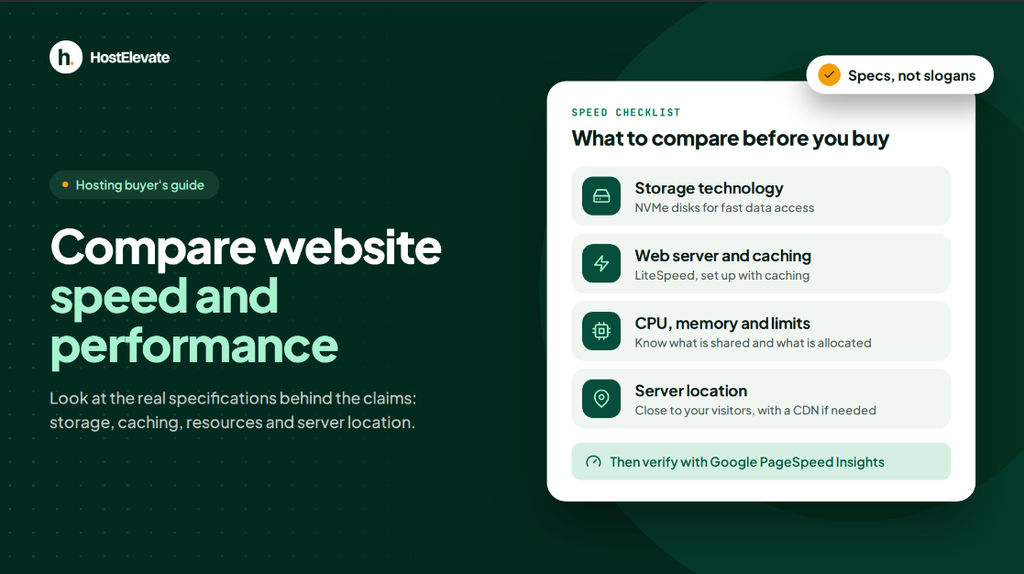
Storage technology: NVMe storage can provide high-speed data access for supported workloads, including database-intensive websites. Actual performance depends on the complete server configuration.
Web server and caching: Technologies such as LiteSpeed can improve request handling and support efficient caching when configured appropriately.
Available resources: CPU capacity, memory, and account limits influence how much processing your website can perform.
Server location: Consider the geographical location of your primary audience. Server distance can affect latency, while a suitable content delivery network can help distribute static content closer to visitors.
Application optimization: Efficient themes, optimised images, sensible plugin usage, and appropriate caching also contribute to page speed.
You can assess your website using Google PageSpeed Insights. Review its performance recommendations and Core Web Vitals to identify opportunities for improvement.
A good hosting provider should explain its infrastructure and resource limits clearly. Avoid choosing a package based solely on claims such as “unlimited speed” without examining the actual specifications.
Evaluate Security and Data Protection
Business websites may handle customer inquiries, account information, order details, and other important data. Security should therefore be a key consideration when choosing a hosting provider.
Although website owners remain responsible for many aspects of application security, a suitable hosting environment can provide important protective measures.
Review these features before purchasing:
- SSL certificates: HTTPS encrypts information exchanged between a visitor’s browser and your website.
- Server security: Ask about firewalls, account isolation, and protection against common attacks.
- Backup arrangements: Check backup frequency, retention periods, storage location, and restoration procedures.
- Access controls: Use strong passwords, appropriate account permissions, and multi-factor authentication where available.
- Software updates: Keep your content management system, plugins, themes, and server applications updated as appropriate.
- Recovery options: Understand how to restore your website after accidental deletion, a failed update, or another incident.
Backups are particularly important for online stores and websites that receive regular customer submissions. A recent, recoverable backup can reduce the impact of data loss.
Before signing up, confirm whether security and backup features are included in your chosen plan or require additional services.
Check Reliability and Uptime
A business website should remain accessible when customers need information or want to contact your company. Unexpected outages can interrupt sales, inquiries, and other online activities.
Hosting reliability depends on several factors, including server infrastructure, network connectivity, maintenance practices, monitoring, and recovery procedures.
When evaluating providers, check the following:
- Uptime commitment: Review the provider’s stated availability target and any applicable service-level agreement.
- Maintenance policy: Understand how scheduled maintenance is communicated and managed.
- Monitoring: Check whether infrastructure and hosting services are monitored for failures.
- Incident response: Find out how technical problems are investigated and communicated.
- Recovery procedures: Ask how the provider handles infrastructure failures and service restoration.
An uptime percentage is useful only when you understand how it is measured and what terms apply. A published target does not guarantee that outages will never occur.
For a business that depends heavily on online transactions, consider whether the hosting arrangement provides the resilience and recovery capabilities appropriate to the potential impact of downtime.
Review Customer Support and Website Migration
Technical support matters when you need help diagnosing a website error, resolving an email problem, restoring a backup, or configuring a hosting service.
Before selecting a provider, investigate its available support channels, operating hours, technical expertise, documentation, and escalation procedures.
It is particularly useful to know whether support can investigate server-level issues or is limited to basic account guidance.
If you already have a website, migration assistance may also influence your decision. Ask the provider whether it can transfer the following components:
- Website files and databases.
- Email accounts and stored messages, where supported.
- Domain and DNS configuration.
- SSL settings and application dependencies.
- Redirects, scheduled tasks, and other relevant configurations.
A careful migration should include testing the new hosting environment before directing visitors to it. Check important pages, contact forms, login functions, online checkout, and email delivery as applicable.
HostElevate advertises free website migration, including assistance with files, databases, email, and DNS. Confirm the scope of the service and the migration process with its team before proceeding.
Compare Hosting Prices and Renewal Costs
Before choosing a plan, compare the features, available resources, and renewal prices offered by different providers. You can explore HostElevate web hosting plans to review the available options.
Compare the following expenses:
| Cost factor | What to verify |
|---|---|
| Initial subscription | Price and billing period |
| Renewal price | Cost when the initial term ends |
| Domain registration | Registration and renewal charges |
| SSL certificate | Whether the required certificate is included |
| Backups | Retention, restoration, and additional charges |
| Migration | Whether assistance is included |
| Control panel | Whether the required licence is included |
| Upgrades | Cost of increasing resources |
| Taxes and cancellation | Applicable charges and contract terms |
Consider the total cost over a consistent period, such as one or two years, rather than comparing only the first invoice.
Transparent renewal pricing can make hosting expenses easier to forecast and budget for. It is also important to understand refund conditions, cancellation procedures, and any exclusions before committing to a subscription.
The objective is to find a hosting plan that provides the features and resources your business needs at a predictable cost.
Check Essential Features and Technical Resources
A hosting plan should support the technologies your website requires without imposing unexpected restrictions.
If you plan to build your website with WordPress, review the official WordPress hosting requirements to understand the recommended PHP, database, and HTTPS support.
In addition to storage capacity, review the technical specifications that influence how your application operates.
CPU and memory: These resources determine how much processing and memory capacity is available to your website. Check whether the limits are shared, allocated, or dedicated.
Storage and file limits: Confirm the available disk space and any inode or file-count restrictions.
Database support: Verify supported database systems, connection limits, and available management tools.
Programming environments: Check supported PHP versions and whether your application requires SSH, Git, Composer, WP-CLI, or other tools.
Control panel: A familiar interface such as cPanel can simplify domain management, email configuration, databases, and backups.
Email hosting: If you need professional email accounts, confirm the number of accounts, storage allowances, sending policies, and any relevant limitations.
Traffic policies: Understand bandwidth allowances, fair-use rules, and what happens when your usage exceeds the plan’s limits.
These details are especially important when your business uses WooCommerce, custom applications, integrations, or other software with specific technical dependencies.
If a required feature is unclear, ask the provider to confirm its availability on the exact plan you intend to purchase.
Plan for Business Growth and Scalability
Your hosting requirements may change as your website attracts more visitors, expands its product catalog, or introduces new online services. Choosing a provider with a clear upgrade path can help you accommodate those changes.
Look for a hosting arrangement that allows you to increase resources when justified by actual usage.
For example, a website may begin on shared hosting and later require a more capable plan because of increased traffic or application demands. A more complex application may eventually benefit from VPS hosting or dedicated resources.
Before purchasing, ask these questions:
- Can I upgrade my plan without rebuilding the entire website?
- Will an upgrade require migration or planned downtime?
- Can I monitor CPU, memory, storage, and other resource usage?
- Are additional resources available when demand increases?
- Will the pricing and technical limits remain clear after upgrading?
Scalability does not mean choosing the largest plan from the beginning. It means selecting a suitable starting point and understanding how to expand when your business genuinely needs additional capacity.
Monitor your website’s performance and resource usage regularly so that future hosting decisions are based on evidence rather than assumptions.
Why Choose HostElevate?
90-day money-back guarantee. If the plan is not the right fit, you can request a refund within 90 days.
Same price at renewal. The renewal price is shown next to the signup price on every plan, so you can budget for year two before you buy.
NVMe storage and LiteSpeed. Our web hosting plans run on NVMe storage with LiteSpeed caching. Each plan page lists its exact limits.
Free website migration. We move your files, databases, email and DNS. Tell us what you are moving and we will confirm the timeline before we start.
cPanel. Manage domains, email, databases and backups from the control panel most people already know.
Backups and security. Free SSL is included. Backups are stored off the server weekly, and four weeks are kept.
Support from the people who run the servers. Your ticket is answered by the engineers who manage the infrastructure.
Visit the HostElevate web hosting page to compare available plans, technical specifications, and pricing. You can also explore WordPress hosting if your business website runs on WordPress.
The right choice depends on your website’s workload, budget, security requirements, and management preferences. Compare the available options carefully before deciding.
Frequently Asked Questions
What should a business look for in a web hosting provider?
Compare performance, reliability, security, technical resources, customer support, renewal pricing, and upgrade options.
Which type of web hosting is suitable for a business website?
Shared hosting may suit standard websites, while managed WordPress, VPS, cloud, or dedicated hosting can meet more specialized requirements.
Does web hosting affect business website performance?
Yes, server resources, storage, caching, and server location can influence website speed alongside application design and optimisation.
Why should businesses check hosting renewal prices?
Renewal prices help businesses estimate ongoing costs and avoid unexpected subscription expenses.
Can I change my hosting provider without losing my website?
Yes, a carefully planned migration can transfer website files, databases, and supported email services while reducing disruption.
Summary
Choosing web hosting for your business requires more than comparing introductory prices or advertised storage capacity. Start by identifying your website’s requirements, then evaluate hosting types, performance, security, uptime, technical resources, customer support, and renewal costs.
Consider how your website may develop over time and choose a provider with a clear upgrade path. Verify the features and limitations of the exact plan before purchasing, and ensure that backups and recovery procedures meet your needs.
A suitable hosting environment provides a reliable foundation for your online presence. By making an informed decision, you can choose a service that supports your website’s current requirements and prepares it for future growth.