
WooCommerce hosting needs to do far more than store product images. Your server must handle customer visits, searches, shopping carts, checkout requests, database writes, and order processing without delays. When it cannot, shoppers meet slow pages, interrupted checkouts, or errors during busy periods, and those are the moments when a lost order costs the most.
This guide explains what to look for in WooCommerce hosting: PHP and database versions, CPU, RAM and PHP workers, NVMe storage, caching, sessions, security, backups, support, and room to grow, so you can choose an environment that keeps your store fast as it grows and reliable on your busiest days.
Table of Contents
- What Is WooCommerce Hosting, and Why Does It Matter?
- Compatible PHP and Database Versions for WooCommerce Hosting
- Enough CPU, RAM, and PHP Workers
- Fast NVMe Storage and Database Performance
- WooCommerce-Compatible Caching
- Reliable Shopping Cart and Checkout Sessions
- SSL, Security, and Payment Protection
- Automatic Backups and Recovery Options
- Reliable Uptime and Traffic Handling
- Technical Support That Understands WooCommerce Hosting
- Scalability as Your Store Grows
- How to Check Whether Your WooCommerce Hosting Is Suitable
- Frequently Asked Questions
- Summary:
What Is WooCommerce Hosting, and Why Does It Matter?
WooCommerce is an eCommerce plugin built on WordPress. It adds products, shopping carts, checkout pages, customer accounts, and order management to a WordPress website. These features create far more server activity than a site that mainly shows static pages, because every customer can be doing something different at the same moment.
WooCommerce hosting is hosting that is sized and configured for that workload. A store needs compatible software, enough processing resources, fast storage, reliable database performance, secure connections, and a backup plan. It matters because shoppers expect product pages to load, carts to work, and payments to finish. The right WooCommerce hosting supports both everyday traffic and sudden demand without forcing you to pay for a server far bigger than you need.
Compatible PHP and Database Versions for WooCommerce Hosting
WooCommerce relies on PHP to run its code and on MySQL or MariaDB to store products, customers, orders, and settings. Old software on your WooCommerce hosting can cause compatibility problems and leave a store open to known vulnerabilities.
What software should your hosting support?
The official WooCommerce server recommendations for WooCommerce 10.8 and later say your WooCommerce hosting should support:
- WordPress 6.9 or later.
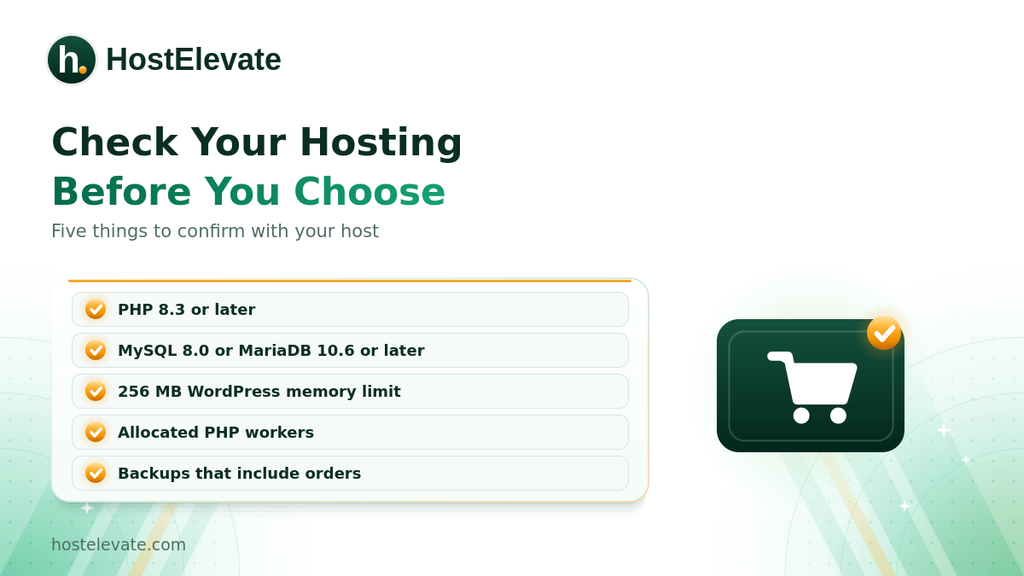
- PHP 8.3 or later (tested up to PHP 8.4).
- MySQL 8.0 or later, or MariaDB 10.6 or later.
- HTTPS support.
- A WordPress memory limit of at least 256 MB.
These are version-specific, so check the official page before you choose or upgrade a plan. WooCommerce still runs on older PHP and MySQL versions, but those have reached end of life and may expose your site to security vulnerabilities.
Why PHP and database compatibility matter
PHP handles product data, cart activity, customer requests, and checkout functions. Confirm that your WooCommerce hosting lets you pick a PHP version that works with your WordPress version, WooCommerce release, theme, and extensions. The database stores inventory, customer accounts, and orders, so a well-maintained MySQL or MariaDB setup keeps requests reliable as your catalog, order history, and number of simultaneous visitors grow.
Enough CPU, RAM, and PHP Workers
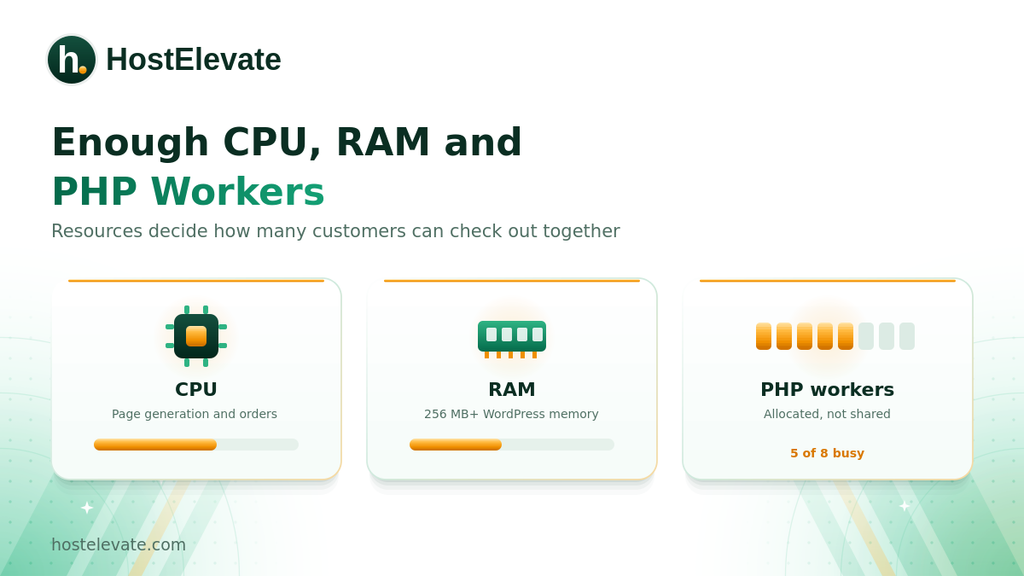
CPU and RAM set how much processing capacity your WooCommerce hosting gives your site. PHP workers set how many PHP requests can run at the same time. Good WooCommerce hosting treats all three as important, because a store does not serve the same page to everyone. Customers browse different products, update carts, sign in, and check out together.
CPU resources
The CPU runs application instructions and database work. When many customers act at once, the server needs enough capacity for all of them. Too little CPU can slow page generation, delay checkout requests, and cause trouble during traffic spikes.
RAM and PHP memory
RAM gives server processes working memory, while PHP memory limits cap what a single PHP process can use. WooCommerce, themes, payment integrations, and extensions can all need extra memory. The official guidance recommends a WordPress memory limit of at least 256 MB, and busy stores may need more. You can see your current PHP and WordPress memory values under WooCommerce then Status then System Status.
PHP workers
PHP workers handle every request that needs PHP. If all workers are busy, extra requests wait in a queue, which customers feel as a slow cart or checkout. When you compare plans, ask how many workers you get and whether they are allocated to your account or shared. HostElevate states that on its WooCommerce hosting plans, workers are allocated rather than shared, so a queue on another store cannot leave your customers waiting.
Fast NVMe Storage and Database Performance
Storage affects more than how many images you can keep. It also decides how quickly the server reads and writes application data, and WooCommerce does that whenever customers browse, accounts change, or orders are placed. NVMe storage in WooCommerce hosting gives fast data access and cuts storage-related delays, but it is only one part of performance.
Databases matter just as much. Every order writes to several tables at once, and writes cannot be spread across replicas the way reads can, so database performance often becomes the ceiling long before bandwidth does. HostElevate says it tunes buffer sizes and connection limits for write-heavy order traffic instead of a read-heavy blog.
What should you look for?
- NVMe storage, not only a large storage allowance.
- A properly configured MySQL or MariaDB database.
- Adequate database resources and connection limits.
- Reliable disk input and output performance.
- Enough room for product images, backups, and site files.
A store with thousands of products can have different needs from one with a small catalog, so think about how often your products change and how much data you keep.
WooCommerce-Compatible Caching
Caching in WooCommerce hosting reduces repeated work and speeds up page delivery, but WooCommerce needs more careful setup than a simple informational site. Some pages show data that belongs to one visitor. A cart must show the right products for the right customer, and caching it wrongly can show one shopper another shopper’s basket.
Which pages should be cached?
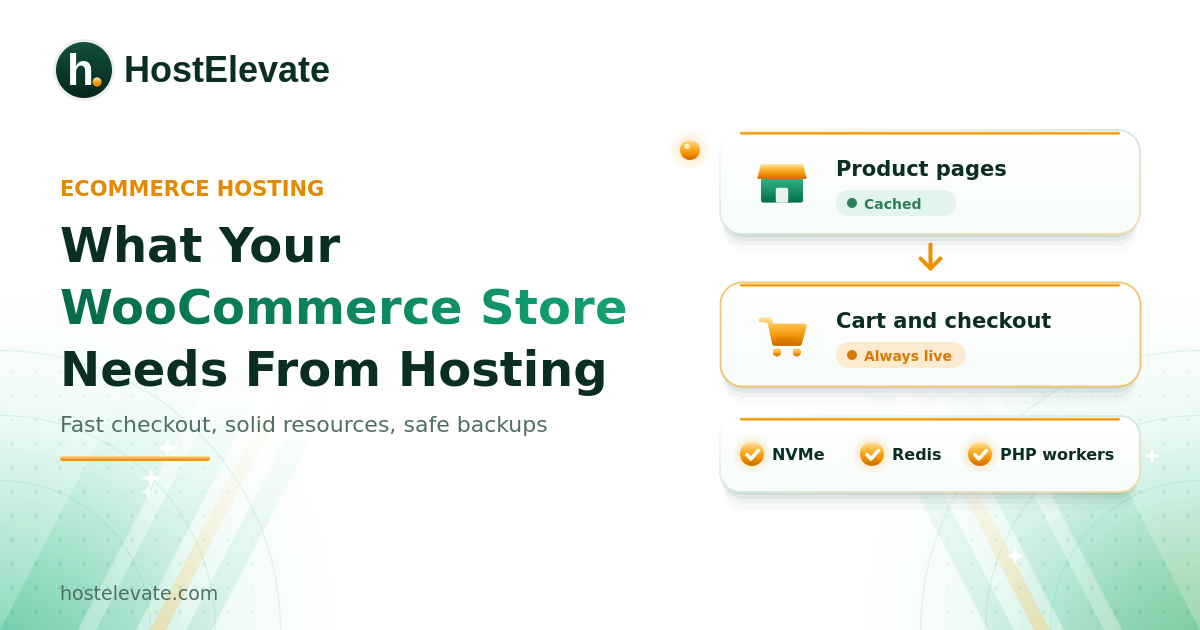
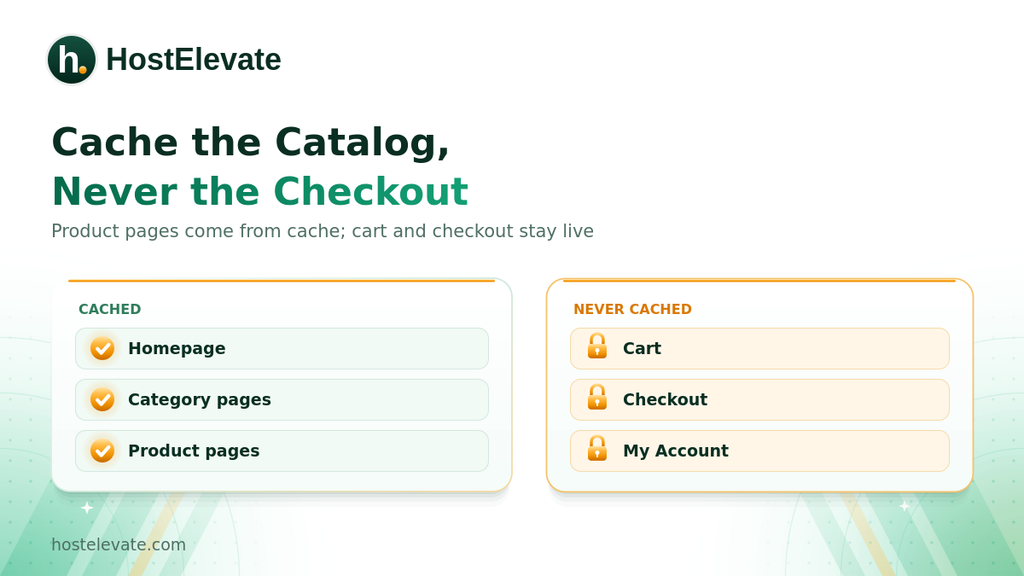
Pages that usually benefit from page caching include the homepage, product category pages, individual product pages, and static information pages. These areas should bypass full-page caching:
- The shopping cart.
- Checkout.
- My Account.
- Any page or endpoint that carries customer-specific session data.
The exact exclusions depend on your caching system and WooCommerce setup.
How LiteSpeed and LSCache help
LiteSpeed Web Server and its LSCache integration can deliver cached content efficiently when configured correctly. For a store, the key is not simply switching on a caching plugin. Cart, checkout, account pages, and session requests must be handled properly. HostElevate says its WooCommerce plans use NVMe and LiteSpeed with LSCache on every plan, and that cart, checkout, my-account, and session requests are excluded from the page cache automatically before the store goes live.
Reliable Shopping Cart and Checkout Sessions
The cart is one of the most important parts of an online store. Customers expect their products and quantities to stay put as they move through the site, and WooCommerce uses sessions to remember what each visitor is doing. If session handling is slow or unreliable, carts, accounts, and checkout can all suffer.
What should your hosting provide?
- Reliable session handling.
- Enough PHP processing capacity.
- Correct cache exclusions.
- Sufficient database resources.
- Dependable storage and network connections.
Some hosts keep sessions and frequently used data in an object cache such as Redis. It is not a requirement for every store, and its value depends on workload and configuration. HostElevate says it holds baskets and login state in Redis memory on plans that need it, so checkout does not slow down as more shoppers arrive. If your store sees many simultaneous customers, ask your WooCommerce hosting provider exactly how sessions and object caching are set up.
SSL, Security, and Payment Protection
A store handles customer accounts, order details, and payment activity, so its WooCommerce hosting must support secure connections and sensible security controls. HTTPS uses TLS encryption to protect data between the browser and your site. A valid certificate is essential, but it does not make a whole store secure on its own. If a browser ever warns about your certificate, see our guide to fixing the not secure warning.
Important security features
- Valid SSL/TLS certificates.
- Supported PHP and database software.
- Server-level firewall protection.
- Account isolation.
- Regular WordPress and plugin updates.
- Malware monitoring and cleanup.
- Secure administrator access.
HostElevate states that it checks ecommerce plugins against published vulnerability advisories daily, writes firewall rules for stores that include rate limits on login and checkout, and includes malware cleanup in the plan.
Protecting payment information
Many stores use an external payment gateway. In a typical hosted integration, customers enter card details in the provider’s secure interface, so the store never handles them directly. The exact flow depends on the gateway, and store owners still have PCI DSS responsibilities. Hosting is one part of payment security, not a PCI certification, and HostElevate says plainly that no host can certify a merchant on its own.
Automatic Backups and Recovery Options
Backups are a core part of WooCommerce hosting, and a WooCommerce backup must protect both files and database. The database holds products, customers, orders, and settings, so restoring only files can leave the store without its records. A backup that restores the catalog but loses yesterday’s orders is not much use.
What should a WooCommerce backup include?
- WordPress core and website files.
- Themes and plugins.
- Product images and uploaded media.
- WooCommerce database tables.
- Customer and order information.
- Relevant configuration files.
Why off-server backups matter
If backups live only on the same server as your store, one server-level incident can take out both. Separate storage gives you another recovery option. For an active store, backup frequency should match how often orders change, and you should test restoration instead of assuming every backup works. HostElevate’s WordPress hosting lists twice-daily off-server backups, and its store plans capture database and files together so a restore is consistent. Our website backup guide shows how to back up and verify a copy yourself.
Reliable Uptime and Traffic Handling
WooCommerce hosting must keep your store reachable whenever customers want to buy. Downtime interrupts sessions, blocks orders, and creates support work. A reader returns tomorrow, but a customer with a full basket usually buys somewhere else and does not come back.
What should you evaluate?
- Published uptime commitments.
- Server and network monitoring.
- Resource limits and usage policies.
- Infrastructure redundancy.
- Support availability.
- How the plan handles traffic.
Also think about busy periods such as seasonal sales, product launches, and ad campaigns. A plan that feels fine on a quiet Tuesday may struggle when a campaign email multiplies traffic within minutes. HostElevate says that if you tell it the date of a planned sale, it reviews your worker usage and database load, raises capacity beforehand, and watches the event with you, quoting any temporary capacity before applying it.
Technical Support That Understands WooCommerce Hosting
General hosting support helps, but WooCommerce problems can need more specialized troubleshooting. A failed checkout may come from a payment gateway, a PHP error, a plugin conflict, a database issue, or a cache rule. Good WooCommerce hosting support can investigate server-level causes and tell you whether the problem lies with the hosting environment.
Questions to ask a hosting provider
- Can your team investigate PHP errors?
- Can you review server and database performance?
- Do you support WooCommerce migrations?
- Can you help identify resource limits?
- Are backups available if an update causes problems?
- Can you investigate checkout-related hosting issues?
Understand the difference between hosting support and application development support. A host can look at server configuration and resources without being responsible for custom plugin code or payment gateway code. If you are moving from another host, HostElevate free website migration states that it stages a full copy including orders and customers, tests checkout on a temporary address, and changes DNS only after you confirm it works.
Scalability as Your Store Grows
Your WooCommerce hosting needs change as traffic, products, and orders grow. A new store can run comfortably on a suitable shared plan, while a store with heavy simultaneous activity may need more CPU, memory, PHP workers, database capacity, or a dedicated environment.
Signs your store may need more resources
- Checkout slows down during busy periods.
- PHP worker limits are reached often.
- CPU or RAM stays high.
- Database requests get slower.
- Product imports affect customer-facing speed.
- Traffic growth causes recurring errors.
Do not upgrade just because your catalog is larger. Product count alone does not decide hosting needs. A store with two hundred products and heavy traffic works a server harder than one with fifty thousand products and ten orders a week, which is why HostElevate sizes its WooCommerce plans by orders and concurrent visitors instead of storage. If you outgrow your plan, consider a larger one or a VPS, and see Cloud VPS hosting for workloads that need dedicated resources and root access.
How to Check Whether Your WooCommerce Hosting Is Suitable
Before you move your store, review how your current WooCommerce hosting looks from the inside. WooCommerce has a built-in report, and the WooCommerce System Status guide explains each section.
Check WooCommerce System Status
In your dashboard, open WooCommerce then Status, and check the WordPress environment, the PHP version and memory limit, database details, server warnings, and the active theme and plugins.
Ask about resource limits
Storage and bandwidth figures do not tell you what resources WooCommerce actually gets. Ask your host about:
- CPU allocation and RAM limits.
- PHP worker availability.
- Entry process and database connection limits.
- PHP execution time.
- Backup frequency and retention.
- Available caching systems.
Test the whole shopping process
A store can load its homepage perfectly and still fail at the cart or checkout. Test the full journey: browse products, add items, change quantities, sign in, and complete a test payment in your payment provider’s test mode. Repeat the test after any caching or server change. Speed matters here too, because Google scores real visitors on Core Web Vitals. Hosting can help with load speed through NVMe storage and LiteSpeed, but layout shift is decided by your theme and image sizing.
Frequently Asked Questions
What type of WooCommerce hosting is best for a store?
It depends on traffic, concurrent orders, resources, technical needs, and how much management you want.
How much RAM does a WooCommerce store need?
WooCommerce recommends a WordPress memory limit of at least 256 MB, while real server RAM depends on workload.
Does WooCommerce need NVMe hosting?
NVMe speeds up storage access, but database setup, CPU, memory, and caching also shape performance.
Should WooCommerce checkout pages be cached?
No, checkout and other session-based pages should bypass full-page caching to protect customer data.
Can WooCommerce run on shared hosting?
Yes, if the plan’s software, resources, security, and limits fit your store’s needs.
Summary:
A store needs more than basic web hosting. Good WooCommerce hosting provides compatible PHP and database versions, enough processing resources, fast storage, correctly configured caching, reliable sessions, HTTPS, security controls, and dependable backups that include orders.
The right WooCommerce hosting depends on your store’s real workload, not a single specification or product count. Review your WooCommerce system status, learn your host’s resource limits, and test the complete checkout before you decide. A plan that supports today’s activity and tomorrow’s growth gives your store a stronger foundation.