
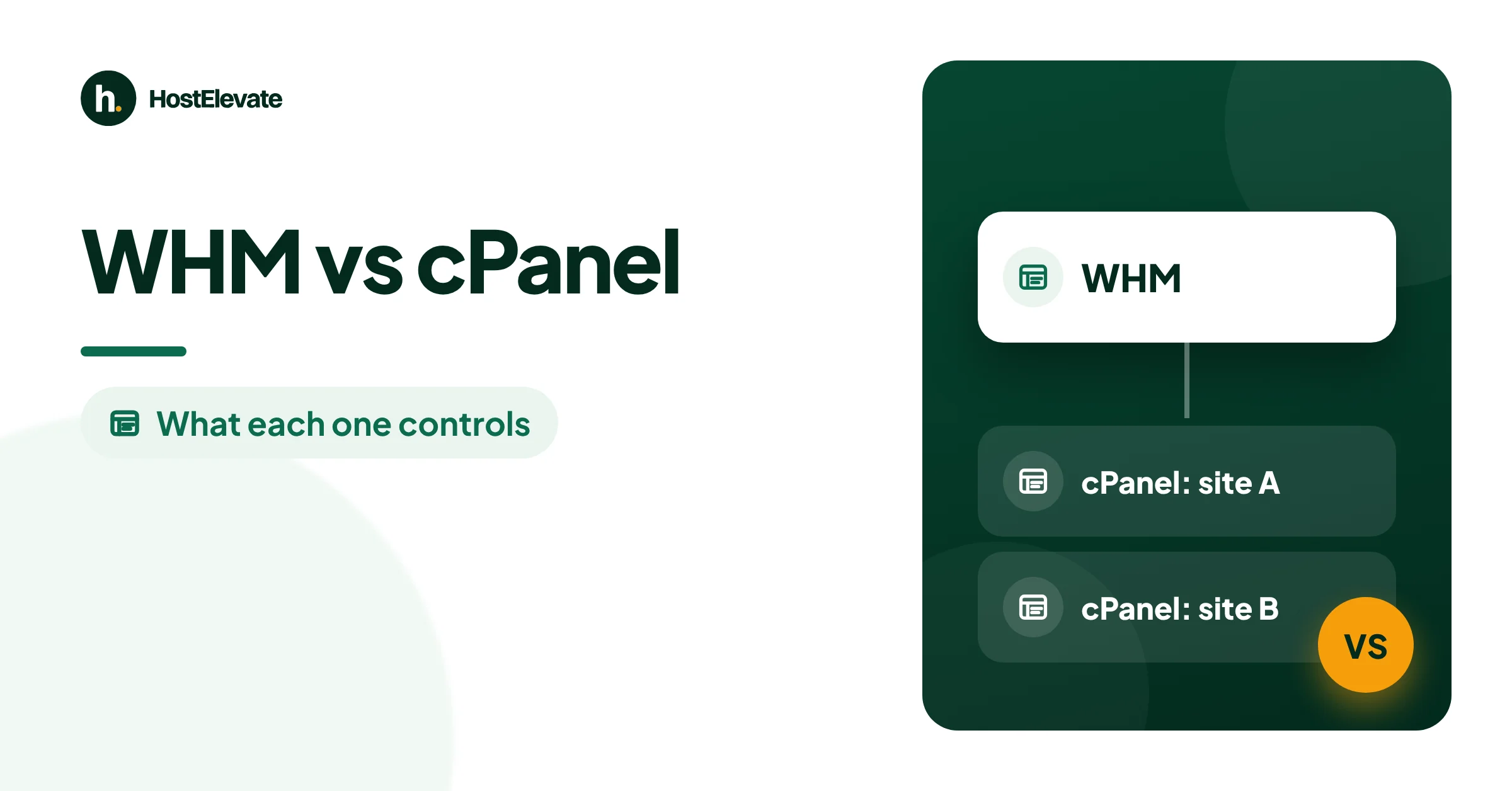
WHM vs cPanel is one of the first questions people ask when they move beyond basic hosting. The short answer: WHM (WebHost Manager) manages the server and every hosting account on it, while cPanel manages a single account and the websites, email and databases inside it. They come from the same company, ship together and work as one system.
This guide explains what each panel does, who gets which login, how the two work together, the seven key differences, and the mistakes that cause most problems on cPanel servers.
key takeaways
- cPanel is for one hosting account: files, email, databases, domains and SSL.
- WHM is for the server or a reseller: it creates and manages cPanel accounts.
- Shared hosting customers get cPanel; resellers get a limited WHM; server owners get root WHM.
- One cPanel license covers both panels, priced by how many accounts you need.
- Use WHM to manage, cPanel to work: most problems start when the two are mixed up.
WHM vs cPanel at a Glance
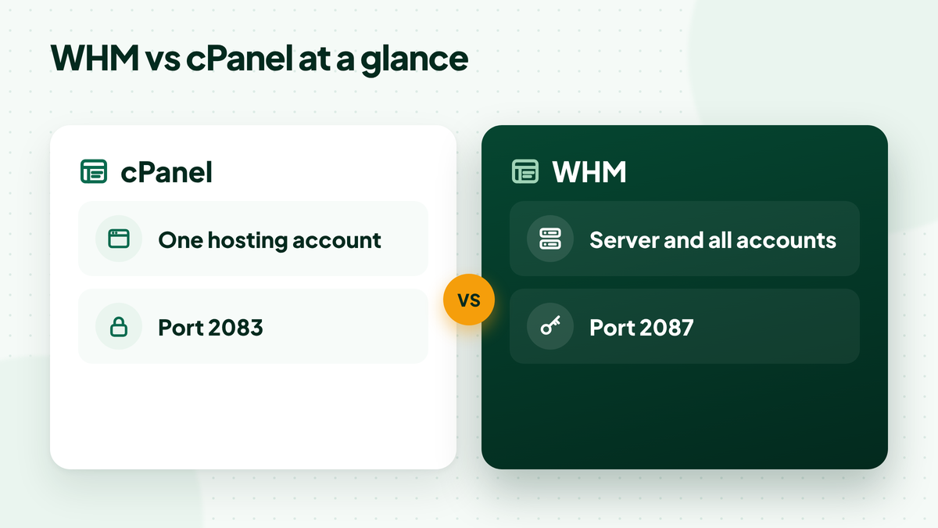
Both panels run in a web browser and look similar, but they work at different levels. This table shows the main WHM vs cPanel differences.
| Feature | cPanel | WHM |
| Full name | cPanel | WebHost Manager |
| Manages | One hosting account | The server and all accounts (root) or sold accounts (reseller) |
| Typical user | Website owner | Server owner, administrator or reseller |
| Main tasks | Files, email, databases, domains, SSL | Create accounts, packages, server settings, security |
| Secure login port | 2083 | 2087 |
| Included with | Shared, reseller and cPanel VPS hosting | Reseller hosting (limited) and cPanel VPS (root) |
What Is cPanel?
cPanel is the control panel for one hosting account. From a single dashboard, a website owner can manage files, create email accounts, set up databases, add domains and subdomains, check SSL certificates and make backups, all without using the command line.
Common cPanel tools include File Manager, Email Accounts, MySQL Databases, phpMyAdmin, Zone Editor, SSL/TLS Status, Backup and, on many servers, WP Toolkit for WordPress. Each cPanel account is kept separate from the others on the same server, with its own files, mailboxes and limits.
If you use shared or cPanel hosting, cPanel is the panel you log in to, and it is all you need to run your sites.
What Is WHM?
WHM, short for WebHost Manager, is the administration panel that sits above cPanel. It creates and manages cPanel accounts, and with root access it controls the whole server: software versions, security settings, email delivery, backups and updates.
Common WHM tools include Create a New Account, List Accounts, Packages, Feature Manager, EasyApache 4, MultiPHP Manager, Manage AutoSSL, cPHulk Brute Force Protection, Backup Configuration and the Transfer Tool for moving accounts between servers.
cPanel describes the split in its own support article on the difference between WHM and cPanel: WHM is for the people who run the server and its accounts, and cPanel is for the people who run websites.
How WHM and cPanel Work Together
Think of WHM as the building manager and cPanel as each apartment. WHM decides how many apartments there are, how big each one is and which keys they get; cPanel is what each resident uses inside their own space.
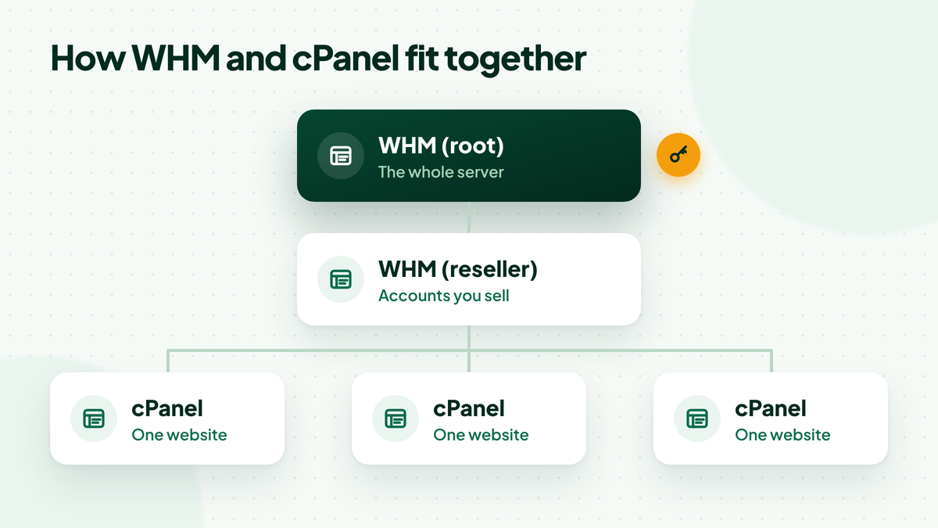
Root WHM, reseller WHM and the cPanel accounts below them.
A typical setup works like this:
- In WHM, you create a package with disk, bandwidth and feature limits.
- You create a cPanel account for a domain and assign the package.
- The site owner logs in to cPanel and builds the website, email and databases.
- From WHM you can open any account’s cPanel, suspend it, change its package or move it to another server.
Every cPanel account on a server exists because WHM created it, and every limit on that account comes from WHM. That is why WHM and cPanel are installed together and licensed together, and why cPanel and WHM updates arrive as one release.
Root WHM vs Reseller WHM

There are two kinds of WHM access, and the difference matters when you compare plans.
| Task | Root WHM | Reseller WHM |
| Create and manage cPanel accounts | Yes, any account | Yes, only your own |
| Create packages and feature lists | Yes | Yes, within your limits |
| Change server settings and software | Yes | No |
| Install PHP versions and modules | Yes | No |
| Security and firewall settings | Yes | No |
| Restart services and reboot | Yes | No |
Reseller WHM is what agencies and new hosting businesses use to sell hosting under their own brand; our guide on how reseller hosting works covers it in detail. Root WHM comes with your own server, such as a cPanel VPS or a dedicated server.
WHM vs cPanel: Where Common Tasks Live
A quick way to settle the WHM vs cPanel question for any task is to ask whether it affects one website or the whole server. This table shows where the most common jobs are done.

| Task | cPanel | WHM |
| Create an email account or forwarder | Yes | No |
| Upload website files | Yes | No |
| Create a database and user | Yes | No |
| Edit DNS records for your domain | Yes | Yes |
| Choose the PHP version for a site | Yes | Yes |
| Create a new hosting account | No | Yes |
| Set disk and bandwidth limits | No | Yes |
| Install PHP extensions for the server | No | Yes (root) |
| Schedule server-wide backups | No | Yes (root) |
| Move accounts from another server | No | Yes (root) |
Tasks that appear in both panels work at different levels. In cPanel you change your own domain or site; in WHM you can change any account on the server.
7 Key Differences in WHM vs cPanel
1. Who uses it
cPanel is for website owners. WHM is for the server administrator or the reseller who looks after many accounts.
2. Scope
cPanel controls one account. WHM controls the whole server with root access, or a group of accounts with reseller access.
3. Everyday tasks
In cPanel you upload files, create mailboxes, add databases and manage DNS records for your domains. In WHM you create accounts, set limits, choose PHP versions, configure backups and manage security for the server.
4. Login and ports
cPanel uses port 2083 for secure logins and WHM uses port 2087, as listed in cPanel’s guide to the ports cPanel services use. Webmail uses port 2096.
5. Security role
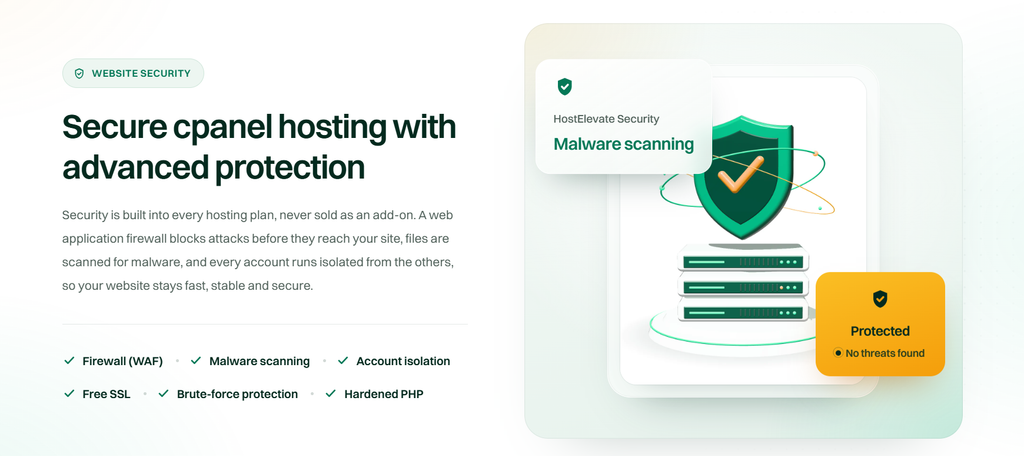
cPanel security covers one account: passwords, two-factor login, SSL and file permissions. WHM security covers the server: brute-force protection, AutoSSL, software updates and who can log in at all.
6. Licensing
There is no separate WHM license. One cPanel license covers both panels, and its tier is set by how many cPanel accounts the server can hold: Solo for 1 account, Admin for up to 5, Pro for up to 30 and Premier from 100. Our guide to cPanel license limits explains how to pick a tier.
7. When you get it
Shared hosting gives you cPanel only. Reseller hosting gives you reseller WHM plus a cPanel for each account you create. A cPanel VPS or dedicated server gives you root WHM and as many cPanel accounts as your license allows.
WHM vs cPanel: Which One Do You Need?
- One business website or blog: cPanel on shared hosting is enough.
- An agency hosting client sites: reseller WHM, so each client gets their own cPanel.
- A busy site or many sites of your own: a cPanel VPS with root WHM and full control of the server.
- A developer who prefers the command line: a plain VPS without a panel can be enough.
If you are still choosing a panel, our cPanel vs Plesk comparison shows where each one fits. If you plan to run several sites on your own server, read how many websites a VPS can host before you pick a size.
WHM vs cPanel for Agencies and Freelancers
Agencies and freelancers often host sites for clients, and this is where the WHM vs cPanel split pays off. Each client gets their own cPanel login to manage email and content, while you keep WHM to create accounts, set limits and step in when something breaks.
This setup keeps clients independent. A client who leaves can take their account with them, a client who needs more space gets a bigger package in seconds, and a problem on one site stays on that site. Start with reseller WHM while you have a few clients, and move to your own cPanel VPS with root WHM when you need full control of the server and its software.
Whichever you choose, write down who has which login, keep root to yourself and review accounts every few months.
WHM and cPanel Mistakes to Avoid
Most problems on cPanel servers come from mixing up WHM and cPanel or skipping basic setup. These six mistakes are the most common.
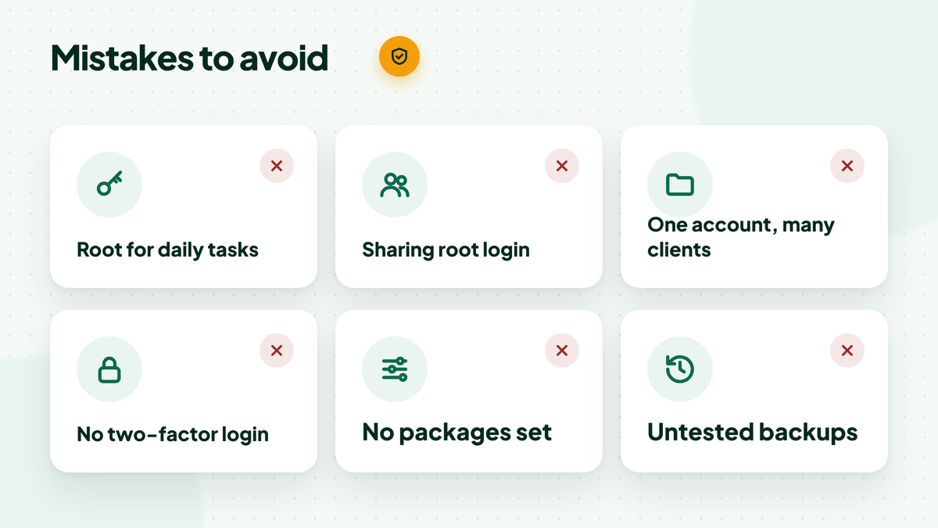
Six common mistakes and how to avoid them.
Using root WHM for daily website work
Editing a site as root can leave files owned by the wrong user and break permissions. Use WHM to manage, then open the account’s own cPanel for website work.
Sharing the root login
Root access controls everything on the server. Give team members and clients their own cPanel or reseller logins instead, and keep root for one or two administrators.
Putting many client sites in one cPanel account
One account for many clients means one hacked site can reach all the others, and one client cannot leave without a messy split. Give each client their own account.
Skipping two-factor login
Both panels support two-factor authentication. Turn it on for WHM and every cPanel login, because a stolen password is still the most common way in.
Creating accounts without packages
Packages set disk, bandwidth and feature limits. Without them, one account can fill the server and slow every other site.
Never testing backups
Backups that have never been restored are a guess. Set them up in WHM, then practise a restore; our guide to restore a cPanel backup shows the steps.
Setting Up WHM and cPanel on a New Server
On a new cPanel server, a few minutes in WHM before you create any accounts saves hours later. Work through these steps in order.
- Log in to WHM as root and finish the initial setup: contact email, nameservers and server hostname.
- Make sure the hostname has a valid SSL certificate, so cPanel and WHM logins show no browser warnings.
- Turn on two-factor authentication for root and set cPHulk Brute Force Protection.
- Set update preferences so cPanel and WHM stay on a supported release.
- Create packages with sensible disk, bandwidth and feature limits.
- Configure backups, including a copy stored off the server.
- Create the first cPanel account, log in to it and test email, SSL and a sample site.
With HostElevate cPanel VPS hosting, WHM is already set up before you log in, so you can start at the packages step.
Security Basics for WHM and cPanel
Both panels are secure by design, but only when they are configured well. These basics protect the server and every account on it.
- Two-factor login for root, resellers and every cPanel user.
- cPHulk to block repeated failed logins to cPanel and WHM.
- AutoSSL so every domain gets and renews a certificate automatically.
- Regular updates for cPanel and WHM, the operating system and PHP.
- SSH keys for root instead of passwords, and root logins limited to trusted addresses where possible.
- One account per site so a problem on one site cannot spread to the rest.
How to Log In to WHM and cPanel
Both panels open in a browser. Replace example.com with your domain or your server’s hostname.
https://example.com:2083     # cPanel
https://example.com:2087     # WHM
https://example.com:2096     # Webmail

https://example.com/cpanel   # short address that forwards to cPanel
https://example.com/whm      # short address that forwards to WHM
Log in with the account username for cPanel, your reseller username for reseller WHM, or root for full WHM access. Use the server hostname with a valid SSL certificate to avoid browser warnings.
Do You Pay Separately for WHM and cPanel?
No. cPanel and WHM come together in one license. On shared and reseller hosting the license is part of the plan, so you never buy it yourself. On your own server you need a license that matches how many accounts you will create.

With cPanel VPS hosting from HostElevate, the license is included, WHM is set up before you log in, and you get full root access, a firewall and DDoS protection. Agencies can start with reseller hosting instead, and our free migration moves existing cPanel accounts for you.
WHM vs cPanel FAQ
Is WHM the same as cPanel?
No. They are made by the same company and installed together, but WHM manages the server and accounts while cPanel manages one account. Think of WHM as the admin side and cPanel as the user side.
Can I use cPanel without WHM?
Yes. Most website owners only ever use cPanel. Someone still runs WHM behind the scenes, usually your hosting company.
Do I get WHM with shared hosting?
No. Shared hosting gives you cPanel for your own account. You get reseller WHM with reseller hosting, and root WHM with your own cPanel server.
What port does WHM use?
WHM uses port 2087 for secure logins, and cPanel uses 2083. If you cannot reach them, a firewall on your network may be blocking these ports.
Can a reseller access root WHM?
No. A reseller sees only the WHM tools the server owner allows and can manage only their own accounts. Server-wide settings stay with root.
Is WHM free?
WHM has no separate price; it comes with the cPanel license. On hosting plans the license cost is already included.
Which is better for beginners, WHM or cPanel?
cPanel. It is built for everyday website tasks, while WHM is for managing servers and accounts. Beginners should start in cPanel and leave WHM to their host or administrator.
Can I move from reseller WHM to root WHM later?
Yes. When you outgrow reseller hosting, you can move your accounts to your own cPanel server and get root WHM. The Transfer Tool in WHM moves cPanel accounts between servers, and HostElevate includes free migration for the move.
WHM vs cPanel: The Bottom Line
The WHM vs cPanel question is really about your role. If you run a website, cPanel is your home. If you run a server or sell hosting, WHM is where you manage everything, and cPanel is where each site lives. When you are ready for your own server, cPanel VPS hosting gives you root WHM with the license included. Match the panel to your role, set up the basics once, and both will serve you well.