
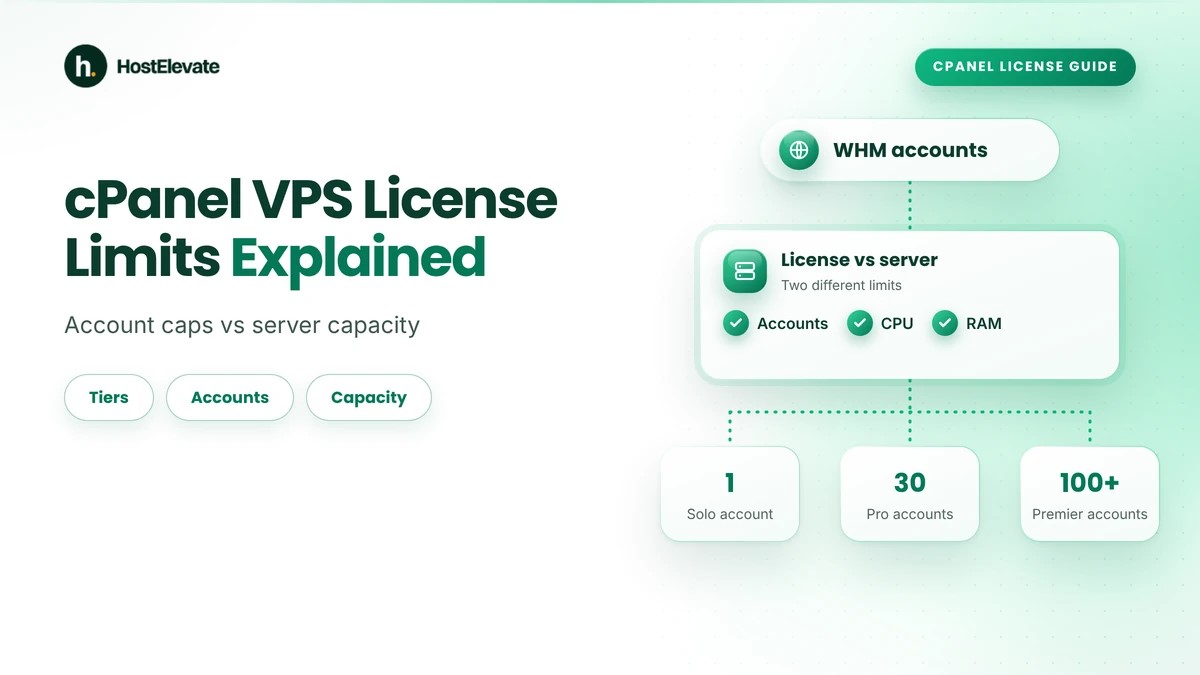
cPanel license limits control how many separate cPanel accounts you can create through WHM; they do not measure how powerful your VPS is. Current cPanel Store tiers allow 1 account on Solo, up to 5 on Admin, up to 30 on Pro and 100 or more on Premier. Your server still needs enough CPU, memory, storage and disk speed for its workload.
This guide explains the cPanel license limits of each tier, what counts as an account, what happens when you hit a limit and how to judge real server capacity. Understanding cPanel license limits and server capacity together helps you avoid paying for the wrong upgrade as your hosting grows.
Table of Contents
- What Are cPanel VPS License Limits, and Why Do They Matter?
- Understanding cPanel License Tiers and Account Limits
- What Counts as a cPanel Account?
- cPanel License Limits vs Server Capacity
- How Many cPanel Accounts Can a VPS Handle?
- What Happens When You Reach Your cPanel License Limit?
- How to Choose the Right cPanel VPS License
- Common cPanel License Mistakes and How to Avoid Them
- Frequently Asked Questions
- Summary
What Are cPanel VPS License Limits, and Why Do They Matter?
A cPanel license limit sets how many individual cPanel user accounts can be managed through WHM (WebHost Manager) on a licensed server. Each account has its own control panel access, where its owner manages website files, databases, email accounts, domains and other hosting features. Your license tier decides how many of these accounts you are allowed to create, which is why cPanel license limits shape every growth plan.
These cPanel license limits matter because the number of websites you run and the number of separate accounts you create are not the same thing. A VPS might have plenty of RAM, CPU power and NVMe storage and still be unable to create another account because its license tier is full. Knowing both limits helps you plan costs, server resources and growth around your cPanel license limits.
Understanding cPanel License Tiers and Account Limits
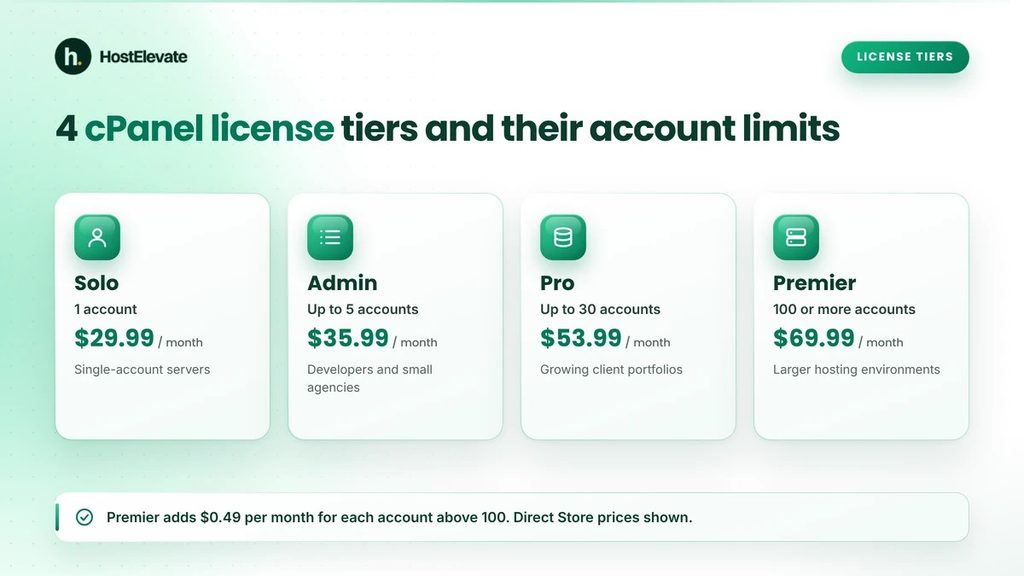
cPanel sells different license types for different server environments. Cloud licenses are the ones sold for virtual servers, while Metal licenses are for dedicated servers, so confirm which one applies to your server in the cPanel Store.
The main Cloud tiers in the direct cPanel Store are Solo, Admin, Pro and Premier. Each has different cPanel license limits and a different monthly cost.
| cPanel license | Account allowance | Direct Store monthly price |
| Solo Cloud | 1 account | $29.99 |
| Admin Cloud | Up to 5 accounts | $35.99 |
| Pro Cloud | Up to 30 accounts | $53.99 |
| Premier Cloud | 100 or more accounts | $69.99 |
| Premier extra accounts | Each account above 100 | $0.49 per account per month |
Prices are in USD and reflect the cPanel Store license pricing effective December 16, 2025. Prices change, and what a hosting provider charges you for a license may differ, so check the official store before you buy.
cPanel Solo License
The Solo license sets the strictest of the cPanel license limits: one cPanel account managed through WHM. It suits a server where only one separate hosting account is needed. Someone running a single website on their own VPS may find it enough if they never create accounts for other users or clients.
cPanel Admin License
The Admin license raises the cPanel license limits to five cPanel accounts. It can suit developers or agencies that manage a limited number of separate website environments, each with its own login credentials and hosting package.
cPanel Pro License
The Pro license lifts the cPanel license limits to 30 cPanel accounts. It is useful when the number of websites or client environments has grown beyond the Admin allowance and you want more account capacity without moving to Premier.
cPanel Premier License
The Premier license has the highest cPanel license limits. It covers 100 accounts at its base monthly price, and each account above 100 is charged at $0.49 per month under the published store pricing. For example:
| Total accounts | Base price | Additional account charges | Total monthly price |
| 100 | $69.99 | $0.00 | $69.99 |
| 101 | $69.99 | $0.49 | $70.48 |
| 110 | $69.99 | $4.90 | $74.89 |
| 120 | $69.99 | $9.80 | $79.79 |
Premier has no fixed account ceiling, but the extra charges still apply and the server must have enough resources for its workload.
What Counts as a cPanel Account?
One of the most common mistakes is confusing a cPanel account with a website or a domain. A cPanel account is a separate user account created through WHM. It has its own login credentials and can manage website files, databases, email services and domains, and a single account can host several domains depending on the server configuration and the limits assigned to it.
For example:
- One cPanel account can manage a primary domain plus additional domains.
- A site owner can run several websites under one account.
- A hosting provider can create separate accounts for different customers.
- A WHM reseller account also counts toward the license total.
cPanel’s own definition makes this clear: an account is a cPanel account or a WHM reseller account created by the root WHM user. You can read the official cPanel explanation of what counts as an account.
Consider a server with 10 websites. If all 10 are managed under one cPanel account, they do not use 10 license accounts. If the same sites are spread across 10 individual cPanel accounts, they count as 10 accounts. This distinction decides which tier you need, because cPanel license limits count accounts, not sites.
cPanel License Limits vs Server Capacity
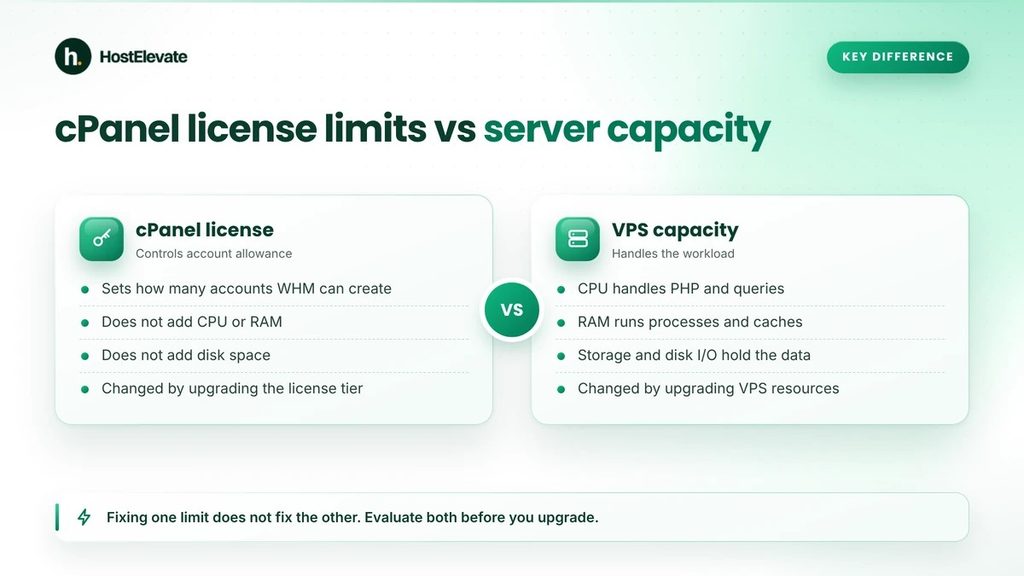
The cPanel license limits and your VPS resources control two different things. The license decides how many separate accounts can exist. The server’s hardware and allocated resources decide how much workload the environment can carry.
A VPS with 16 GB RAM and 8 vCPU may have enough resources for a particular set of websites, yet an Admin license still caps it at five accounts. Likewise, raising your cPanel license limits by upgrading to Premier does not add RAM, CPU cores, storage or network capacity.
Understanding the Difference
| Factor | cPanel license limit | VPS server capacity |
| Main purpose | Controls account allowance | Handles hosting workloads |
| CPU | Does not increase CPU | Determines processing capacity |
| RAM | Does not increase memory | Supports active processes |
| Storage | Does not increase disk space | Stores files and databases |
| Account creation | Restricted by license tier | Also depends on server configuration |
| Performance | Does not guarantee performance | Depends on available resources and workload |
| Upgrade | Change license tier | Upgrade VPS configuration |
CPU and Processing Resources
CPU affects how quickly the server handles website requests, PHP scripts, database queries and background tasks. A VPS with several low-traffic sites has a very different workload from one running busy WordPress installations or online stores, so the number of accounts alone cannot tell you the CPU you need.
RAM and Memory Usage
RAM runs the operating system, the web server, databases, PHP workers, caching systems and other applications. When memory runs short, you may see slower responses, failed processes or heavy use of swap space. The right allocation depends on your software stack and how active the hosted sites are.
NVMe Storage and Disk I/O
Storage capacity decides how much website data, email, backups and application files the server can hold. Disk I/O matters as well, because many sites may read files and databases at the same time. NVMe storage can improve storage performance, but it cannot make up for too little CPU, too little memory or a poorly configured application.
Network Capacity and Traffic
Network capacity affects how efficiently the server sends data to visitors. A site with large downloads or heavy media uses more of it than a simple site. When you judge capacity, look at actual bandwidth use and traffic patterns, not just the account count.
How Many cPanel Accounts Can a VPS Handle?
No universal number of cPanel accounts fits every VPS, whatever your cPanel license limits allow. Practical capacity depends on the server configuration, the applications, traffic, database activity, email use, caching and resource allocation. A larger CPU and RAM allocation can carry more, but accounts do not all use the same amount of resources.
| Hosting workload | Main resource considerations |
| Static websites | Storage, bandwidth and web server activity |
| Low-traffic WordPress websites | PHP processes, RAM and database activity |
| High-traffic WordPress websites | CPU, RAM, database performance and caching |
| WooCommerce stores | Database activity, PHP workers and concurrent visitors |
| Email-heavy hosting | Mail services, storage and disk I/O |
These are workload categories, not guaranteed account capacities.
Monitor Actual Server Resource Usage
Before you use up your cPanel license limits by creating more accounts, review how the server really performs. Watch:
- CPU use and load averages.
- Available memory and swap usage.
- Disk space and disk I/O.
- Database performance.
- PHP process usage.
- Network traffic.
- Concurrent connections and application activity.
On servers that use CloudLinux, per-account resource controls can also help administrators see and manage consumption.
The official cPanel system requirements list 2 GB of RAM and 20 GB of disk as the minimum, with 4 GB and 40 GB recommended, and warn that a server meeting only these minimums may not function properly. Treat them as an installation floor, not as production capacity for a busy hosting environment. The page also notes that servers hosting many websites with email and databases need more processing power, disk space and RAM.
What Happens When You Reach Your cPanel License Limit?
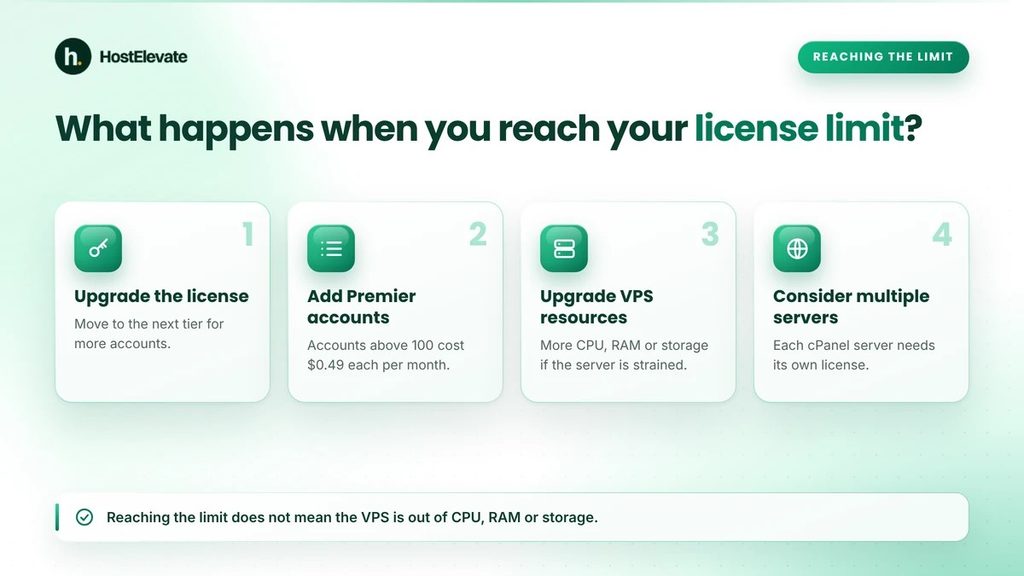
When a server reaches its cPanel license limits, WHM cannot create more accounts under that tier until you deal with the license. This does not necessarily mean the VPS has run out of CPU, RAM or storage. It may simply mean the license does not permit another account. The right solution depends on your current license and how many accounts you need.
Upgrade the Existing License
If you use Solo, Admin or Pro, moving to the next suitable tier raises your cPanel license limits. An administrator on Pro, for instance, needs Premier once the server must support more than 30 accounts.
Add Accounts Under Premier
If the server already uses Premier, accounts above 100 are covered by the additional per-account charge. This gives larger environments room to grow past the base allowance.
Upgrade VPS Resources Separately
If the server also suffers from high CPU use, memory pressure, limited storage or disk I/O problems, upgrading the license will not fix them. The VPS may need more resources, or the workload may need optimisation.
Consider Multiple Servers
As requirements grow, splitting workloads across several VPS instances can give better resource management. Remember that each cPanel and WHM server needs its own license, because cPanel states that a license cannot be shared between servers. Its article on using a cPanel license on more than one server confirms the one-license-per-server rule.
How to Choose the Right cPanel VPS License
The right license depends on how many separate cPanel accounts you plan to manage, not on how many domains you own, because cPanel license limits count accounts. Consider these points before you choose.
Choose Solo when:
- You need one cPanel account.
- You manage a single-account environment.
- You do not need separate customer accounts.
Choose Admin when:
- You need between two and five accounts.
- You manage a limited number of separate website environments.
- You need several individual cPanel logins.
Choose Pro when:
- You need between six and 30 accounts.
- You manage multiple client websites.
- You need extra account capacity for future projects.
Choose Premier when:
- You need more than 30 accounts.
- You run a larger hosting environment.
- You expect to manage more than 100 accounts and can accept the extra charges.
Once the cPanel license limits fit, also match the VPS configuration to the expected workload, including CPU, RAM, NVMe storage, network capacity and who will manage the server.
If you only want to host your own websites and would rather not buy or manage a license yourself, a cPanel hosting plan can be simpler. HostElevate’s cPanel web hosting plans include cPanel on every account, so there is no separate license to administer. If you are moving sites off a VPS or onto a new plan, HostElevate also offers free website migration, and your old site stays live until the new one is verified. For questions about which setup suits you, use the contact page.
Common cPanel License Mistakes and How to Avoid Them
Assuming One Domain Equals One License Account
Your cPanel license limits count accounts, not domains. Several domains can be managed under one cPanel account, so always count separate accounts, not domains.
Assuming More RAM Increases the License Allowance
Adding RAM or CPU does not change your cPanel license limits or upgrade your license. Evaluate hardware resources and license tiers separately.
Ignoring Additional Premier Account Charges
Premier has the highest cPanel license limits, with 100 accounts in the base price, and every extra account raises the monthly cost. Work out your expected account total before you buy.
Using the Wrong License Environment
Cloud licenses are meant for virtual servers and Metal licenses for dedicated servers. Choose the correct environment before you purchase.
Planning Only for Current Requirements
Today’s cPanel license limits may not fit when your hosted accounts grow. Consider expected growth and future running costs.
Frequently Asked Questions
What are the cPanel license limits for each VPS tier?
It depends on the tier: Solo allows 1, Admin up to 5, Pro up to 30 and Premier 100 or more.
Does one cPanel account support multiple domains?
Yes, several domains can be hosted under one cPanel account, subject to the account’s configuration and limits.
Can a cPanel Premier license support more than 100 accounts?
Yes, accounts above 100 are allowed at the published charge of $0.49 per account per month.
Does increasing VPS RAM increase the cPanel account limit?
No, more RAM improves server resources but does not change your cPanel license limits.
Does every VPS server need its own cPanel license?
Yes, cPanel requires one license per server and does not allow a license to be shared between servers.
Summary
cPanel license limits decide how many separate accounts you can create, while your VPS configuration decides how much hosting workload the server can carry. These are two different limits, and fixing one does not fix the other.
Choose the Solo, Admin, Pro or Premier tier whose cPanel license limits match your account count, then judge CPU, RAM, storage and network capacity on their own. That approach to cPanel license limits avoids unnecessary license costs, blocked account creation and performance problems as your hosting environment grows. You can find more guides and services on the HostElevate homepage.