
How many websites can a VPS host? There is no fixed number. A VPS has no built-in website limit, so the real answer depends on its memory, CPU, disk, the traffic each site gets and the kind of sites you run. The same server can run a large group of small static sites or only a few busy online stores.
This guide shows the six checks that decide your limit, a simple method to work out your own number, the warning signs that a server is full, and how to fit more websites on a VPS without slowing them down.
Key takeaways
- A VPS has no technical website limit; memory, CPU, disk and traffic set the real one.
- Static and well-cached sites use little; stores and web apps use a lot.
- Measure what each site uses, reserve memory for the system, then divide what is left.
- Keep spare headroom for traffic spikes, updates and backups.
- On cPanel servers, the license tier also caps how many accounts you can create.
How Many Websites Can a VPS Host? The Short Answer
As many as its resources can serve well. The web server software on a VPS can handle any number of domains, and every site can have its own SSL certificate on the same IP address. What runs out first is memory, CPU time or disk space, and which one depends on the sites.
A useful way to think about it is to stop asking for a number and ask what each site needs. Ten brochure sites with a few visitors a day use less than one store during a sale. Once you know what your sites use, the answer to how many websites fit becomes simple arithmetic.
6 Easy Checks That Decide How Many Websites Fit
Run through these six checks before you add a site to a server, or before you choose a plan for multiple websites. Together they decide how many websites fit.
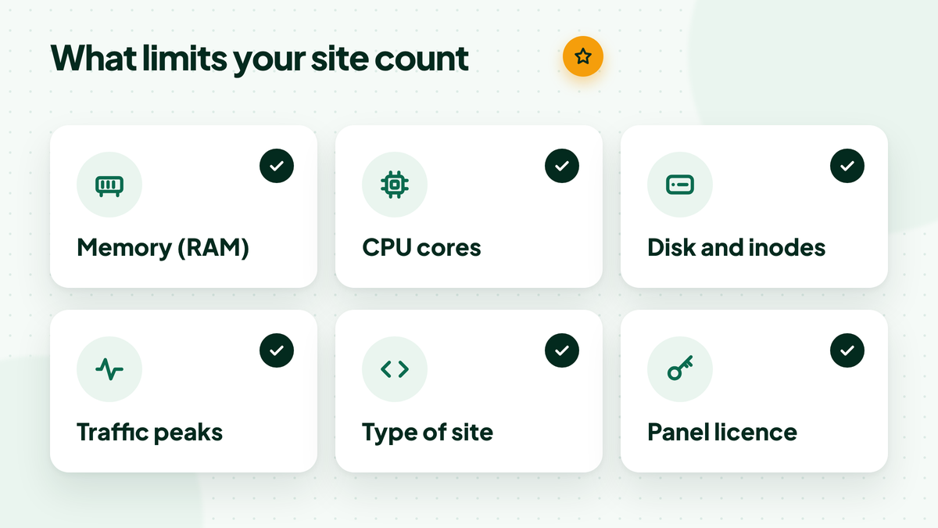
Six checks that decide how many websites fit on one server.
1. Memory (RAM)
Memory is usually the first limit. Every PHP worker, the database, any cache such as Redis and the operating system all need their share. When memory runs out, the server starts swapping to disk or stops processes, and every site on it slows down at once.
2. CPU cores
The processor builds dynamic pages, runs scheduled tasks, compresses backups and handles encryption. A few sites with heavy plugins or busy cron jobs can keep the CPU busy all day. Short peaks are normal; a CPU that stays near full is a sign you have too many websites on a VPS.
3. Disk space and inodes
Count everything that grows: files, uploads, databases, email, logs and local backups. Local backups can double your disk use on their own. Many small files also use inodes, the entries that track each file, and running out of inodes stops new files even when space is left.
4. Traffic and peaks
What matters is how many people use a site at the same moment, not the monthly total. A newsletter, a sale or a burst of bots can multiply the load for an hour. Size for your busiest hour, not your average day.
5. Type of site
A static site is a set of ready files and needs almost no CPU. A WordPress site with page caching serves most visitors from cache. A WooCommerce store or a custom web app builds many pages for each visitor and keeps the database busy, so it takes far more room.
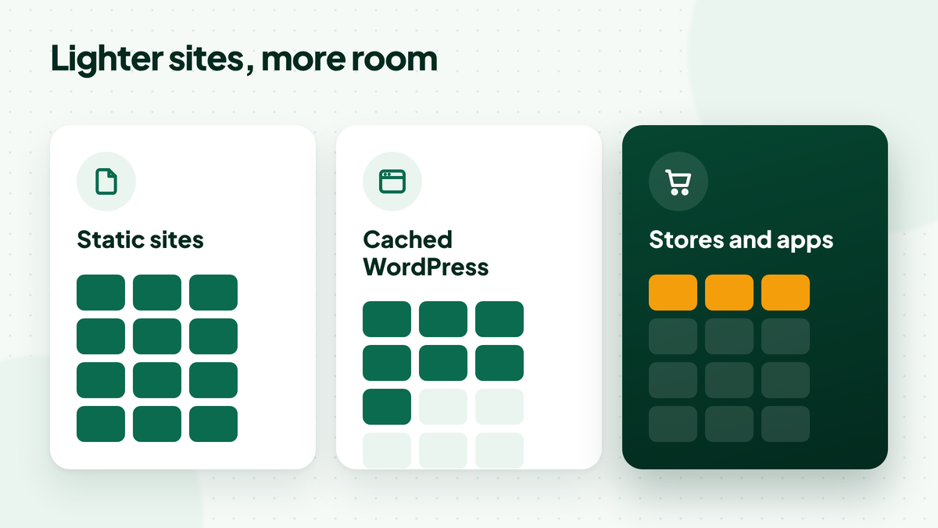
The heavier each site, the fewer fit on the same server.
6. Control panel license and isolation
On a cPanel server the license sets an account limit: Solo allows 1 account, Admin up to 5, Pro up to 30 and Premier starts at 100. Our guide to cPanel license limits explains the tiers. Giving each site its own account keeps sites apart, so one hacked or overloaded site does not take the others down.
How to Work Out Your Own Limit
Guesses lead to slow servers. This four-step method uses real numbers from your own sites to show how many websites your VPS can carry.
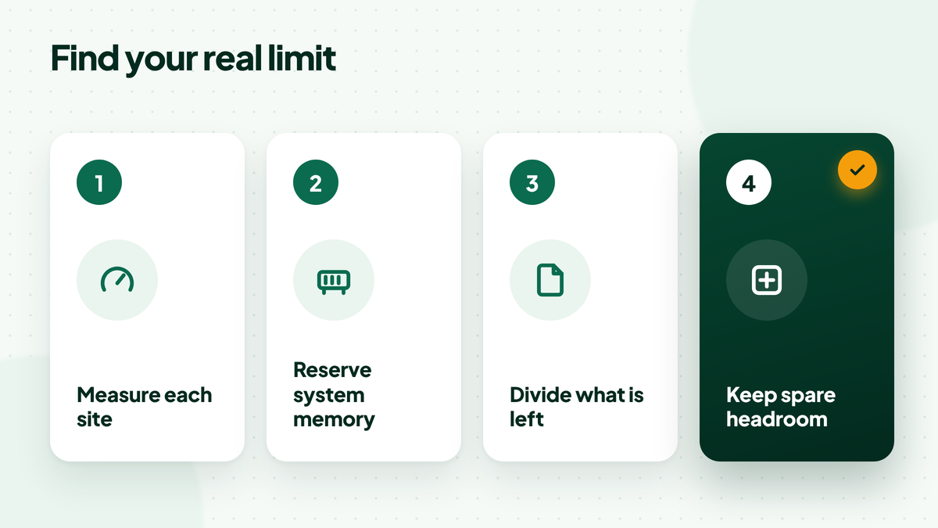
Measure first, then divide what is left.
- Measure each site. Note how much memory its PHP workers use and how many it needs at busy times.
- Reserve system memory. Set aside memory for the operating system, the database, caches and the control panel.
- Divide what is left. Share the remaining memory between the sites by the number of PHP workers each one needs.
- Keep spare headroom. Leave about a quarter free for traffic spikes, updates and backups.
Commands to check what a server uses
- wertyuifree -h # memory and swap in use
- uptime # load average for 1, 5 and 15 minutes
- nproc # number of CPU cores
- df -h # disk space per partition
- df -i # inodes used per partition
ps -eo rss,comm –sort=-rss | head -15 # top memory users (RSS in KB)
PHP workers you can run = memory left for PHP ÷ average size of one PHP worker
The PHP-FPM setting that caps workers is pm.max_children, described in the official PHP-FPM configuration reference. Setting it with your memory in mind keeps the server stable when traffic jumps.
A worked example
These are example numbers to show the method, not a promise for any plan. Say a server has 4 GB of memory. You reserve about 1 GB for the operating system, the database and a cache, which leaves about 3 GB for PHP. If one PHP worker uses about 60 MB, the server can run about 50 workers.
Keep a quarter of that free and you have about 37 workers to share. A cached brochure site might need 1 or 2 at busy times, while a small store might need 6 to 8. So this example server could run a couple of dozen light sites, or a handful of stores, or a mix of both. Your own measurements will give your real answer to how many websites fit.
How Many Websites Fit on Common VPS Sizes?

These are starting points to plan with, not limits. Your measurements always win, because two sites of the same type can use very different amounts of memory.
| Server memory | Usually a comfortable fit | Usually too much for it |
| 1 to 2 GB | A few static sites, or one or two small cached WordPress sites | A store, or several sites without cache |
| 4 GB | Several cached WordPress sites, or one small store plus a few brochure sites | A busy store next to many other sites |
| 8 GB | Many cached sites, or a few stores with steady traffic | Large stores during big sales |
| 16 GB and more | Agencies with many client sites, or busy stores and apps | Very large apps that need their own servers |
When you plan how many websites to put on one server, think about the next year, not just today. Sites gain plugins, pages and visitors, so a server that fits comfortably now can feel tight after a few months.
Static Sites, WordPress and Stores: How Many Websites Fit?
| Type of site | What uses resources | How many fit | Watch out for |
| Static site | Disk and bandwidth | Many | Inodes and backups |
| WordPress with page cache | PHP and database on cache misses | Many when cached | Heavy plugins, bots, cron |
| WordPress without cache | PHP on every visit | Far fewer | Slow pages under load |
| WooCommerce store | PHP, database, uncached cart and checkout | A few | Sales and peak hours |
| Custom app or API | CPU, memory, background jobs | Depends on the app | Queues and workers |
WordPress itself is light, but it needs a modern stack. The official WordPress requirements recommend a current PHP version, MySQL or MariaDB, and HTTPS support. Running every site on a supported PHP version also keeps them faster and safer.
Signs Your VPS Is Hosting Too Many Websites
- High load: the load average from uptime stays above the number of CPU cores for long periods.
- Swap in use: free -h shows swap growing, which means memory has run out.
- Errors under load: visitors see 502, 503 or 504 errors when traffic rises.
- Slow first byte: pages take longer to start loading, even when they are cached.
- Killed processes: the system log shows the out-of-memory killer stopping PHP or the database.
- Backups overrun: nightly backups take hours and slow the sites while they run.
dmesg -T | grep -i “killed process” # shows out-of-memory events
How to Fit More Websites on a VPS Safely
Before you upgrade, make the sites you have use less. These steps often free a lot of room for more websites on a VPS.
- Turn on page caching so most visits are served without PHP. Our guide to speed up WordPress covers plugins and settings.
- Add an object cache such as Redis to cut database work on dynamic pages.
- Use a CDN for images, styles and scripts to save bandwidth and CPU.
- Update PHP to a current, supported version on every site.
- Block bad bots and limit heavy crawlers that waste resources.
- Move backups off the server so they do not fill the disk.
- Move a heavy site out to its own server when it starts to affect the others.
Managing Multiple Websites on One VPS
Running multiple websites on one server is easy to start and easy to let slip. A few habits keep every site fast and safe as the list grows.
- One account or user per site: separate files, databases and PHP processes, so one problem stays contained.
- A clear update routine: update the server, PHP and every site on a fixed day each week.
- Monitoring and alerts: watch memory, disk and load, and get an alert before a resource runs out.
- Security on every site: strong passwords, two-factor login for panels and a firewall on the server.
- Backups you have tested: restore one site to a test location now and then to prove the copies work.
- A simple inventory: list each site, its owner, its domain renewal date and what it runs.
These habits matter more as you add sites. With five websites on a VPS you can remember everything; with fifty you need notes, alerts and routines.
One VPS for Multiple Websites or Separate Servers?
One VPS for multiple websites is simple and cost-effective: one server to update, monitor and back up. The risk is shared: if one site is attacked or goes viral, the others feel it.

Separate servers cost more but keep important sites apart. A common middle path is one VPS for many small sites with an account for each, and a separate server for the store or app that earns the most. Agencies that want to sell hosting to clients can also use reseller hosting, where each client gets their own cPanel. Where your server runs matters too; see how to choose a VPS location for your visitors.
Hosting Multiple Websites With HostElevate

Our Cloud VPS hosting gives you full root access, a firewall and DDoS protection, so you can run as many sites as your resources allow and resize when you grow. If you want each site in its own account, cPanel VPS hosting comes with the cPanel license included and WHM ready; our guide to WHM vs cPanel explains how the two work together.
If you would rather not manage the server, Managed VPS hosting puts our team in charge of updates and monitoring. For WordPress-heavy servers, see WordPress VPS hosting, and for agencies, reseller hosting. Moving existing sites is covered by our free website migration.
FAQ: How Many Websites Can a VPS Host?
How many WordPress sites can a VPS host?
It depends on caching and traffic. Cached WordPress sites with modest traffic use little memory, so many can share one server, while busy sites without cache need far more. Measure PHP worker use and follow the method in this guide.
Can a small VPS host multiple websites?
Yes. Even a small VPS can host several light static or cached sites. It becomes a problem when one of them is dynamic and busy, because that site can use the memory the others need.
Does every website need its own IP address?
No. Many websites can share one IP address, and each can still have its own SSL certificate thanks to SNI, which modern browsers support. A dedicated IP is only needed for special cases.
Is it better to give each website its own cPanel account?
Yes, when you can. Separate accounts keep files, email and databases apart, so a problem on one site stays there. Check that your cPanel license tier allows the number of accounts you need.
Should email run on the same VPS as the websites?
It can, but email uses memory and CPU for spam and virus scanning, and disk for mailboxes. If you host many mailboxes, include them in your sizing or use a separate email service.
When should I upgrade my VPS?
Upgrade when the warning signs in this guide appear often, such as steady swap use, high load or errors at busy times, and caching and cleanup no longer help.
Does hosting many sites on one VPS hurt SEO?
Not by itself. Sharing a server or an IP address with other sites does not lower rankings. What can hurt is speed: if one busy site slows the whole server, every site on it responds more slowly, and visitors notice. Keep enough headroom and caching, and shared hosting of your own sites is fine.
How many websites can a VPS host with cPanel?
Two limits apply. The cPanel license tier sets how many accounts you can create, and the server resources set how many sites those accounts can serve well. Plan for whichever limit you reach first, and give each site its own account where you can.
Can I move a site to another server later?
Yes. When one site outgrows a shared VPS, you can move it to its own server and point the domain to the new IP address. Plan the move for a quiet hour and lower the DNS TTL a day before, so visitors switch over quickly.
Size Your Server, Then Add Sites With Confidence
How many websites a VPS can host is not a fixed number; it is what your memory, CPU and disk can serve well, with room to spare. Measure what your sites use, reserve memory for the system, divide what is left and keep headroom for busy days. When you are ready, compare plans on our Cloud VPS hosting page and resize as your sites grow.