
Your VPS location is the country where your server runs, and it decides more than most people expect. It shapes how fast pages load for your visitors, which data protection rules apply to the information you store, and how quickly your apps can talk to the services they depend on.
This guide explains how the location of your server affects speed, SEO and compliance, then walks through seven easy ways to choose the right country. You will also see how to test a location before you commit, and what to do if you need to move later.
key takeaways
- Choose the VPS location closest to the people who use your site most, not the one closest to you.
- Distance adds delay to every request, and a single page load needs many requests.
- Data protection laws can decide the country for you, so check them before you choose.
- Server location is only a small SEO signal; real page speed matters far more.
- Test latency from your visitors’ region before you commit, and add a CDN for visitors far away.
What Is a VPS Location and Why Does It Matter?
A VPS location is the data center region where your virtual server physically runs. Every request from a visitor travels across the internet to that place and back, and every file your site stores lives there under that country’s laws.
That is why the VPS location affects three things at once:
- Speed: the distance between your visitors and the server adds delay to every page load.
- Data rules: the country where data is stored can matter for privacy laws, contracts and customer trust.
- Connections: apps, APIs, payment callbacks and backups all respond faster when the systems they talk to are nearby.
For a site with visitors in one country or region, the right choice is usually clear. For a site with visitors around the world, you pick the best base location and let other tools carry content further.
How Does VPS Location Affect Speed?
Data travels through fiber at roughly two thirds of the speed of light. In practice that adds about one millisecond of round-trip time for every 100 kilometers of cable, before routers, peering and detours add more. Real routes are rarely straight, so the actual delay is often higher.
One page load is not one trip. The browser looks up DNS, opens a connection, agrees on encryption, downloads the HTML and then fetches styles, scripts and images. Each step needs at least one round trip, so a server on another continent can add a noticeable wait before the page even starts to appear.
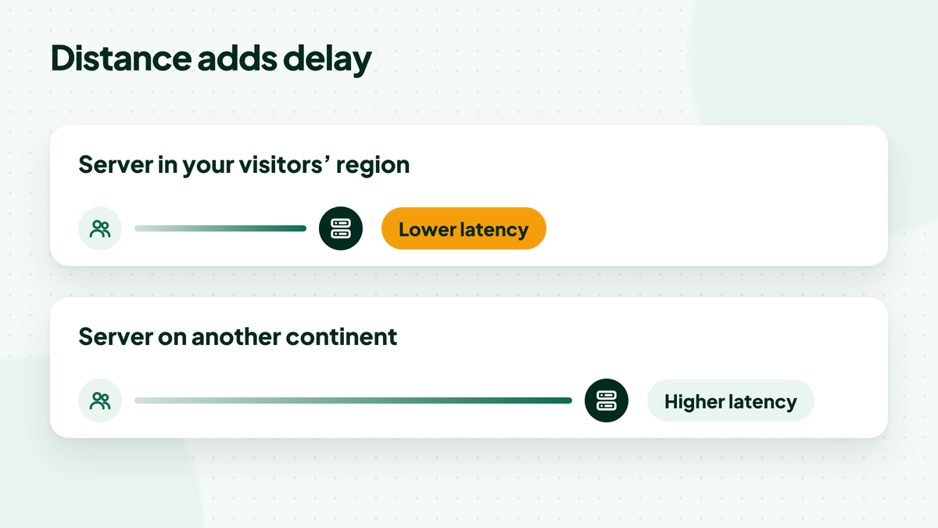
The farther the server, the longer every request takes.
Latency vs bandwidth
Latency is the delay of each round trip; bandwidth is how much data can move at once. A plan with plenty of monthly transfer does not fix distance. If your visitors are far from the server, pages still feel slow because each request waits longer, even when the connection is wide.
Dynamic pages feel distance the most
Cached files can be served from places closer to the visitor, but dynamic pages such as a shopping cart, a login area or an admin dashboard are built on your server for every request. Those pages depend directly on the distance between your visitors and your VPS location.
7 Easy Ways to Choose the Right VPS Location
There is no single best country for every project. Use these seven steps in order, and the right VPS location for your site usually becomes obvious.
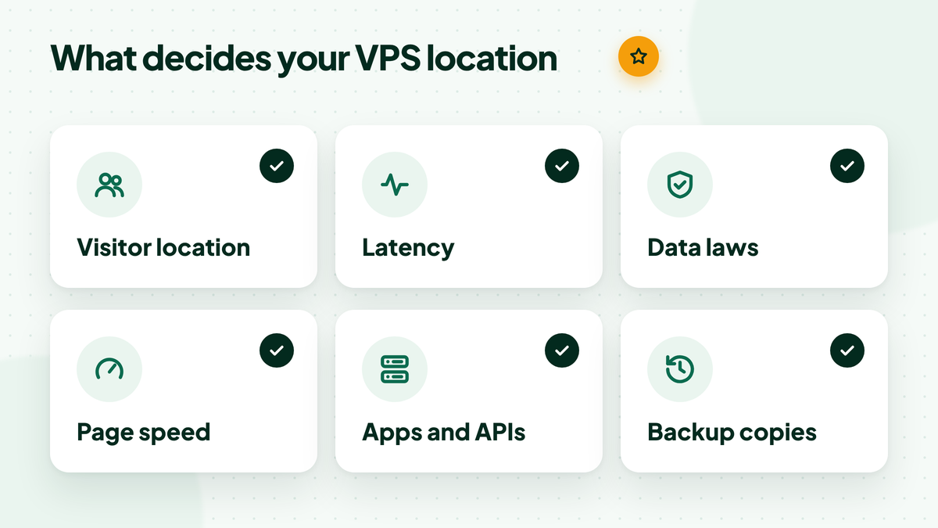
Six factors that decide where your server should run.
1. Start with where your visitors are
Look at real data before you guess. In Google Analytics, open Reports, then User attributes and Demographic details, and sort by country. In Google Search Console, open Performance and switch to the Countries tab to see where your search visitors come from.
If most visitors come from one country or region, choose a VPS location in or near it. If you are launching a new site, use the market you plan to sell to.
2. Put the server near the people and systems that use it most
Visitors are not the only users. An internal tool should sit near your team, an API should sit near the apps that call it, and a store should sit near its customers rather than its owner. If your site depends on another service, such as a payment provider or an external database, being in the same region keeps every call quick.
3. Check the data rules that apply to you
Some laws and contracts care where personal data is stored. In Europe, the GDPR sets rules for personal data and for transfers outside the EU, which the EU data protection rules page explains. Other examples include the UK GDPR, India’s Digital Personal Data Protection Act, Singapore’s PDPA, Brazil’s LGPD and Canada’s PIPEDA.
A data center location inside the same region as your customers often makes compliance simpler, but it does not replace a proper review. This guide is not legal advice; if you handle sensitive data, check with someone who knows the rules for your sector.
4. Think about SEO the right way
Server location is a small signal at most. Google’s guide on multi-regional and multilingual sites treats it as one hint about your audience, while country domains, hreflang tags and the language of your content carry far more weight.
What matters much more is speed for real visitors. A VPS location close to your audience helps your pages respond quickly, and fast pages make a better experience for every visitor.
5. Test latency before you commit
Numbers beat assumptions. Ping a test address in each candidate region from a computer in your visitors’ country, or ask a colleague or customer there to run the test for you. Compare the average delay and how stable it is, not just the single best result. The commands are further down this guide.
6. Use a CDN for visitors far away
A content delivery network keeps copies of images, styles and scripts on servers around the world, so distant visitors download them from a nearby point. Cloudflare explains what a CDN is in plain terms, and our guide to Cloudflare with cPanel hosting shows the setup.
A CDN does not replace a good VPS location. Pages that are built for each visitor, such as checkout and account pages, still come from your server, so pick the region closest to your main audience first.
7. Keep backups in a second location
Your main region is about speed, but your backups should live somewhere else. Copies stored in another region survive a problem with the main data center, and they make a move to a new server much easier. Our website backup guide covers what to copy and how to test a restore.
Which VPS Location Fits Your Audience?
Use this table as a starting point, then confirm it with a latency test from your visitors’ region.
| Main audience | Where to start | Good to know |
| United States | United States | Test from the states where most visitors live |
| Canada | Canada | The United States can also work for cross-border audiences |
| South America | Brazil | Test from your main countries in the region |
| United Kingdom | United Kingdom | UK GDPR applies to UK personal data |
| European Union | Germany, the Netherlands or France | Spain, Italy or Sweden for southern and northern Europe |
| India | India | Check the DPDP Act for personal data |
| Southeast Asia | Singapore or Indonesia | Test both from your main market |
| Japan and East Asia | Japan | Good base for Japanese visitors |
| Australia and New Zealand | Australia | Far from most other regions, so a CDN helps |
| Pakistan or the Gulf | Test India, Singapore and Europe | No local server in these countries, so measure first |
| Visitors worldwide | Region of your largest group | Add a CDN for everyone else |
Matching the VPS Location to Your Project
Different projects put weight on different factors. These examples show how the same seven steps lead to different answers.
Business website or blog
Most visits are page views, and most pages can be cached. Pick the region nearest your main audience, add a CDN, and you rarely need anything more. If you write for two markets, choose the larger one and let the CDN help the other.
Online store
Product pages can be cached, but the cart, checkout and account pages are built for each shopper. A store should sit close to its customers, and close to its payment provider where possible, because every payment step adds round trips. Data rules matter here too, since orders contain personal details.
SaaS app or API
Apps and APIs send many small requests, so delay adds up quickly. Place the server near the users who log in every day, or near the systems that call your API most often. If customers sit in two continents, a second server in another region is often better than one compromise location.
Automation tools and webhooks
Tools such as n8n receive webhooks from other services and call APIs all day. For these, the best VPS location is near the services the workflows talk to, not near the person who built them. A quick ping test to the main APIs you use will show the best fit.
Choosing a VPS Location With HostElevate
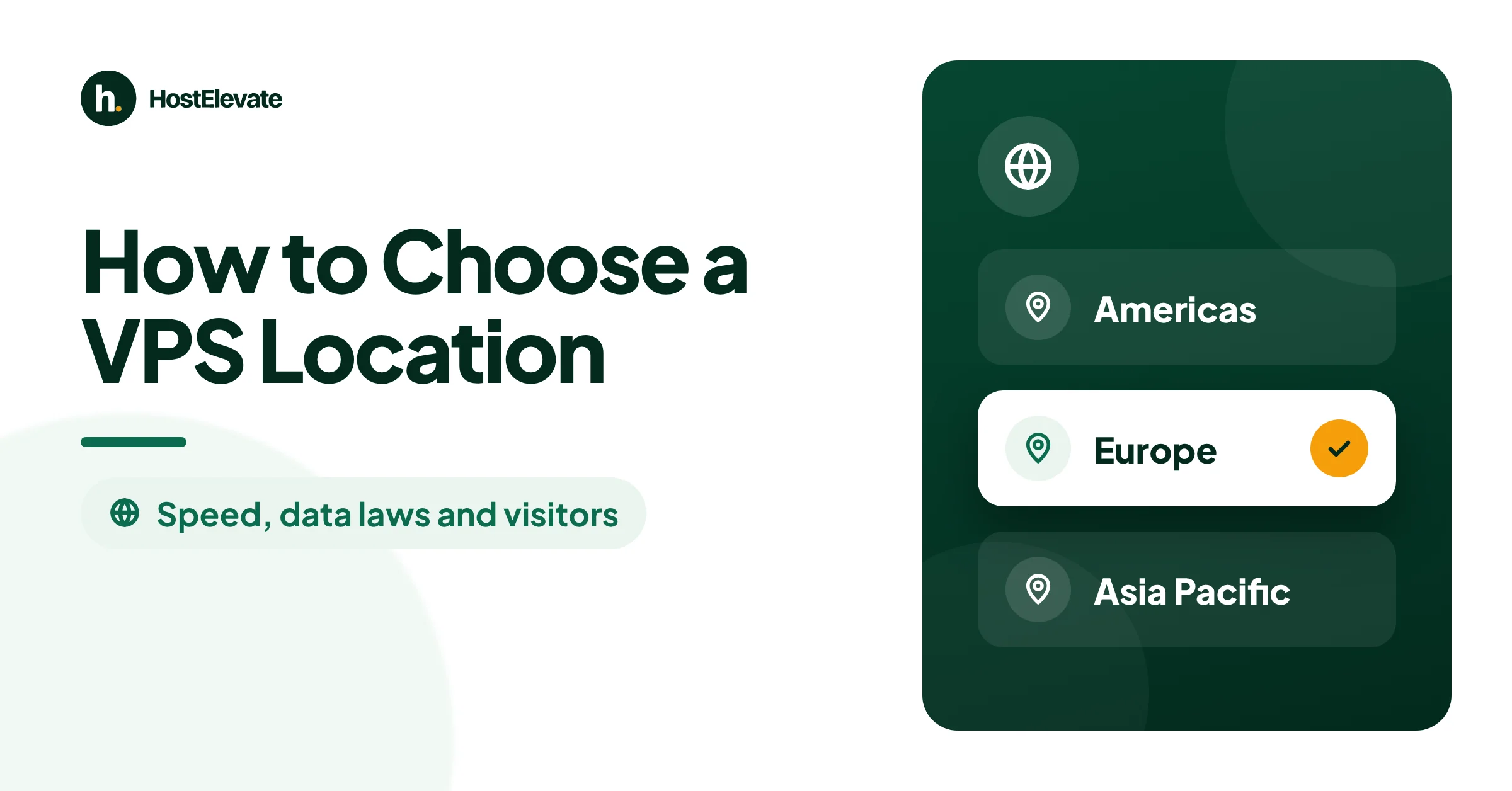
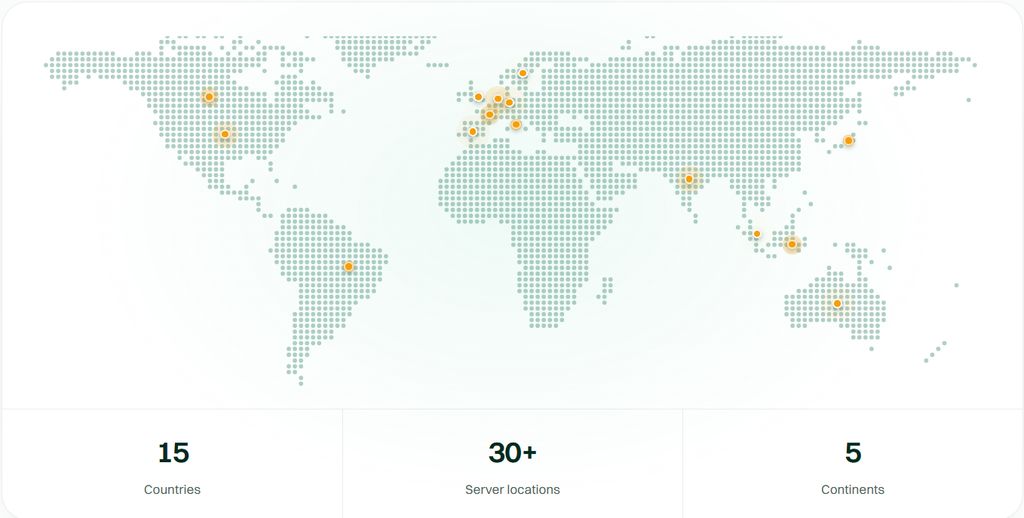
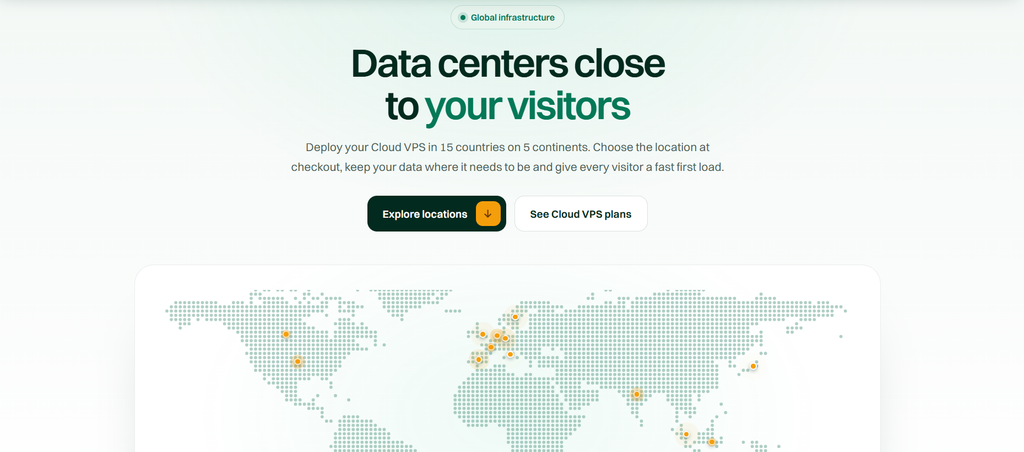
HostElevate Cloud VPS runs in 15 countries: the United States, Canada and Brazil in the Americas; the United Kingdom, Germany, the Netherlands, France, Italy, Sweden and Spain in Europe; and India, Indonesia, Japan, Singapore and Australia in Asia Pacific. You pick the country on the order page, and the full list is on our HostElevate data centers page.
Every server comes with full root access, a firewall and DDoS protection, with billing in USD or PKR. Our Cloud VPS hosting is covered by a 90-day money-back guarantee, which gives you time to test a region with real traffic. If you prefer cPanel and WHM on your server, cPanel VPS hosting comes with the license included.
How to Test a Server Location Before You Commit
Run these tests from a computer in the country where most of your visitors are. Replace SERVER_IP with a test address in the region you are checking, and replace the website address with a page on that server.
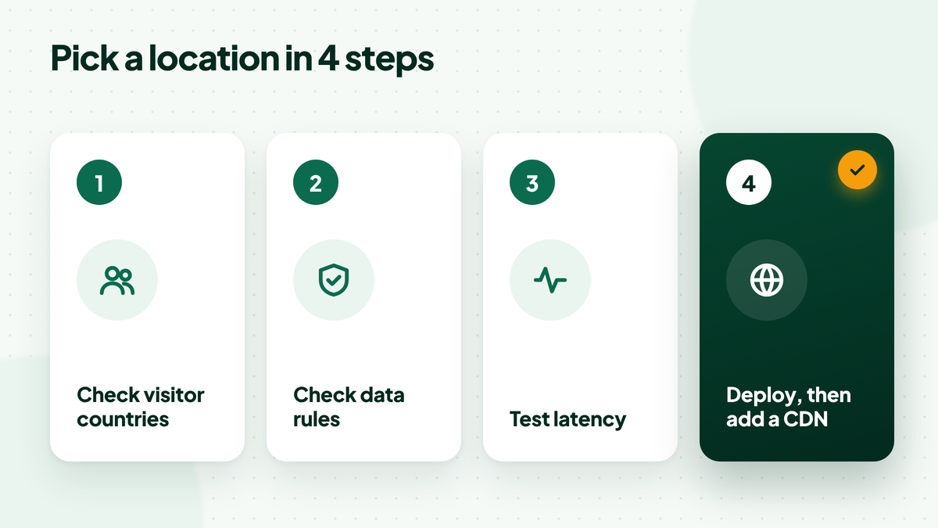
Check, test, then deploy.
# Average delay and packet loss over 20 pings (Linux or macOS)
ping -c 20 SERVER_IP

# Every hop on the route, with loss and delay per hop
mtr -rwc 50 SERVER_IP

# Connection time and time to first byte for a real page
curl -o /dev/null -s -w "connect: %{time_connect}s  TTFB: %{time_starttransfer}s\n" https://example.com/

# Windows: average delay and the route
ping -n 20 SERVER_IP
tracert SERVER_IP
Compare the average round-trip time, the variation between pings and any packet loss. A location with a slightly higher average but steady results often feels better than one that jumps around. Run the tests at different times of day, because busy evening hours can change the picture.
Can You Change Your VPS Location Later?
Yes, but a server does not move on its own. You create a new VPS in the new location, copy the website, databases and email across, test everything, and then point your domain to the new IP address.
Lower the TTL on your DNS records a day before the switch so the change spreads faster; our guide to DNS propagation explains why. HostElevate includes free website migration, so our team can handle the move to the new region for you.

Common VPS Location Mistakes to Avoid
- Choosing the region nearest to you: your visitors’ location matters more than the owner’s.
- Expecting a big SEO boost: the region is a minor signal; speed and content matter far more.
- Ignoring data rules: a contract or law may require data to stay in a region.
- Keeping backups beside the server: store copies in a second data center location.
- Skipping the test: a few minutes of ping and mtr tests can save a migration later.
- Sizing the server is the other half of the decision; see how many websites a VPS can host before you pick a plan.
VPS Location FAQ
Does VPS location affect SEO?
Only a little. Google can read the server location as a hint about your audience, but country domains, hreflang and content language matter more. The bigger SEO effect comes from speed: a server close to your visitors helps pages respond faster.
What is the best VPS location for visitors worldwide?
Choose the region with your largest group of visitors, then use a CDN to serve images, scripts and styles to everyone else from nearby points. For many global sites that means a server in the United States or central Europe, but your own analytics should decide.
Is a closer server always faster?
Usually, but not always. Network routes do not follow a straight line, so a slightly farther data center location with better connections can beat a closer one. That is why a latency test from your visitors’ region is worth doing.
Do I need a server in my own country for legal reasons?
Sometimes. Some laws, sector rules and customer contracts limit where personal data can be stored or transferred. Check the rules that apply to your business before you choose; this guide is not legal advice.
Can a CDN replace choosing the right region for your server?
No. A CDN speeds up files that can be cached, but checkout pages, logins and dashboards are still built on your server. Choose the right VPS location for your main audience first, then add a CDN.
How do I find out where my visitors come from?
In Google Analytics, open Reports, User attributes and Demographic details, then view by country. Google Search Console also shows clicks and impressions by country under Performance.
Should I run servers in more than one region?
Only when one region cannot serve everyone well. A second server doubles the work: two systems to update, sync and back up. Most sites do well with one well-chosen region and a CDN. Consider a second server when you have large, active user groups on two continents, or when a law or contract requires data to stay in a specific country.
Choose Your VPS Location With Confidence
The right VPS location puts your server close to the people and systems that use it, inside the rules that apply to your data, and backed by copies somewhere else. Check your visitor countries, test two or three regions, and pick the one that responds best. When you are ready, compare the 15 countries on our HostElevate data centers page and launch your server with full root access.