
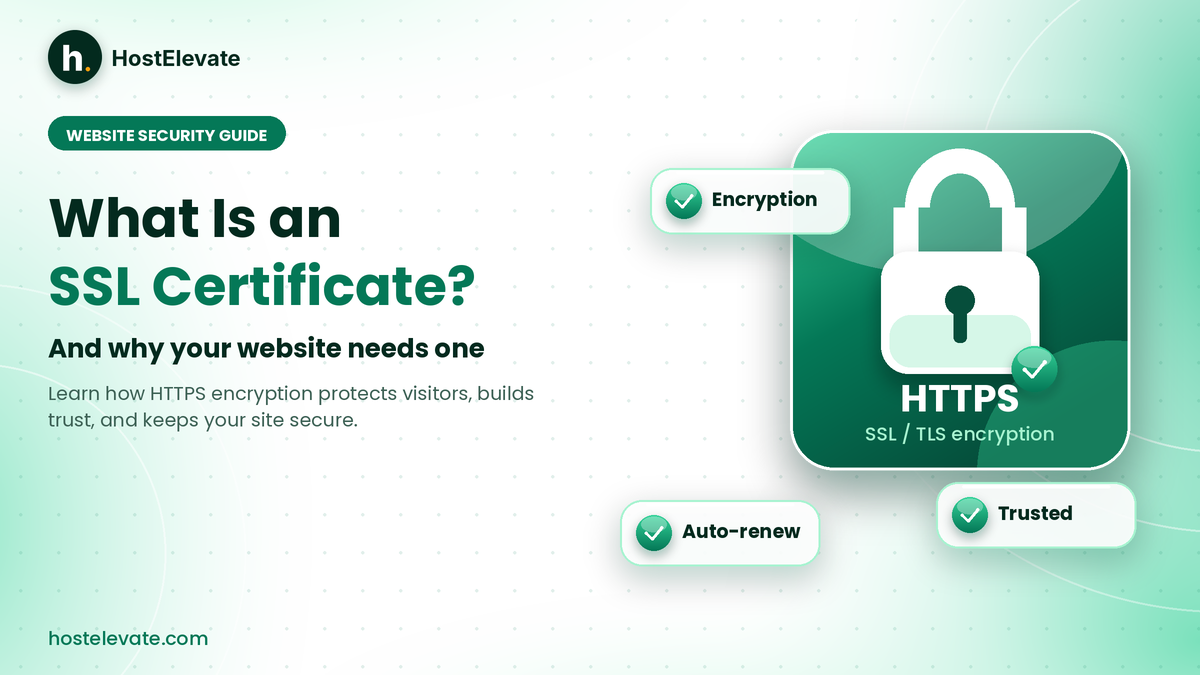
Every time someone opens your website, information travels between their browser and your server, including logins, form entries, and sometimes payment details. Without encryption, that data can be intercepted on its way. This is why many owners ask what is an SSL certificate and whether their website really needs one. In short, it enables HTTPS, which protects the connection and lets browsers confirm your site’s identity.
This guide answers one clear question: what is an SSL certificate, and why does your website need one? You will also see how it works, how the main types compare, how free and paid options differ, and how to install, check, and renew SSL.
Table of Contents
- What Is an SSL Certificate and Why Is It Important?
- Why Does Your Website Need an SSL Certificate?
- How Does an SSL Certificate Work?
- What Are the Different Types of SSL Certificates?
- What Is the Difference Between Free and Paid SSL Certificates?
- How to Install an SSL Certificate on Your Website
- How to Check Whether Your SSL Certificate Is Working
- What Happens When an SSL Certificate Expires?
- Common SSL Certificate Problems and How to Fix Them
- Frequently Asked Questions
- Summary:
What Is an SSL Certificate and Why Is It Important?
So, what is an SSL certificate? It is a digital certificate installed on a web server that helps create an encrypted connection between a website and its visitors. SSL stands for Secure Sockets Layer, an older protocol that Transport Layer Security (TLS) has replaced. The name stuck, so hosting companies still say SSL, even though TLS is the technology doing the work today.
With a valid certificate and a correct HTTPS setup, data exchanged between the browser and the server is encrypted in transit. The certificate also lets the browser check that it is talking to a server authorised for the requested domain. A site at https://example.com has this protection, while a site at http://example.com does not.
What is an SSL certificate in simple terms?
In simple terms, what is an SSL certificate? Think of it as a digital ID card for your website that browsers can check before they trust the connection. In short, it is the small file that turns plain HTTP into secure HTTPS.
What is an SSL certificate made of?
A certificate typically contains the following details:
- The domain name covered by the certificate.
- The owner’s public key.
- The issuer, known as the Certificate Authority (CA).
- The validity period.
- Digital signatures and other certificate information.
It matters because almost every website collects something, whether a login, a contact message, or an order. A certificate protects that exchange and shows visitors that you took security seriously. It also helps your site avoid the “Not Secure” label that browsers attach to plain HTTP pages.
Why Does Your Website Need an SSL Certificate?
Knowing what is an SSL certificate is the first step. The next is seeing why it applies to nearly every website, not only online shops.
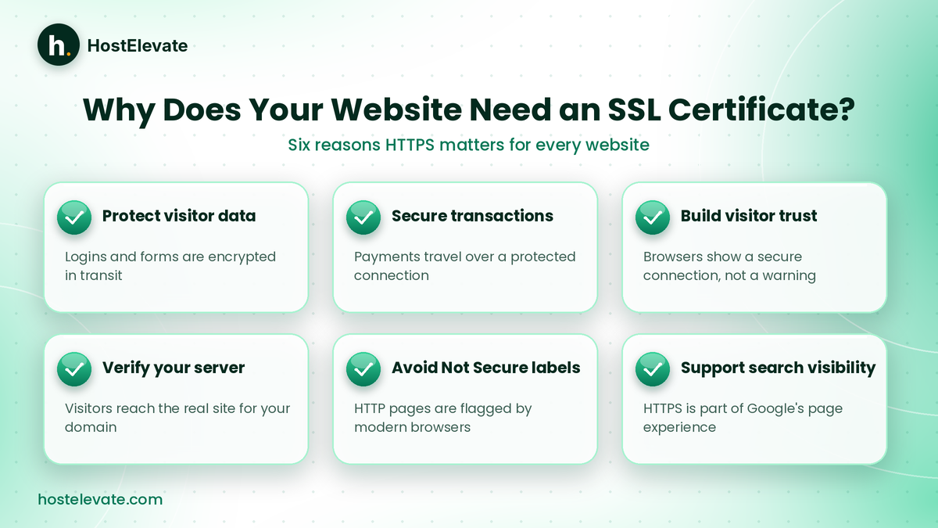
What is an SSL certificate protecting? Six benefits of running your website over HTTPS.
Protect visitor information
The first answer to what is an SSL certificate protecting is personal details in transit. Login forms, registration pages, and contact forms all send them. HTTPS encrypts that data while it travels, which makes intercepted traffic far harder to read. This matters most when visitors submit account credentials or personal information.
Enable secure online transactions
Websites that take payments need a protected connection between customer and server. A certificate secures data in transit, but it does not make a payment system secure by itself. Payment processing also needs trusted integrations, access controls, and a securely configured server.
Build visitor confidence
Modern browsers treat HTTPS and HTTP differently. A valid connection earns a security indicator, while an unsecured page may show a Not Secure warning. Visitors who see the padlock rarely stop to ask what is an SSL certificate, but they notice when it is missing. That helps them feel safe, although HTTPS alone does not prove that a website or its owner is trustworthy.
Support secure website authentication
This is another answer to what is an SSL certificate good for: it lets the browser confirm that the server presents a certificate valid for the requested domain and issued through a trusted chain. This guards against certain impersonation and interception attacks when the certificate and the server are set up correctly.
Support website security and search visibility
Google recommends HTTPS and counts it as one signal within its wider page experience guidance. Google also offers an HTTPS report in Search Console that shows how many of your pages are served over HTTPS. Still, installing a certificate does not guarantee higher rankings, because content quality, relevance, and technical performance carry far more weight.
How Does an SSL Certificate Work?
To see what is an SSL certificate doing behind the scenes, look at the TLS handshake. A certificate works together with public-key cryptography and the handshake. When someone visits an HTTPS website, the browser and the server run a series of checks before they exchange any page data.
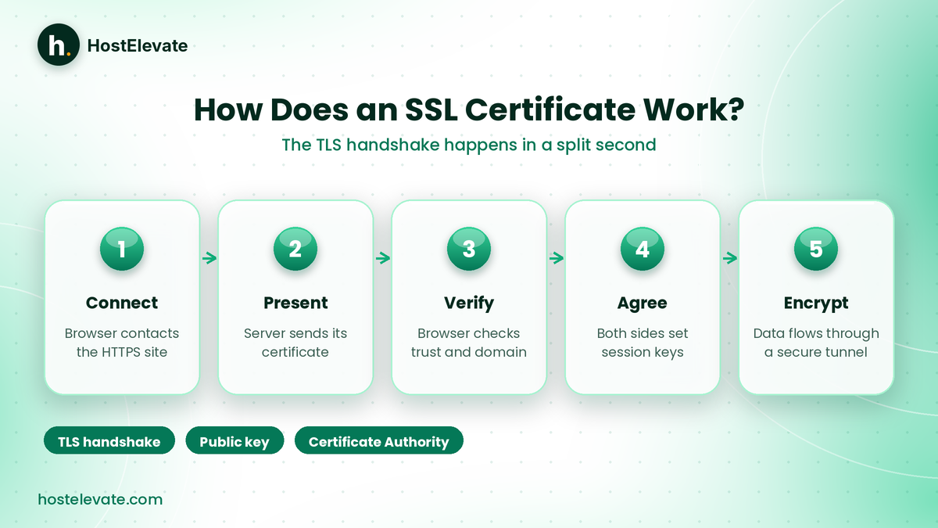
What is an SSL certificate doing? The five stages of a TLS handshake.
The browser connects to the website
The visitor enters an HTTPS address, the browser contacts the web server, and the TLS handshake begins.
The server presents its certificate
The server sends its certificate, which holds the domain information, the public key, the issuer details, and the validity period.
The browser verifies the certificate
The browser checks that the certificate is trusted, matches the requested domain, is still within its validity dates, and chains back to a trusted authority. If any check fails, the browser shows a security warning.
The browser and server agree on encryption
Using TLS, both sides agree on secure settings and create session keys. The certificate and public-key cryptography authenticate the server and support this exchange. For a deeper technical view, see Cloudflare’s SSL and TLS concepts documentation.
Data travels through the encrypted connection
After a successful handshake, page data moves through the encrypted channel. That protects information in transit, but it does not protect data stored on the server or repair weaknesses in the website’s software.
What Are the Different Types of SSL Certificates?
When people ask what is an SSL certificate, they rarely expect there to be several kinds. Certificates differ in two ways: how much identity checking the issuer performs, and how many domain names the certificate covers. These are separate traits, so one certificate can be, for example, both Organization Validated and Wildcard.
Domain Validated (DV) SSL certificate
A DV certificate proves that the applicant controls the domain. The authority runs a domain ownership check and then issues it. For most sites, DV is the practical answer to what is an SSL certificate you actually need. It suits personal sites, blogs, landing pages, content sites, and sites with contact forms, and free services offer it too. Owning the domain is the starting point, and you can register a domain and manage it in the same account as your hosting.
Organization Validated (OV) SSL certificate
OV adds checks on the organisation behind the domain, so its verified legal identity can appear in the certificate details. It can suit organisations that want that identity on record.
Extended Validation (EV) SSL certificate
So what is an SSL certificate with extended validation? It involves the most thorough organisation verification, which may matter for specific procurement, regulatory, or identity requirements. It does not give stronger encryption than a DV certificate. The extra value is the added validation.
Wildcard SSL certificate
So what is an SSL certificate that covers subdomains? A wildcard certificate covers a domain and its subdomains under one wildcard name. A certificate for *.example.com can cover names such as:
- www.example.com
- shop.example.com
- mail.example.com
Exact coverage depends on the certificate’s listed names. A wildcard for *.example.com does not automatically cover the root domain example.com unless that name is added separately.
Multi-Domain SSL certificate
A multi-domain certificate secures several different domain names with one certificate, which helps organisations that run multiple websites manage them centrally. The number of domains and the options available depend on the product.
What Is the Difference Between Free and Paid SSL Certificates?
Another common follow-up to what is an SSL certificate is whether a free one is less secure. Price alone does not set encryption strength. A properly issued and configured free DV certificate gives the same modern TLS protection as a paid DV certificate. The real differences lie in identity verification, features, warranty, and support.
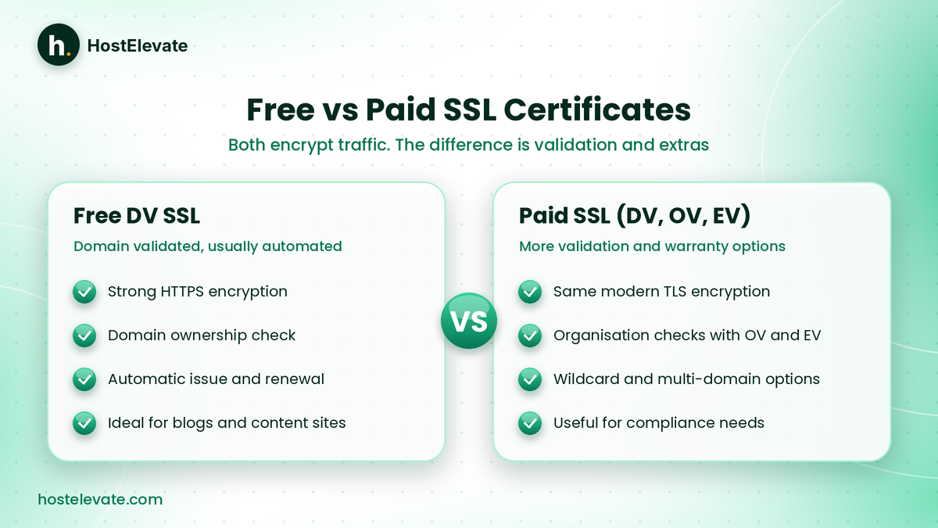
Free and paid certificates both encrypt traffic; validation and extras differ.
| Feature | Free DV SSL | Paid SSL |
| HTTPS encryption | Yes | Yes |
| Domain validation | Yes | Yes |
| Organisation verification | Usually no | Available with OV and EV |
| Domain coverage | Depends on the provider | Depends on the certificate |
| Warranty | Usually not included | May be included |
| Installation | Depends on the hosting provider | Depends on the hosting provider |
| Renewal | Often automated | Depends on the certificate and provider |
When is a free SSL certificate enough?
For many sites, the honest answer to what is an SSL certificate worth paying for is nothing extra. A free DV certificate suits blogs, informational websites, portfolios, and many other sites that need standard HTTPS without organisational validation.
When should you consider a paid SSL certificate?
Consider a paid certificate when your organisation needs a verified business identity, a specific certificate type, contractual compliance, or the authority’s warranty terms. Confirm the real requirement first, because a higher price does not mean stronger encryption. You can compare options on HostElevate’s SSL certificates page, and HostElevate states that a free SSL certificate is issued and renewed automatically on every domain.
How to Install an SSL Certificate on Your Website
Installation depends on your hosting environment and the certificate provider. Many hosts install SSL automatically, while other setups need manual work. Understanding what is an SSL certificate also helps here, because you will know which files you are handling.
Install SSL through cPanel
If your account uses cPanel and your provider has enabled automatic certificate management, you may be able to secure a domain without uploading files. A typical process looks like this:
- Sign in to your cPanel account.
- Open Security → SSL/TLS Status.
- Find your domain in the list.
- Check whether a certificate is already active.
- If AutoSSL is available, follow your provider’s instructions to request or renew the certificate.
- Wait for issuance and installation to finish.
- Open your website over HTTPS to test it.
The exact screens depend on your cPanel version and your provider’s settings. HostElevate’s web hosting includes cPanel and free SSL, so a new site can be secure from day one.
Install a purchased SSL certificate
A purchased certificate may need a certificate file, the private key, and the intermediate chain. In cPanel’s SSL/TLS area you can install it on the matching domain. Make sure it matches the domain and the key used to create the Certificate Signing Request (CSR), and never share or publish the private key.
Configure your website to use HTTPS
Knowing what is an SSL certificate and installing one is only half the job. For WordPress, check the site address settings and update application URLs, then set up an HTTPS redirect once the certificate works. Also look for mixed content, which happens when an HTTPS page still loads images, scripts, or styles over HTTP. With a host such as HostElevate’s WordPress hosting, which includes staging, you can test the switch before visitors see it.
How to Check Whether Your SSL Certificate Is Working
Once you understand what is an SSL certificate, checking one is simple. After installation, confirm that the certificate is active and configured correctly.
Check HTTPS in your browser
Open the site with https://, then use the browser’s connection or site information option to see the certificate’s validity and the domain it covers. This is where you see what is an SSL certificate telling the world about your site: the domain, the issuer, and the dates.
Check the expiration date
Every certificate has a validity period. Confirm that it is active and that renewal works. If your host renews certificates automatically, make sure your domain is included in its SSL management.
Check every version of your domain
Test the domain with and without www if both versions should work:
- https://example.com
- https://www.example.com
Both need certificate coverage and sensible redirects.
Check for mixed content
Use your browser’s developer tools to find resources still loading over HTTP. Update the URLs, and check themes, plugins, external scripts, and hard-coded links.
What Happens When an SSL Certificate Expires?
So what is an SSL certificate’s lifespan? It is valid only for a set period. After it expires, browsers stop treating it as valid and may warn visitors that the connection is not secure. That can affect:
- Visitor confidence in your website.
- HTTPS access to your pages.
- Login and contact form access.
- Online transactions and other secure features.
- Connected services that depend on certificate validation.
Your files and database are not deleted when a certificate expires. The problem is that browsers cannot build a trusted HTTPS connection with an expired certificate.
How to avoid SSL expiry
People who ask what is an SSL certificate rarely think about renewal, yet that is where most problems start. Track expiry dates and switch on automatic renewal wherever it is supported. Many free certificates have short lifetimes by design, and automated tools renew them before they lapse. HostElevate states that its free SSL certificate is issued and renewed automatically, so there is no date to remember.
Common SSL Certificate Problems and How to Fix Them
Even when you know what is an SSL certificate and have installed one, a website can show warnings or fail to load securely. These are the problems to check first.
SSL certificate expired
Most visitors meet this error without ever asking what is an SSL certificate. An expired certificate must be replaced with a valid one. Check the renewal status, the domain validation, and your host’s SSL settings. If automatic renewal failed, find the error before you request another certificate.
What is an SSL certificate name mismatch?
This appears when the certificate does not cover the domain being visited. Check that it lists the right hostname, including the www version if needed, and request a certificate with the correct coverage.
Mixed content warning
Mixed content means a secure page loads some resources over plain HTTP. Update the resource URLs, review your WordPress settings, and look for hard-coded HTTP references in themes and plugins.
Certificate authority not trusted
A browser may reject a self-signed certificate, an incorrectly issued one, or one that lacks the required intermediate certificates. Check the chain and install the intermediates supplied by the issuing authority.
SSL certificate installation failed
Installation can fail because of a wrong private key, an invalid certificate file, missing intermediates, DNS validation problems, or hosting restrictions. Read the error message and verify the files before you try again.
Automatic SSL renewal failed
Renewal can fail when the domain no longer points to the expected server, domain validation cannot finish, or DNS and CAA records stop the authority from issuing a certificate. Check your DNS settings, the validation method, and the SSL logs. If your host manages AutoSSL and the problem continues, contact HostElevate support for help.
Frequently Asked Questions
What is an SSL certificate used for?
It helps encrypt communication between a website and its visitors and lets browsers verify the server’s identity.
Is a free SSL certificate safe for my website?
Yes, a properly issued and configured free DV certificate gives the same encryption strength as a comparable paid DV certificate.
Does an SSL certificate improve Google rankings?
HTTPS is recommended by Google and counts as a light signal, but a certificate alone does not guarantee higher rankings.
How long does an SSL certificate last?
It depends on the certificate and the issuer, and many automated free certificates have short validity periods and renew automatically.
Do I need an SSL certificate if my website does not accept payments?
Yes, HTTPS also protects contact forms, logins, and other pages, even when no payments are taken.
Summary:
So, what is an SSL certificate? It is the digital certificate that enables HTTPS encryption and lets browsers verify your server, which makes it an essential part of modern website security, especially for sites that collect logins, contact details, or payment data. Now that you know what is an SSL certificate, the choice is simple. Most websites can use a free DV certificate, while OV and EV certificates suit organisations that need extra verification. Whichever you choose, correct installation, an HTTPS setup without mixed content, and timely renewal keep your site secure. To get started, explore HostElevate hosting