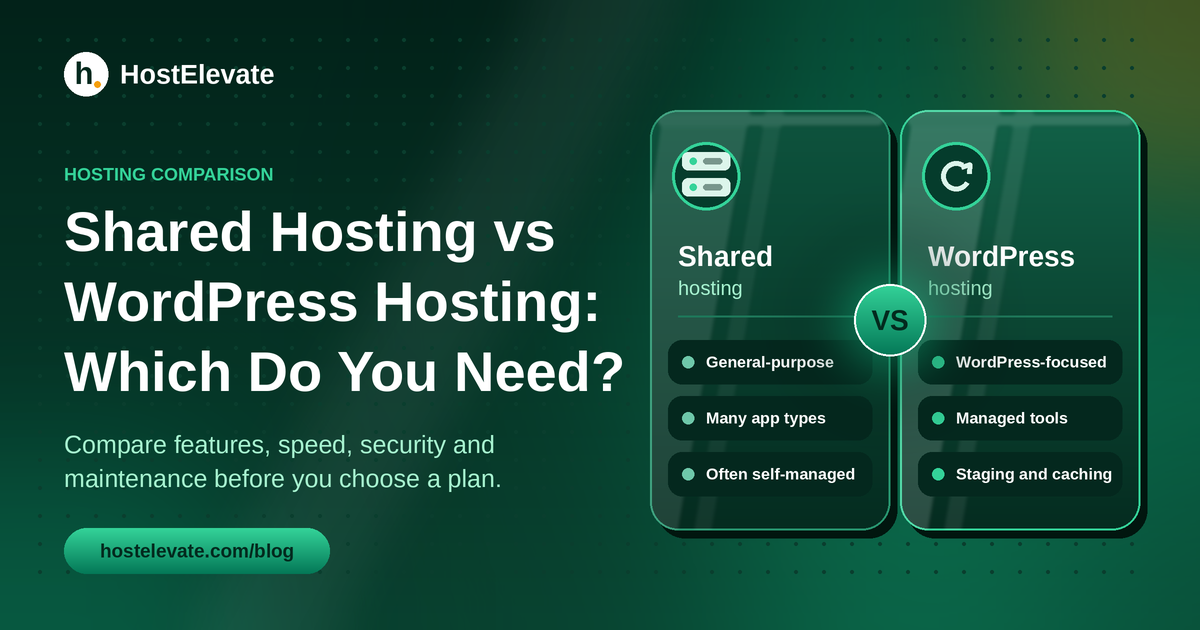
Shared hosting vs WordPress hosting is a confusing choice, because both can run a WordPress website. The real difference is rarely the server itself. It is how much WordPress-specific tuning, maintenance, security and support comes included with the plan.
This guide compares shared hosting vs WordPress hosting feature by feature, covering speed, backups, security, updates and price. Whether you are launching a first site, running a blog or building an online store, you will see what each option handles and what stays with you.
Table of Contents
- What Are Shared Hosting and WordPress Hosting, and Why Do They Matter?
- Shared Hosting vs WordPress Hosting: Key Differences
- Shared Hosting vs WordPress Hosting Performance and Website Speed
- Shared Hosting vs WordPress Hosting Security, Backups and Maintenance
- Shared Hosting vs WordPress Hosting Pricing and Overall Value
- Which Hosting Option Should You Choose?
- How HostElevate WordPress Hosting Compares
- What to Check Before Buying: Shared Hosting vs WordPress Hosting Plans
- Frequently Asked Questions
- Summary:
What Are Shared Hosting and WordPress Hosting, and Why Do They Matter?
What is shared hosting?
Shared hosting is a service in which many accounts use resources from the same physical server. Each account keeps its own files and databases, while the provider looks after the server infrastructure. That makes it an accessible choice for websites that do not need a dedicated machine.
Most shared plans include a control panel such as cPanel, email accounts, SSL certificates, database tools and one-click application installers. You can install WordPress on shared hosting, but plugin updates, caching, backups and other WordPress tasks may be left to you, depending on the plan.
What is WordPress hosting?
WordPress hosting is a service built around websites that run on WordPress. Depending on the provider, it can include a ready-made installation, caching tuned for WordPress, automatic updates, security tools, backups, staging sites and support for WordPress problems. Managed plans take over more of the upkeep, although how much they handle differs between providers.
A WordPress hosting plan does not automatically mean a dedicated server. It can still run on shared infrastructure. What matters is which WordPress services the plan actually includes.
Why does the difference matter?
The label alone does not tell you how much work waits for you after launch. Two plans can run on similar servers yet offer very different caching, backups, update handling and support. A WordPress site on a general shared plan can run well when the server has enough resources and the site is set up properly. A managed WordPress plan can be more convenient when it includes tested updates, staging and WordPress-focused help.
Before you compare prices, compare what each plan handles. A low starting price may leave out the maintenance tools you need, while a higher price may include services you will never use. That is why a clear shared hosting vs WordPress hosting comparison starts with features, not labels.
Shared Hosting vs WordPress Hosting: Key Differences
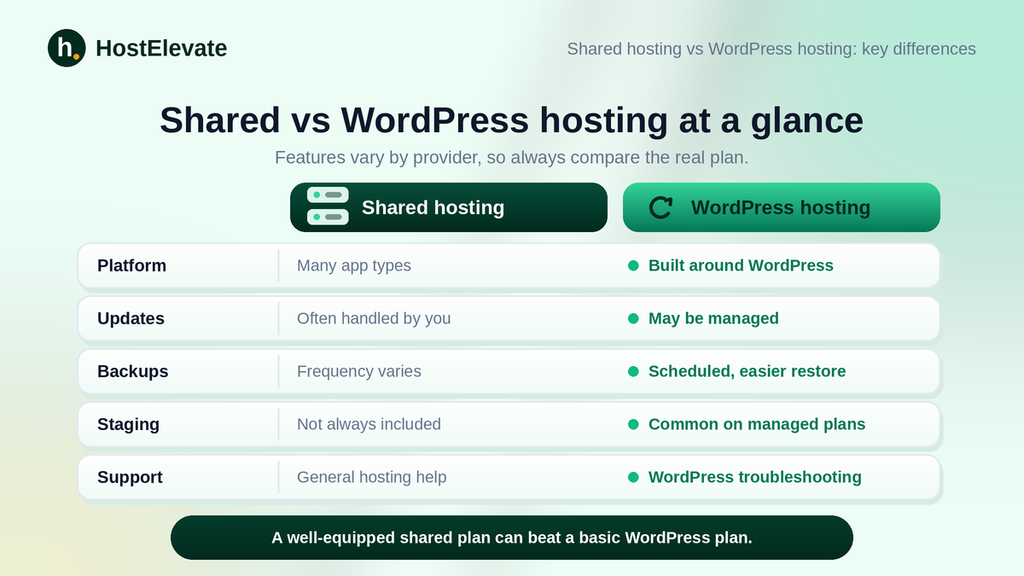
This table shows what to check when you compare real plans. Features differ by provider, so do not assume a plan has everything listed.
| Feature | Shared hosting | WordPress hosting |
| Platform support | Often runs WordPress and other applications | Designed mainly for WordPress |
| WordPress installation | Usually a one-click installer | May be pre-installed or guided |
| Performance tools | Depends on the provider and plan | May include WordPress-specific caching |
| Updates | Often handled by the site owner | May be automatic or managed |
| Backups | Availability and frequency vary | May include scheduled backups and easier restores |
| Security | General hosting protection | May add WordPress-focused protection |
| Staging site | Not always included | Often available on managed plans |
| Technical support | Usually general hosting issues | May cover WordPress troubleshooting |
| Flexibility | Often supports several apps and sites | May be limited to WordPress |
| Cost | Often lower for entry-level plans | Varies; managed features can raise the price |
Use this table as a quick shared hosting vs WordPress hosting reference when you read plan pages. The most useful comparison looks at what each plan really includes, its resource limits and its support terms. A well-equipped shared plan can beat a basic WordPress plan on value, while a properly managed WordPress plan can save you a lot of maintenance time.
Shared Hosting vs WordPress Hosting Performance and Website Speed
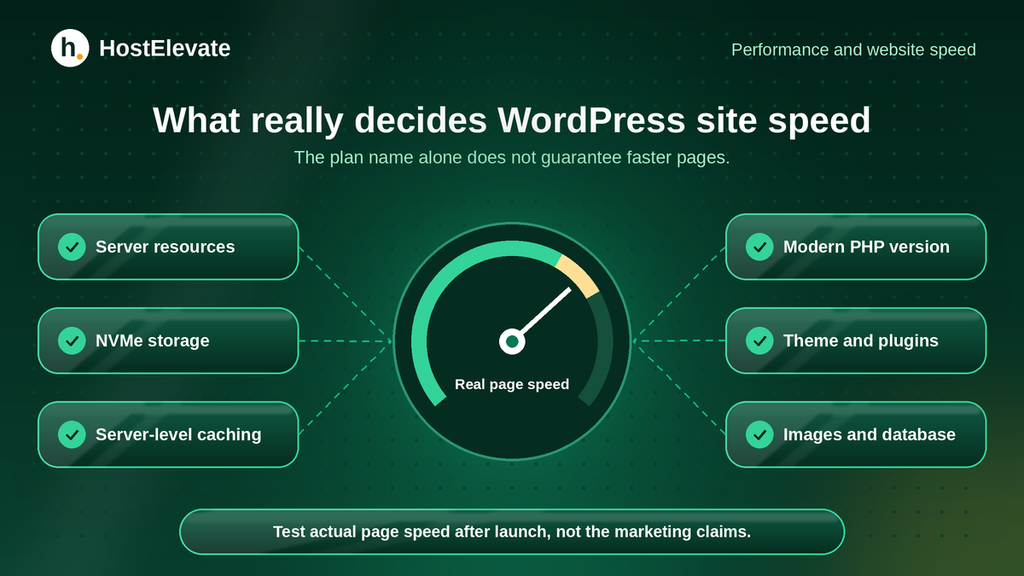
Speed depends on server resources, storage, caching, application setup, database performance, images, themes and plugins. A plan labelled WordPress hosting does not guarantee faster pages by itself.
A shared account can perform well when the provider runs a well-configured server and gives your account suitable resources. NVMe storage, server-level caching, a current PHP version and an optimised web server can all help, depending on how your site is built and used.
WordPress hosting can have an edge when it adds caching configured for WordPress, object caching where it makes sense, and a way to test changes before they go live. Those tools save repeated work and can improve speed when set up correctly.
Before you buy, check the CPU and memory limits, the storage type, caching support and the backup arrangements. After launch, measure real page speed instead of trusting marketing claims. In any shared hosting vs WordPress hosting speed test, run the same page on both plans so the result is fair.
Shared Hosting vs WordPress Hosting Security, Backups and Maintenance
Every website needs a maintenance routine. WordPress sites need extra attention, because outdated plugins, themes or core software can cause security and compatibility problems.
On shared hosting, the provider usually looks after the server, while you handle most of the website’s software unless the plan says otherwise. Basic protection often includes SSL certificates, account isolation and server-level safeguards, but the scope varies.
Managed WordPress hosting can add automatic updates, malware scanning, security hardening, scheduled backups and staging. These services simplify upkeep, but confirm what is truly included instead of relying on the word “managed”. Before you choose a plan, ask:
- How often do backups run, and how long are they kept?
- Are backups stored away from the live server?
- Can you restore a site yourself?
- Is malware cleanup included, or charged separately?
- How are updates tested, and what happens if one breaks the site?
- Is a staging site available for testing big changes?
A backup only helps if it can be restored. For an important website, learn the recovery process before you ever need it. If you are moving an existing site, our website migration checklist shows how to do it safely.
Shared Hosting vs WordPress Hosting Pricing and Overall Value
Shared hosting often suits people who want a general-purpose environment at a lower starting cost. WordPress hosting can offer extra convenience through WordPress tools, maintenance and support. A plan’s name alone does not decide its value, though.
Compare the full cost of ownership instead of the first invoice. Look at the renewal price, billing term, number of websites, email accounts, storage, resource limits, backups, migration fees and any paid security or speed add-ons. A fair shared hosting vs WordPress hosting price comparison counts renewal rates, not just the first invoice.
Also count your own time. A cheaper plan works well if you are comfortable handling updates, backups and troubleshooting. A managed plan can be better value if it removes that work and includes support you would otherwise pay for separately. You can review the published inclusions of HostElevate’s web hosting plans and compare them with your needs.
Which Hosting Option Should You Choose?
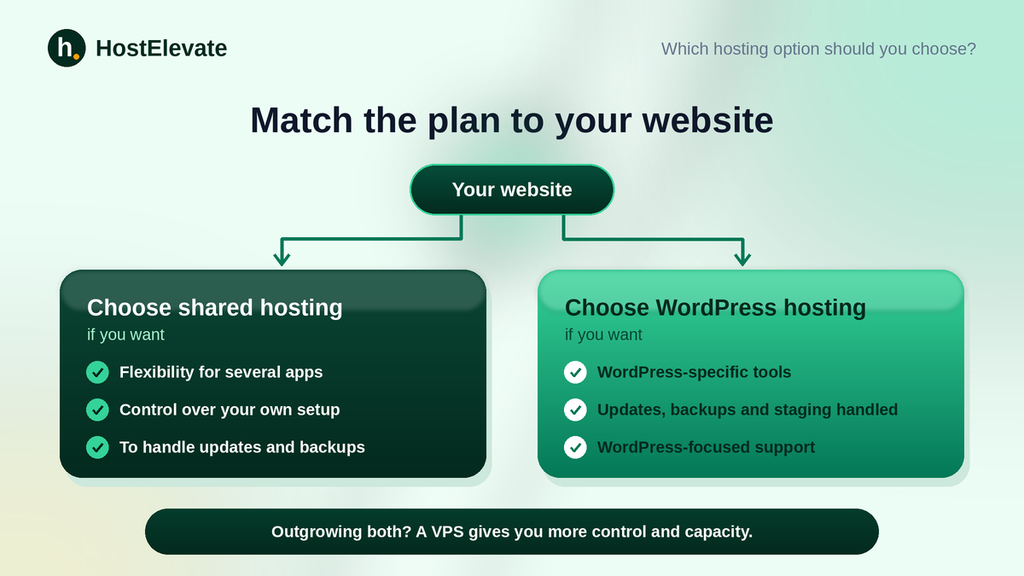
The right shared hosting vs WordPress hosting choice depends on your platform, your technical comfort, the features you need and how much maintenance you want to handle.
Choose shared hosting if you need flexibility
Shared hosting is practical when you want to run WordPress next to other supported applications, manage several sites from one control panel or keep costs predictable. It suits you if you are comfortable installing WordPress, configuring plugins, managing backups and applying routine updates. Check that the plan has enough resources and supports the applications you plan to use.
Choose WordPress hosting if you want WordPress-specific tools
WordPress hosting is worth considering when your site runs on WordPress and you want tools built around it. A managed plan helps most when it includes tested updates, scheduled backups, staging, caching and WordPress-focused support. Confirm exactly which services your chosen plan includes. Running a shop? Compare WooCommerce hosting as well.
Think about your website’s future
Your needs may change as the site grows. A handful of static pages has very different needs from a large WordPress database, a membership site or a store. Before you commit, ask whether you can add resources, add sites, restore backups easily and get support for your application. If you later need more CPU, memory or server control, cloud VPS hosting may be the better step. The aim is not to buy the most expensive plan, but to pick one that fits today and has a sensible upgrade path. The shared hosting vs WordPress hosting decision can change as your site grows.
How HostElevate WordPress Hosting Compares
HostElevate’s WordPress hosting is a managed service. According to the plan page, the maintenance work is handled as part of the plan: core and plugin updates are applied and checked, backups are taken twice a day and kept off the server, and malware cleanup is included. In the shared hosting vs WordPress hosting divide, it sits firmly on the managed side.
The same page lists NVMe storage on every plan, LiteSpeed with LSCache configured before you log in, free SSL that renews automatically, a one-click staging site and one-click WordPress installation. You keep full control of the site’s content, design and plugins.
Moving from another host? HostElevate offers free website migration, which moves your files, databases and email while your current site keeps serving visitors. Plans are listed with their renewal price beside the signup price, so you can compare long-term cost easily.
What to Check Before Buying: Shared Hosting vs WordPress Hosting Plans
These checks apply to any shared hosting vs WordPress hosting purchase. Use this checklist to compare providers on practical details instead of plan names.
- Website compatibility: confirm support for your CMS, PHP needs, database and applications. WordPress publishes its own hosting requirements.
- Resource limits: review CPU, memory, storage and file limits that could affect your site.
- Performance features: check storage type, caching, PHP versions and whether optimisation is configured or left to you.
- Backup and recovery: verify frequency, retention, storage location and restore options.
- Security and updates: know which tasks the provider handles and which remain yours.
- Support and pricing: check support coverage, migration terms, renewal pricing and extra charges.
If you already have a site elsewhere, ask how migration works and whether files, database, email and DNS are covered. You can also contact HostElevate with questions about your requirements before you pick a plan.
Frequently Asked Questions
Is shared hosting good for WordPress?
Yes, shared hosting runs WordPress well when the plan meets its requirements and has enough resources.
Is WordPress hosting the same as shared hosting?
No, shared hosting describes how server resources are divided, while WordPress hosting is a service built around WordPress, and the two can overlap.
Is WordPress hosting faster than shared hosting?
Not always, because speed depends on resources, caching, site setup and the features each plan includes.
Do I need managed WordPress hosting?
You may benefit if you want the provider to handle more updates, backups, caching and WordPress support.
Can I move from shared hosting to WordPress hosting later?
Usually yes, but check the provider’s migration process, compatibility needs and any fees first.
Summary:
The shared hosting vs WordPress hosting decision comes down to flexibility, management and what each plan includes. Shared hosting can run WordPress successfully and suits you if you want a general-purpose environment with control over your own setup.
WordPress hosting is built around WordPress, and managed plans can add caching, updates, backups, staging, security and support that cut your maintenance work. Compare real features, resource limits, renewal prices and support terms before you decide: choose shared hosting for flexibility, or a managed WordPress plan for simpler upkeep. Weigh your own needs first, and the shared hosting vs WordPress hosting choice becomes much clearer.