
Choosing a hosting plan takes more than comparing storage size and price. The type of drive behind your account changes how quickly files and database records are read, yet NVMe, SSD and HDD are often mixed up. Each one has different speed, cost and ideal uses, and the wrong choice can mean paying for speed you never feel.
This guide explains NVMe vs SSD hosting in plain language, from how each drive works to what it means for a real website. You will also see why CPU, RAM, caching and database performance can matter as much as the drive, so you can choose a plan with confidence and avoid common mistakes.
Table of Contents
- What Are NVMe, SSD and HDD Storage, and Why Are They Important?
- What Is HDD Hosting?
- What Is SSD Hosting?
- What Is NVMe Hosting?
- NVMe vs SSD Hosting vs HDD: Key Differences
- What Actually Affects Website Speed?
- Which Storage Type Is Best for WordPress Hosting?
- Is NVMe Hosting Worth the Extra Cost?
- How to Check What Storage Your Hosting Provider Uses
- How to Choose the Right Hosting Environment
- Frequently Asked Questions
- Summary
What Are NVMe, SSD and HDD Storage, and Why Are They Important?
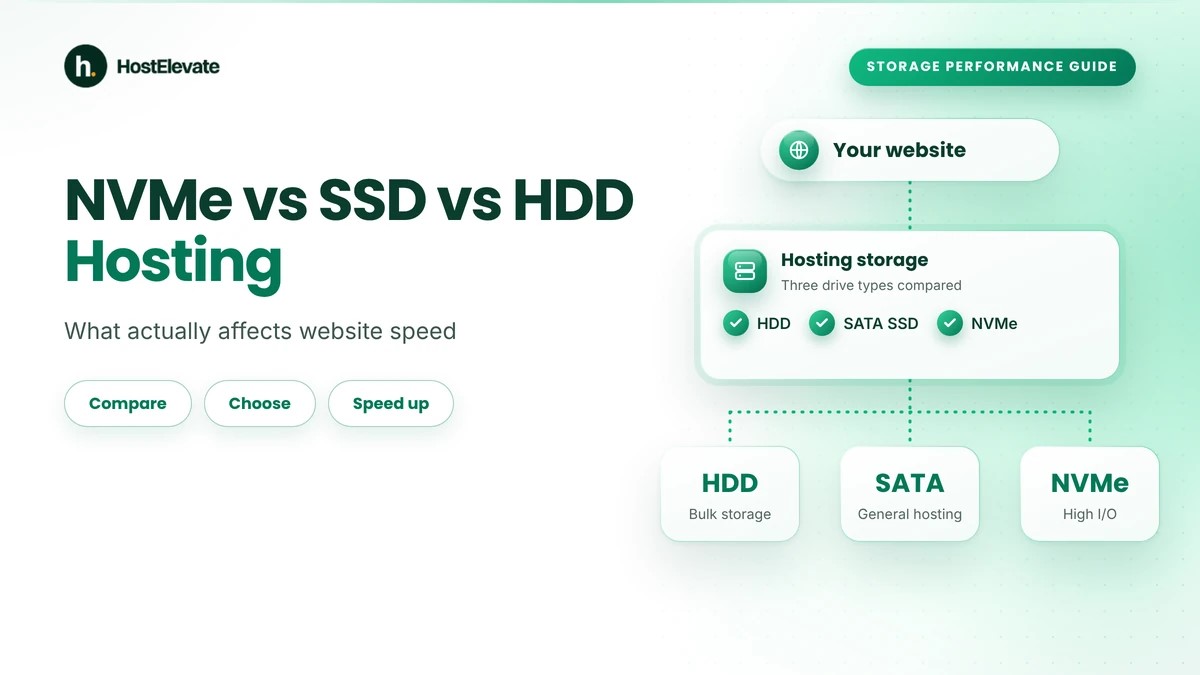
NVMe, SSD and HDD describe the technologies used to store and retrieve website files, databases and application data. An HDD uses spinning magnetic disks. An SSD uses flash memory with no moving parts. NVMe is a communication protocol that lets modern SSDs talk to the server through the PCIe interface.
They are important because a hosting server reads and writes data every time a visitor opens a page, WordPress runs PHP or an application queries a database. Faster storage reduces delays in these tasks, but it is only one part of performance. Understanding NVMe vs SSD hosting helps you pay for what your site can actually use, since CPU, memory, caching and network connection also decide how fast a page responds.
What Is HDD Hosting?
HDD stands for Hard Disk Drive. It is the traditional storage technology, using rotating magnetic disks and mechanical read/write heads to reach data. HDDs have long been used in servers because they offer large capacity at a low cost per gigabyte.
The drawback is mechanical movement. The head must move into position before data can be read, which makes small random reads and writes slower than on solid-state storage.
How HDD storage works
An HDD contains magnetic platters that spin while heads read the stored information. When the server requests a file, the drive finds the data and sends it to the system. Positioning and rotation add delay, which is most noticeable when an application makes many small, random storage requests.
Where HDD hosting can still be useful
HDD storage may suit:
- Large backup archives.
- Long-term data retention.
- Files that are rarely accessed.
- Bulk storage where cost matters more than speed.
For sites that constantly read databases, which is where NVMe vs SSD hosting comparisons begin, and application files, an HDD can become a performance limit.
What Is SSD Hosting?
SSD stands for Solid State Drive. It stores data in flash memory and has no moving parts, so it reaches data faster and handles random reads and writes far better than an HDD. In SSD hosting, which is half of the NVMe vs SSD hosting question, WordPress, databases and other applications can fetch frequently used information with lower delay.
How SSD storage works
An SSD stores data in flash memory cells, and a controller manages reading, writing and internal housekeeping. Because nothing spins or moves, access is much quicker than on a hard drive.
What is SATA SSD hosting?
A SATA SSD connects through the SATA interface, which was designed for older drives. It is far quicker than an HDD at random access, but the SATA interface limits its maximum transfer speed. SATA SSD hosting still performs well for many websites when the server has enough resources and sensible caching.
Where SATA SSD hosting is suitable
- Standard WordPress websites.
- Company and portfolio websites.
- Content management systems.
- Sites with moderate database activity.
- General-purpose hosting.
Actual results depend on the drive model, the controller, the server setup and the workload.
What Is NVMe Hosting?
NVMe stands for Non-Volatile Memory Express. It is a protocol that lets compatible drives communicate efficiently over PCIe. It is used with modern SSDs and is built for high throughput, low latency and many parallel operations.
That makes NVMe hosting the faster side of NVMe vs SSD hosting for workloads with frequent data access, such as databases, dynamic websites and virtual servers. The NVMe specifications are maintained by NVM Express, the industry organisation behind the standard.
How NVMe storage works
NVMe drives communicate over PCIe instead of the older SATA interface. The protocol supports many queues and many outstanding commands at once, so the drive can handle parallel requests with less overhead than SATA-based storage.
Where NVMe hosting can be beneficial
- Dynamic WordPress websites.
- WooCommerce stores.
- Database-heavy applications.
- Sites with frequent file operations.
- Virtual private servers.
- Applications with heavy random reads and writes.
However, NVMe does not make every website faster. If a site is limited by CPU, PHP execution, large images or inefficient code, faster storage may give only a small gain.
NVMe vs SSD Hosting vs HDD: Key Differences
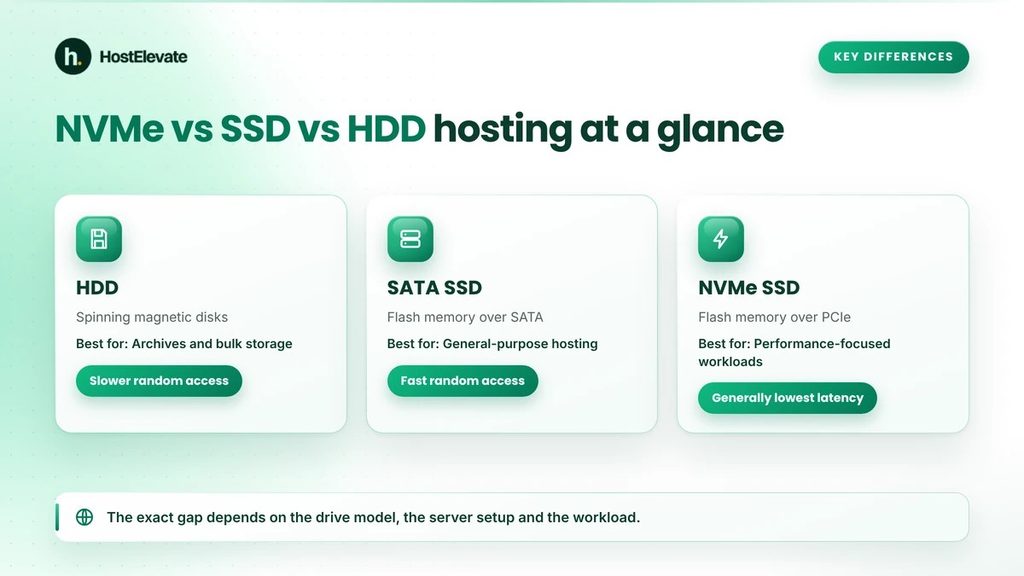
In NVMe vs SSD hosting, the main differences between the three options are the technology, the connection, the latency and the best-fit workload.
| Feature | HDD | SATA SSD | NVMe SSD |
| Storage technology | Magnetic disks | Flash memory | Flash memory |
| Connection | Usually SATA or SAS | SATA | PCIe |
| Moving parts | Yes | No | No |
| Random access | Relatively slow | Fast | Generally faster |
| Latency | Higher | Lower | Generally lowest |
| I/O performance | Limited for random operations | Good | High |
| Typical use | Archives and bulk storage | General-purpose hosting | Performance-focused workloads |
| Cost per capacity | Generally lower | Moderate | Varies by model and capacity |
Which is faster in NVMe vs SSD hosting?
In general, NVMe SSDs offer higher potential throughput and lower latency than SATA SSDs, while both beat HDDs by a wide margin at random access. The exact gap depends on the drive model, controller, server design and workload.
A good SATA SSD in a well-built server can outperform a badly configured NVMe server. That is why NVMe vs SSD hosting should never be judged on the drive alone.
What Actually Affects Website Speed?
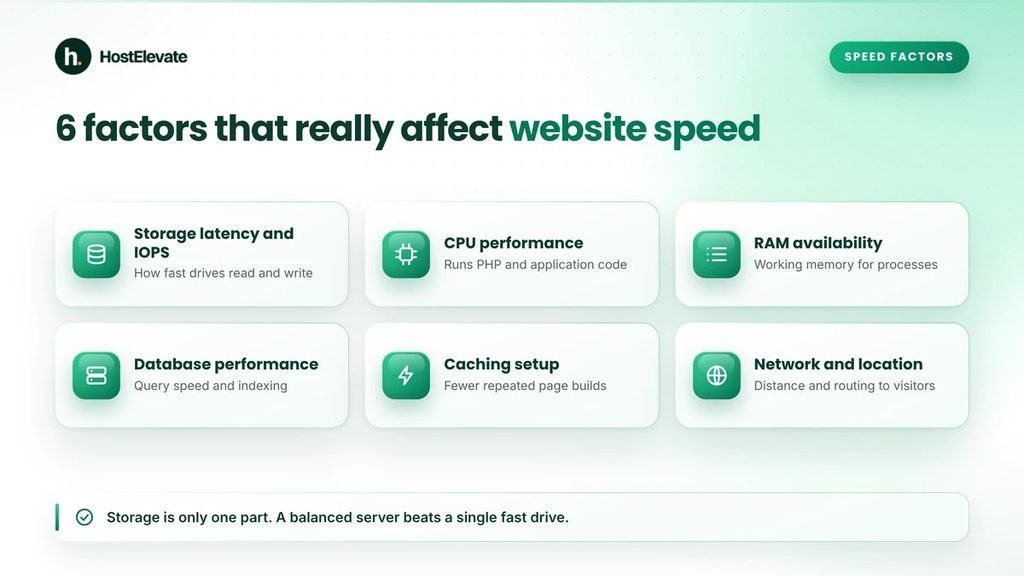
Storage matters in NVMe vs SSD hosting, but it is not the only factor. A server must run application code, fetch database records, deliver files and answer visitors. Six components work together to set the speed of a website.
Storage latency and IOPS
Latency is how long one storage operation takes. IOPS, or Input/Output Operations Per Second, is how many reads and writes a drive can handle in one second. These numbers matter for databases and any application that performs many small operations. This is where NVMe vs SSD hosting differs most, because NVMe supports low latency and a high level of parallel work.
CPU performance
The CPU runs application instructions and PHP requests. A site with heavy plugins or complex scripts needs strong processing capacity. Even with NVMe storage, a weak CPU becomes the bottleneck.
RAM and memory availability
RAM is the working memory for server processes. When it runs short, applications slow down. On WordPress hosting, memory matters most when several PHP processes, database tasks and background jobs run at the same time.
Database performance
WordPress and most content management systems rely on a database for content, settings and user data. Slow queries delay page generation even on fast storage. Good indexing, query optimisation and caching all help.
Caching configuration
Caching stores reusable results so the server does not repeat work. Page caching serves a ready-made page without running PHP or querying the database for each visitor, and object caching reduces repeated database calls. A well-configured cache can sometimes help more than moving from SATA SSD to NVMe, so NVMe vs SSD hosting should be judged with caching in mind.
Network connectivity and server location
Speed also depends on how fast data travels between the server and the visitor. Network capacity, routing and distance all affect delivery time. A Content Delivery Network can serve static files from locations closer to visitors in different regions.
Which Storage Type Is Best for WordPress Hosting?
WordPress is a dynamic application. Every page view, content update and plugin task can create storage requests, so the drive can influence how efficiently the server responds. Here is how NVMe vs SSD hosting compares for WordPress.
HDD for WordPress hosting
HDD is generally not the preferred choice for performance-focused WordPress hosting. It still works for backups and data that does not need fast, frequent access.
SATA SSD for WordPress hosting
SATA SSD hosting suits many WordPress sites. With enough CPU, memory, database resources and caching, a SATA SSD server can deliver a responsive website.
NVMe SSD for WordPress hosting
In NVMe vs SSD hosting for WordPress, NVMe is a strong option for sites with frequent database operations or heavier workloads. It can reduce storage delays and add performance headroom for dynamic sites, WooCommerce stores and applications with constant database access.
Is NVMe Hosting Worth the Extra Cost?
In NVMe vs SSD hosting, NVMe is worth considering when your site makes frequent storage requests or when you want more storage performance in reserve. The value still depends on the complete configuration and your real workload.
When NVMe hosting makes sense
Consider NVMe vs SSD hosting in favour of NVMe if:
- Your website performs frequent database operations.
- You run a dynamic WordPress website.
- Your application reads and writes files regularly.
- Storage is a confirmed performance bottleneck.
- You want extra storage performance capacity.
When SATA SSD may be sufficient
In NVMe vs SSD hosting, a SATA SSD plan may be enough when:
- Your site has light resource needs.
- Most public pages are served from cache.
- Your application performs few storage operations.
- The server has enough CPU and memory.
- Your site already meets its performance goals.
Do not pay extra in NVMe vs SSD hosting for specifications your site cannot use. Compare the complete package instead, including CPU, RAM, storage allocation, backups, caching and technical support.
How to Check What Storage Your Hosting Provider Uses
Providers do not always explain their storage in the plan description. If NVMe vs SSD hosting matters to your decision, confirm the storage before you buy or migrate.
Review the hosting plan specifications
When comparing NVMe vs SSD hosting plans, check whether the provider clearly lists:
- NVMe SSD storage.
- SATA SSD storage.
- HDD storage.
- Storage capacity.
- Backup storage arrangements.
- CPU and RAM allocation.
A plan with 100 GB of storage tells you nothing about how fast the underlying drive is.
Ask the hosting provider
If the website does not say enough, contact the support team. Ask whether website and database storage use NVMe or SATA SSD, and whether the storage is dedicated, shared or part of a virtualised platform. For HostElevate, you can review the web hosting plans and ask the team through the contact page to confirm the storage type for the plan you want.
Check a Linux server when you have access
If you manage your own Linux server, you can inspect the block devices with this command:
lsblk -o NAME,MODEL,ROTA,TRAN,SIZE
The ROTA column shows whether the operating system sees the device as rotational:
- 1 generally means rotational storage.
- 0 generally means non-rotational storage.
Virtualised environments may not show the physical storage accurately, because a virtual disk can sit on storage managed outside the guest system. When it matters, confirm the real setup with your provider.
How to Choose the Right Hosting Environment
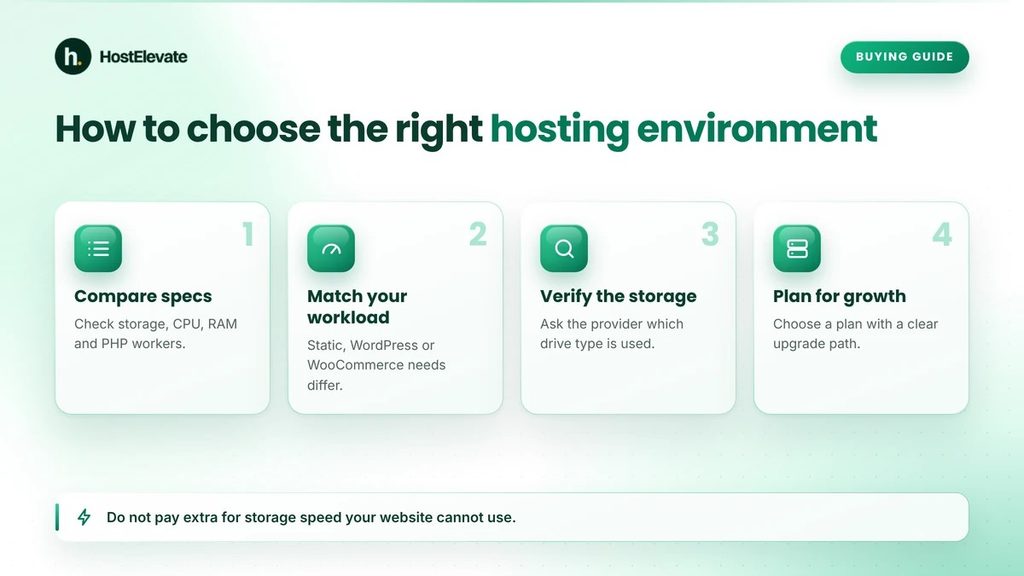
Choose NVMe vs SSD hosting by the whole environment, not by the plan that advertises the fastest drive. Your site needs storage, CPU, RAM, database performance, network and caching working together.
Compare the complete server specifications
Look at the resources, not only the NVMe label, when you compare NVMe vs SSD hosting:
- Storage technology and capacity.
- CPU allocation.
- Available RAM.
- PHP worker limits.
- Database configuration.
- Caching support.
- Backup frequency.
- Network performance.
Also check the software side. WordPress.org recommends hosting that supports PHP 8.3 or newer, MariaDB 10.11 or newer or MySQL 8.0 or newer, and HTTPS, and these matter alongside storage.
Consider your website workload
When weighing NVMe vs SSD hosting, remember that a static site, a WordPress blog and a WooCommerce store need different resources. A site with heavy database activity may gain more from NVMe vs SSD hosting upgrades than a mostly static site served from cache. Choose according to real requirements, not the assumption that every site needs the same server.
Consider future growth
Traffic, content, products and database activity usually grow. Plan for growth by picking a provider with an upgrade path so you can add resources when your workload needs them.
You can begin with HostElevate’s domain and hosting services, and you can register a domain together with your plan. If you already run a site elsewhere, HostElevate offers free website migration, and your old site stays live until the new one is verified.
Frequently Asked Questions
Is NVMe faster than a regular SSD in NVMe vs SSD hosting?
NVMe SSDs generally offer lower latency and higher throughput than SATA SSDs, although real results depend on the drive and server setup.
Is SSD hosting better than HDD hosting?
Yes, SSD hosting gives faster random access and lower latency, which suits most dynamic website workloads.
Does NVMe hosting improve WordPress speed?
It can reduce storage delays, especially for database-heavy and uncached requests, but other server and site factors matter too.
Is NVMe storage necessary for every website?
No, a well-configured SATA SSD environment can be enough for many sites with moderate needs.
Does more NVMe storage mean a faster website?
No, capacity only shows how much data you can store, while speed depends on latency, IOPS, throughput and the whole hosting setup.
Summary
NVMe vs SSD hosting and HDD hosting use different technologies and perform differently. HDDs remain useful for low-cost bulk storage, SATA SSDs offer a practical balance for general hosting, and NVMe SSDs give higher potential performance for demanding storage workloads.
NVMe vs SSD hosting comes down to workload, and choosing NVMe alone does not guarantee a faster website. CPU, RAM, database efficiency, caching, network and configuration all play their part. The best NVMe vs SSD hosting decision is the one that balances these parts for your site’s real needs.