
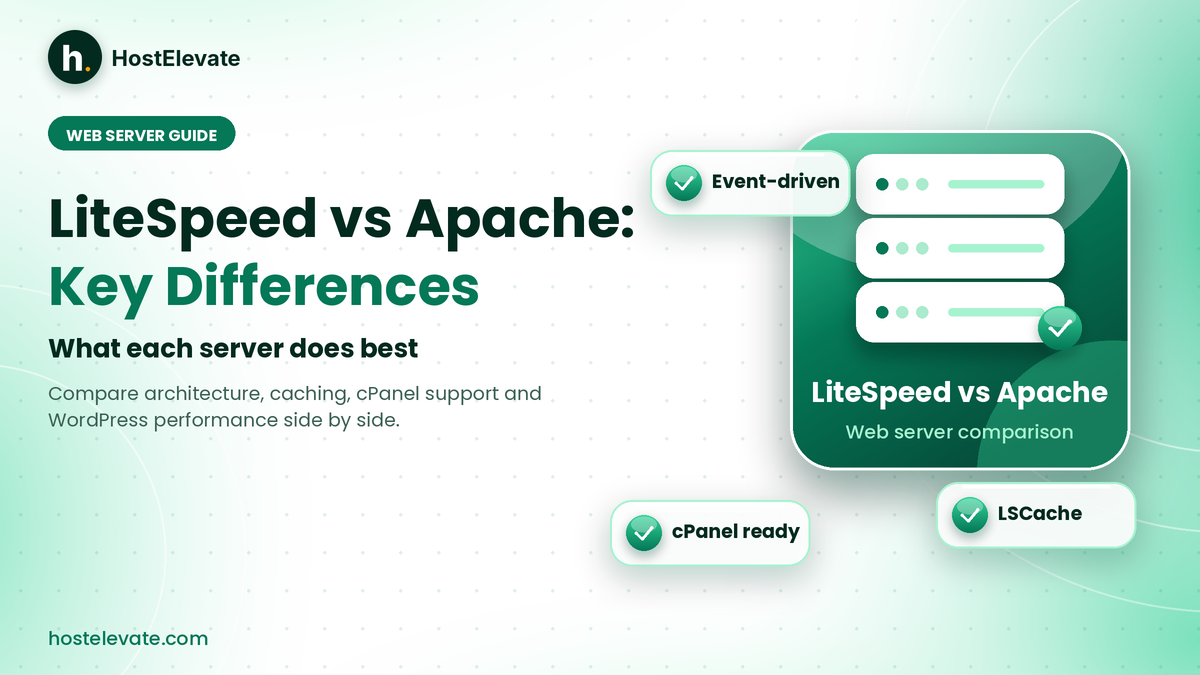
Choosing a web server affects how quickly your website handles visitors, processes requests, and delivers pages. Two of the most discussed options in hosting are LiteSpeed and Apache. Both serve websites, run PHP applications, and work with popular control panels, yet they handle traffic in different ways. Understanding LiteSpeed vs Apache helps you judge a hosting plan by its real technology instead of marketing claims.
This guide explains what each server is, how they differ, and how caching, compatibility, and resource use compare, so you can decide which suits your website. You will also learn how LiteSpeed Cache works with WordPress and how to check which server your host uses.
Table of Contents
- What Are LiteSpeed and Apache and Why Do They Matter?
- LiteSpeed vs Apache: How Do They Handle Website Requests?
- LiteSpeed vs Apache: Key Differences
- LiteSpeed vs Apache: Which Is Faster?
- LiteSpeed Cache: How It Shapes LiteSpeed vs Apache for WordPress
- Is LiteSpeed Compatible With cPanel and WordPress?
- LiteSpeed vs Apache: Which Should You Choose?
- Frequently Asked Questions
- Summary:
What Are LiteSpeed and Apache and Why Do They Matter?
A web server receives requests from visitors’ browsers and responds with website content such as HTML pages, images, stylesheets, and scripts. The two names you will meet most often in hosting are LiteSpeed Web Server and Apache HTTP Server, which is why the LiteSpeed vs Apache question comes up whenever people compare hosting plans.
What is LiteSpeed Web Server?
LiteSpeed Web Server (LSWS) is a commercial web server developed by LiteSpeed Technologies. It is built to deliver content efficiently while supporting many configurations and tools commonly used with Apache. It uses an event-driven architecture to manage connections, so it can handle many simultaneous visitors while staying compatible with common Apache setups.
That makes it attractive to hosting providers who want to keep existing Apache-compatible applications and configuration files but adopt a different server design. Many hosting buyers meet LiteSpeed vs Apache comparisons for exactly this reason.
- Event-driven architecture: designed to handle multiple connections efficiently.
- Apache compatibility: supports many Apache configuration files and .htaccess rules.
- Integrated caching: server-level caching through LiteSpeed Cache.
- HTTP/3 support: supports modern web communication protocols.
- Control panel integration: works with panels such as cPanel.
- PHP support: runs common PHP applications, including WordPress.
What is Apache HTTP Server?
Apache HTTP Server, often called Apache or httpd, is an open-source web server maintained by the Apache Software Foundation. It has been used for website hosting for years because of its flexibility, large module ecosystem, and compatibility with many web applications.
Its modular architecture lets administrators enable modules for URL rewriting, authentication, compression, and security controls. Apache also offers several Multi-Processing Modules (MPMs) that decide how it accepts connections and passes requests to worker processes or threads. You can read about them in the Apache MPM documentation.
- Open-source software: available without a commercial web server licence.
- Modular architecture: supports a large collection of modules.
- `.htaccess` support: allows directory-level configuration where permitted.
- Wide panel support: commonly integrated with cPanel and other hosting panels.
- Flexible request handling: prefork, worker, and event MPMs.
Why does LiteSpeed vs Apache matter?
Your web server influences concurrency, resource usage, caching options, and how well your applications run. A sensible LiteSpeed vs Apache decision helps you pick hosting that fits your workload, although the rest of the hosting environment matters just as much. HostElevate’s web hosting uses LiteSpeed with cPanel, so this comparison reflects the technology behind our own plans.
LiteSpeed vs Apache: How Do They Handle Website Requests?
The main difference in LiteSpeed vs Apache is how each is designed to handle connections. Apache uses a modular architecture with different MPMs for request handling, while LiteSpeed uses an event-driven design built to manage large numbers of connections efficiently. That can influence resource usage, concurrency, and behaviour under particular workloads.
Event-driven architecture vs Apache MPMs
LiteSpeed’s event-driven model manages many connections without needing a separate traditional process for each one. Apache is not limited to one model, though. It offers three:
- Prefork: uses separate processes for requests and suits certain compatibility needs.
- Worker: uses multiple processes with multiple threads for concurrent requests.
- Event: uses an event-driven approach to manage persistent connections more efficiently.
This matters when you compare results. Testing LiteSpeed against an older Apache setup can give a very different answer from testing it against a well-configured Apache event MPM, so a fair LiteSpeed vs Apache comparison always checks the Apache configuration first. The cPanel documentation on MPMs shows which options a cPanel server offers.
LiteSpeed vs Apache: Key Differences
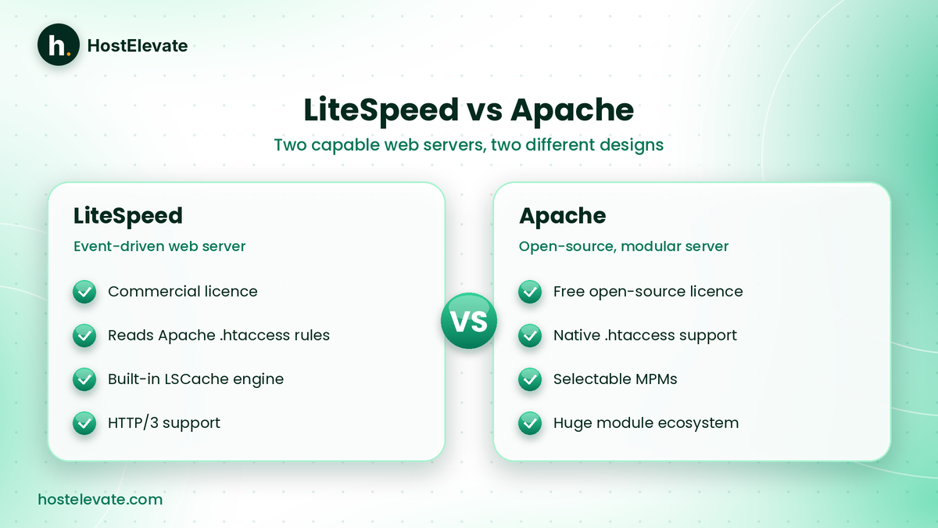
LiteSpeed vs Apache: two capable servers with different designs.
| Feature | LiteSpeed Web Server | Apache HTTP Server |
| Software model | Commercial web server | Open-source web server |
| Architecture | Event-driven | Modular, with selectable MPMs |
| .htaccess | Supports Apache-style rules | Native support |
| cPanel | Supported through integration | Widely supported |
| PHP support | Yes | Yes |
| Server-level cache | LSCache available | No LiteSpeed-style integrated cache engine |
| HTTP/3 | Supported | Depends on build and configuration |
| Modules | LiteSpeed features and compatible Apache modules | Extensive Apache module ecosystem |
| Licensing | Commercial | Open source |
This table shows general differences in LiteSpeed vs Apache. Actual features and performance depend on software versions, configuration, hosting resources, and enabled modules. LiteSpeed publishes its own web server comparison, which is worth reading alongside independent tests.
LiteSpeed vs Apache: Which Is Faster?
Performance is one of the main reasons hosting providers consider LiteSpeed. Its event-driven design is built for concurrent connections, and its integrated caching can reduce repeated application work for eligible pages. Even so, it would be inaccurate to say LiteSpeed is always faster than every Apache installation. That is why LiteSpeed vs Apache speed claims need context.
A properly configured Apache server using the right MPM can perform very well. Speed also depends on PHP execution, database queries, storage speed, CPU and memory, caching setup, and your website’s code, so the LiteSpeed vs Apache result changes with the workload.
LiteSpeed vs Apache performance under high traffic
When many visitors arrive at once, the server must manage connections and return responses quickly. LiteSpeed’s event-driven design targets exactly that situation. Apache can also handle concurrent traffic well, particularly with its worker or event MPMs. The real gap depends on the workload and configuration rather than the server name alone.
Resource usage
Resource usage matters on shared hosting, where many accounts share one physical server. Efficient connection handling can reduce unnecessary overhead, but the final numbers also depend on:
- The number of active visitors.
- PHP application workload.
- Database queries.
- Cache hit rate.
- Server configuration.
- Available CPU and memory.
- Background processes.
A host’s resource allocation and server management are therefore just as important as its choice of web server.
LiteSpeed Cache: How It Shapes LiteSpeed vs Apache for WordPress
LiteSpeed Cache (LSCache) is a caching technology built into LiteSpeed server products. It can store eligible responses so repeated requests do not force WordPress to rebuild the same page every time. For WordPress, the LiteSpeed Cache plugin provides the interface for caching and extra optimisation features. This built-in cache is one of the biggest practical points in the LiteSpeed vs Apache debate.
LiteSpeed Web Server vs LiteSpeed Cache plugin
These are related but different. LiteSpeed Web Server is the software that receives and processes requests. The LiteSpeed Cache plugin is a WordPress plugin that talks to supported server caching and adds optimisation tools.
Installing the plugin does not automatically switch on server-level page caching on every server. According to the LiteSpeed Cache for WordPress documentation, full LSCache functionality needs a supported LiteSpeed server environment. Without it, the plugin still offers optimisation features, but server-level caching is unavailable.
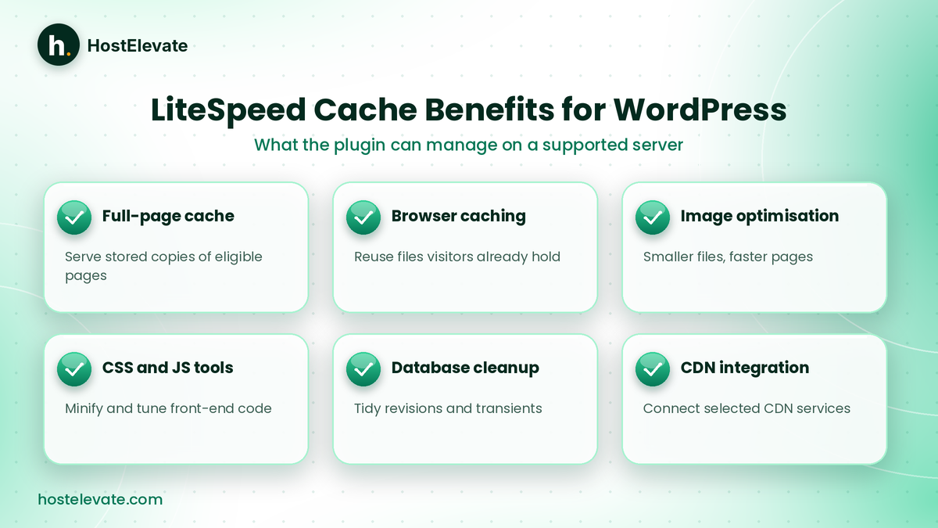
What LiteSpeed Cache can manage for WordPress on a supported server.
Benefits of LiteSpeed Cache for WordPress
- Full-page caching for eligible pages.
- Browser caching configuration.
- Image optimisation.
- CSS and JavaScript optimisation.
- Database optimisation tools.
- Cache management and selected CDN integrations.
Configure caching rules carefully. Personalised pages, logged-in sessions, shopping carts, and checkout pages may need exclusions so visitors never see wrong or outdated content. For WordPress-focused plans, see HostElevate WordPress hosting.
Is LiteSpeed Compatible With cPanel and WordPress?
Yes. LiteSpeed Web Server is designed to work with common Apache-based hosting environments, including cPanel, and its compatibility with existing Apache configurations is a major advantage. For anyone weighing LiteSpeed vs Apache on a cPanel host, this is reassuring.
Apache .htaccess compatibility
Many WordPress sites use .htaccess files for URL rewriting, redirects, and access rules. LiteSpeed supports Apache-style .htaccess files, which can make moving from Apache easier. However, compatibility does not guarantee that every third-party module, custom rule, or server-specific setting behaves identically, so test important rules before switching.
cPanel integration
LiteSpeed offers integration for cPanel and WHM, so administrators can manage supported LiteSpeed functions through familiar tools. Hosts can therefore keep a familiar environment while using LiteSpeed underneath. See cPanel’s explanation of LiteSpeed Web Server for more detail, or compare it with HostElevate’s cPanel VPS hosting if you want more control over server resources.
Secure delivery matters whichever server you pick, so pair either one with valid SSL certificates for HTTPS.
LiteSpeed vs Apache: Which Should You Choose?
There is no single winner in LiteSpeed vs Apache. The right answer depends on your website, applications, and hosting setup.
LiteSpeed vs Apache: when LiteSpeed is a good choice
- WordPress websites: server-level page caching can reduce repeated PHP processing for eligible pages.
- WooCommerce stores: public pages can be cached, but carts, sessions, and checkout need exclusions.
- Shared hosting: hosts can manage many sites and concurrent connections, although CPU, RAM, and account limits still apply.
- International traffic: caching reduces repeated origin work, and a CDN adds another distribution layer.
LiteSpeed vs Apache: when Apache is still a good choice
Apache is not outdated simply because LiteSpeed offers a different design. It may suit you when:
- You need a particular Apache module.
- Your application depends on specific Apache behaviour.
- You prefer open-source web server software.
- Your existing Apache environment is properly configured.
- You need extensive configuration flexibility.
How to check which web server your hosting uses

Checking server headers is a hint, and your host gives the final answer.
The most reliable method is to ask your host which server runs on your account, and whether server-level caching and LiteSpeed Cache support are enabled. You can also inspect response headers with this command:
- curl -I https://example.com
Look for the Server header, which may read Server: LiteSpeed or Server: Apache. However, headers can be hidden, changed, or replaced by a proxy or CDN, so a missing header proves nothing. cPanel itself also does not show whether the underlying server is Apache or LiteSpeed, so ask your host to confirm both the server software and the caching configuration.
Hosting configuration matters as much as the server
A site on LiteSpeed can still be slow with oversized images, inefficient PHP, slow queries, or too few resources, while a well-tuned Apache server can perform well. Compare the whole environment: web server, storage, CPU and memory, PHP versions, database performance, server-level caching, account isolation, backups, and support. To explore a LiteSpeed and cPanel setup, visit HostElevate, and if you are leaving another host, free website migration moves your files, databases, email, and DNS together.
Frequently Asked Questions
What is LiteSpeed Web Server used for?
LiteSpeed Web Server delivers website content using an event-driven design built for efficient connection handling.
In LiteSpeed vs Apache, is LiteSpeed better?
LiteSpeed can offer advantages in connection handling and caching, but a well-configured Apache can also perform well.
Is LiteSpeed compatible with cPanel?
Yes, LiteSpeed supports cPanel integration along with many Apache configuration files and .htaccess rules.
Is LiteSpeed Cache the same as LiteSpeed Web Server?
No, LiteSpeed Web Server is the server software, while LiteSpeed Cache is its caching technology with a WordPress plugin.
Can I use LiteSpeed with WordPress?
Yes, and the LiteSpeed Cache plugin provides server-level caching when it runs on a supported LiteSpeed environment.
Summary:
LiteSpeed and Apache are both capable web servers that process requests in different ways. LiteSpeed uses an event-driven architecture with integrated server-level caching, while Apache offers an open-source, modular environment with several MPM options.
In the LiteSpeed vs Apache comparison, LiteSpeed suits hosts and WordPress sites that benefit from its caching and Apache compatibility, and Apache stays strong for applications that need its module ecosystem and flexibility. The best choice depends on your workload, applications, hosting resources, and server configuration, so judge a host by its actual technology rather than marketing claims.