
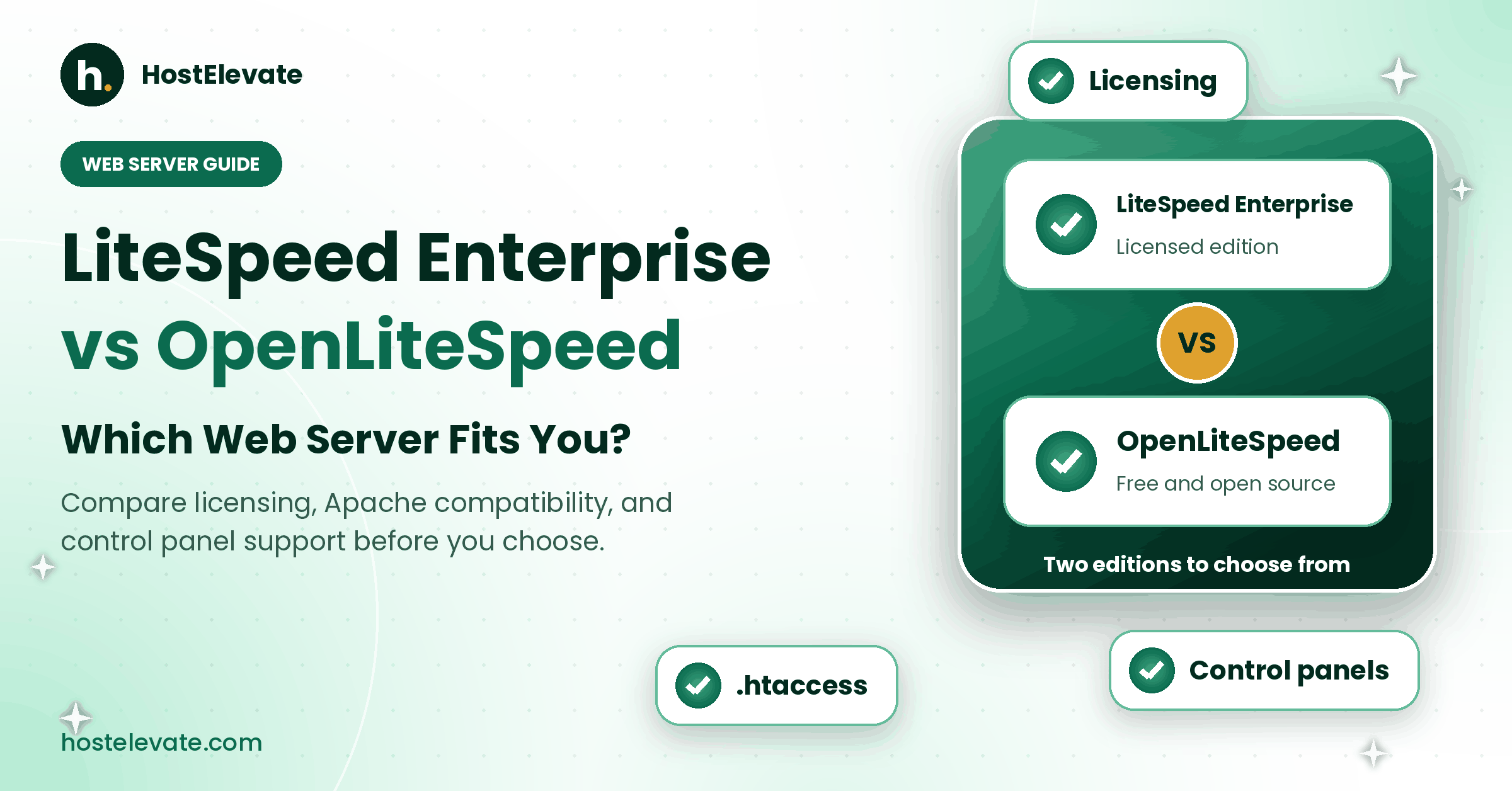
LiteSpeed Enterprise is the licensed edition of the LiteSpeed web server, while OpenLiteSpeed is the free, open-source edition. Enterprise reads Apache configuration and .htaccess files and works with cPanel and Plesk. OpenLiteSpeed supports rewrite rules, but you configure more of it yourself.
This guide is for site owners, developers, and agencies weighing LiteSpeed Enterprise vs OpenLiteSpeed. You will learn how the two editions differ, which control panels they work with, and how to choose the right one for your server. Each section answers one common question, so you can jump straight to the part you need, and the tables summarize the key points.
Key takeaways
- LiteSpeed Enterprise is a licensed edition, and OpenLiteSpeed is free and open source.
- Enterprise reads Apache configuration and .htaccess files, while OpenLiteSpeed needs more manual setup.
- Enterprise is listed for cPanel, Plesk, and DirectAdmin, and OpenLiteSpeed for panels such as CyberPanel.
- In LiteSpeed Enterprise vs OpenLiteSpeed, both editions include LSCache and support HTTP/3.
- On managed hosting, your provider picks and maintains the web server for you.
What Is LiteSpeed Enterprise vs OpenLiteSpeed and Why Does It Matter?
OpenLiteSpeed and LiteSpeed Enterprise are two editions of the same family of web servers. A web server is the software that receives a visitor’s request and sends back your pages. The LiteSpeed Enterprise vs OpenLiteSpeed choice affects licensing, how you manage settings, and which control panels you can run.
It matters because the two editions handle Apache compatibility differently. If your site depends on .htaccess rules or a control panel, the wrong choice can mean extra setup or features that do not work as expected.
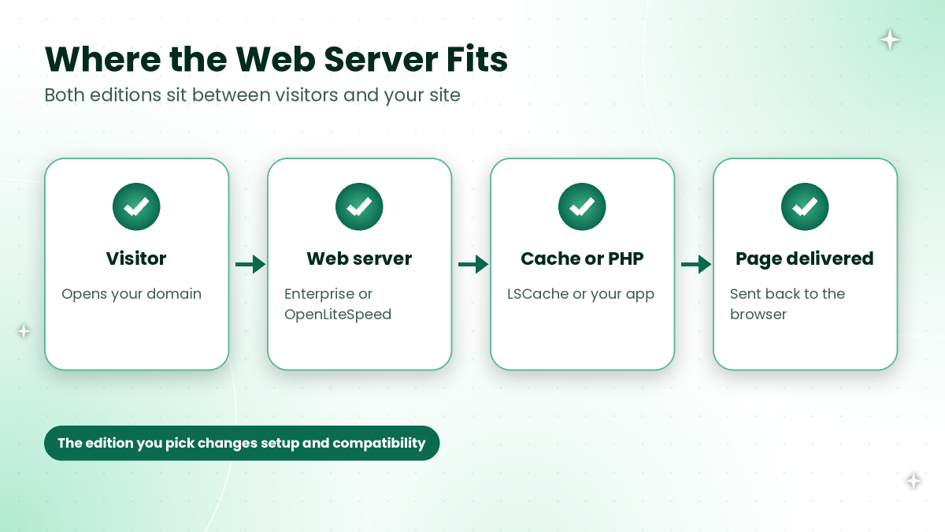
The web server sits between the visitor and your site, and the edition changes how it is managed.
Practical example: a developer runs a personal VPS with a few custom applications and is happy to edit configuration files. OpenLiteSpeed fits that setup. An agency running many client sites in cPanel needs something that reads Apache settings automatically, and that is where LiteSpeed Enterprise fits.
What Is OpenLiteSpeed?
OpenLiteSpeed is the open-source edition of the LiteSpeed web server, and you can use it without buying a license. It understands Apache mod_rewrite syntax, so many rewrite rules carry over. Its official project site explains the features and installation options. In the LiteSpeed Enterprise vs OpenLiteSpeed decision, this is the edition for hands-on server owners.
OpenLiteSpeed does not read Apache configuration on its own, so you set up virtual hosts and options yourself. It is a good match if you manage your own server, such as a VPS, and you are comfortable with configuration.
What Is LiteSpeed Enterprise?
LiteSpeed Enterprise is the licensed edition of the web server, designed as a drop-in replacement for Apache. It reads existing Apache configuration and .htaccess files, so you can switch with little rework. You can review the editions and terms on the LiteSpeed license documentation.
LiteSpeed also lists a free starter option for limited setups, so check the current terms before you decide. HostElevate hosting plans include LiteSpeed, so on a hosting plan you get the speed benefits without installing or licensing anything yourself.
How Do OpenLiteSpeed and LiteSpeed Enterprise Differ?
In the LiteSpeed Enterprise vs OpenLiteSpeed comparison, the biggest differences are licensing, Apache compatibility, and how changes to .htaccess files are loaded. The table below compares the two based on the project’s own comparison.
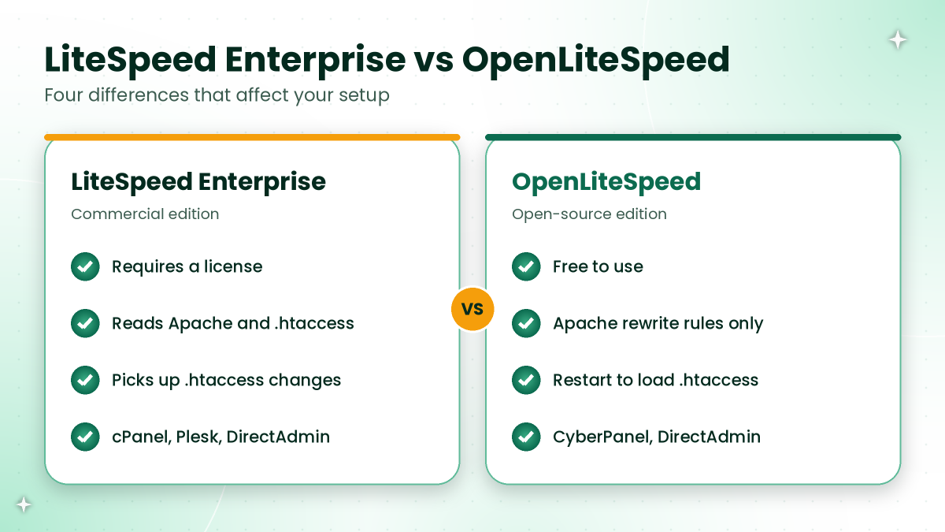
Four of the main differences between the two editions.
| Feature | LiteSpeed Enterprise | OpenLiteSpeed |
| License | Requires a license | Free and open source |
| Apache directives in .htaccess | Rewrite rules and most Apache directives | Rewrite rules only |
| Apache replacement | Drop-in replacement for Apache | Not a direct replacement |
| Loading .htaccess changes | Detects changes without a restart | Needs a restart to load a new file |
| Control panels | cPanel, Plesk, DirectAdmin | CyberPanel, DirectAdmin, and others |
| ESI (Edge Side Includes) | Supported | Not supported |
| LSCache and HTTP/3 | Supported | Supported |
Features can change between releases, so confirm the current details in the vendor’s documentation before you plan a migration.
Which Edition Works With cPanel and Other Control Panels?
For LiteSpeed Enterprise vs OpenLiteSpeed on control panels, LiteSpeed Enterprise is the edition listed for cPanel, Plesk, and DirectAdmin. OpenLiteSpeed is listed for panels such as CyberPanel, DirectAdmin, RunCloud, and GridPane. If you plan to run cPanel, choose Enterprise or a host that already provides it.
If you want cPanel without managing the web server yourself, a cPanel hosting plan is the simpler route. The provider takes care of the server software, so you can focus on your sites.
Do Both Editions Support LSCache and WordPress Speed Features?
On caching, LiteSpeed Enterprise vs OpenLiteSpeed is a tie: both editions include LSCache, the server-level cache used by LiteSpeed. LSCache works with WordPress through the LiteSpeed Cache plugin, and you can follow the LiteSpeed Cache for WordPress documentation to set it up.
Cache speeds up repeat page loads, but it is only one part of performance. Storage also matters, which is why our guide to NVMe vs SSD hosting is a useful companion. For WordPress sites, see our WordPress hosting plans.
Which Should You Choose: LiteSpeed Enterprise or OpenLiteSpeed?
Choose OpenLiteSpeed if you manage your own server and want open-source software. Choose LiteSpeed Enterprise if you use cPanel or Plesk, rely on .htaccess rules, or want the least manual setup. That is the core of the LiteSpeed Enterprise vs OpenLiteSpeed decision: your panel, your rules, and your time.
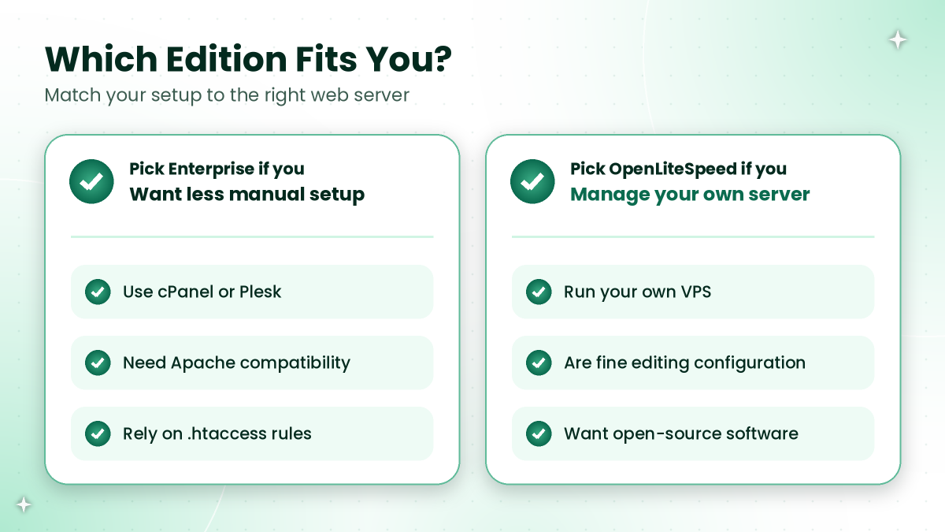
Match your setup to the right edition.
| Your situation | Better fit |
| You run your own VPS and edit configuration files | OpenLiteSpeed |
| You use cPanel or Plesk | LiteSpeed Enterprise |
| Your site depends on many Apache .htaccess directives | LiteSpeed Enterprise |
| You prefer open-source software with no license | OpenLiteSpeed |
| You want the provider to manage the server | Managed hosting |
If you are moving an existing site after weighing LiteSpeed Enterprise vs OpenLiteSpeed, HostElevate offers free website migration so the team can help with files, databases, and email.

Can You Switch Between OpenLiteSpeed and LiteSpeed Enterprise Later?
Yes, you can change editions later, but plan the move instead of swapping the software in a hurry. The main risk is that rules or settings that work on one edition may behave differently on the other.
- Back up your site, databases, and server configuration first.
- List the .htaccess rules and Apache directives your site relies on.
- Check that your control panel supports the edition you are moving to.
- Test the change on a copy of the site before you touch the live one.
- Confirm the current license terms if you are moving to Enterprise.
If the move feels risky, a managed plan removes the decision. Our team can also help you move an existing site to a new server, so you do not have to rebuild everything yourself.
What Are Common Problems and How Do You Fix Them?
When you compare LiteSpeed Enterprise vs OpenLiteSpeed in real use, most problems come from Apache rules that OpenLiteSpeed does not read or from changes that have not loaded yet. This table covers the common ones.
| Problem | Likely cause | Fix |
| An Apache directive has no effect | OpenLiteSpeed supports rewrite rules, not all Apache directives | Move the setting into the OpenLiteSpeed configuration, or use Enterprise. |
| A new .htaccess rule is ignored | OpenLiteSpeed needs a restart to load a new .htaccess file | Restart the web server, then test the page again. |
| Your control panel will not install | The panel is not listed for that edition | Check the panel’s supported web servers before you install. |
| A feature such as ESI is missing | ESI is listed for Enterprise only | Check the feature list, then switch edition if you need it. |
Frequently Asked Questions
Is LiteSpeed Enterprise the same as OpenLiteSpeed?
No. They are two editions of the same web server family. LiteSpeed Enterprise is licensed and adds Apache compatibility, such as reading .htaccess files automatically, while OpenLiteSpeed is free and open source.
Is OpenLiteSpeed free?
Yes. OpenLiteSpeed is free and open source, so you can use it without buying a license. You manage more of the configuration yourself, since it does not read Apache settings on its own.
Does OpenLiteSpeed work with cPanel?
cPanel is listed for LiteSpeed Enterprise, not OpenLiteSpeed. If you want cPanel, choose Enterprise or a hosting plan that already includes it, and check the current support list.
Can OpenLiteSpeed read .htaccess files?
It supports rewrite rules in .htaccess but not Apache directives in general. It also needs a restart to load a new .htaccess file, unlike Enterprise, which detects changes without one.
Do I need to choose the edition on shared hosting?
No. On a hosting plan, your provider installs and maintains the web server. You only choose an edition if you manage your own VPS or server.
LiteSpeed Enterprise vs OpenLiteSpeed:
In the end, OpenLiteSpeed suits hands-on server owners who want free software, and LiteSpeed Enterprise suits panel-based setups that rely on Apache compatibility. If you would rather not manage a web server at all, explore HostElevate’s web hosting plans and let us handle it.